
From disconnected tools to a unified AV design workspace
AV integrators and designers work across a patchwork of disconnected tools. Architectural floor plans live in CAD files, device inventories are tracked in spreadsheets, schematics are drawn manually. When a field team needs to verify something on-site, they rely on printed PDFs or screenshots. Each handoff between tools introduces the risk of outdated information, mismatched versions, and lost context.
The goal was to design a platform that consolidates these workflows into a single, diagram-based workspace. The project scope covered UX/UI design and an interactive prototype – validated and ready for further development. It covers AV schematic editing, floor plan management, device libraries, team collaboration, and a tablet-optimized experience for field use.
AV system design platform
A unified tool for designing AV systems with interactive floor plans, device management, and team collaboration
UX/UI design, interactive prototype
Fragmented tools and workflows in AV system design

Non-editable floor plans
AV teams receive floor plans as DWG, DXF, PDF, or scanned images. These static files cannot be edited directly, forcing designers to redraw layouts from scratch in separate tools.

No single source of truth
Floor plans, AV schematics, and device specs live in separate applications. When a device is swapped or a layout changes, every document must be updated independently – with no live link between them.

File-based collaboration
Design reviews happen over email threads, annotated PDFs, and meetings. There is no shared workspace where all stakeholders can see the same project state, leave feedback, or track changes.

No tools for on-site work
Field teams visit client sites with printed plans or static screenshots. When issues arise, there is no way to annotate live project data – only photos and messages sent back to the office.
AV design software built around interactive diagrams and floor plans
The platform brings the AV design workflow into one browser-based environment. At its core are two interactive layers – an architectural floor plan and an AV system schematic – coexisting within a single project. Users can import drawings or build from scratch, place devices from a categorized library, configure specs, collaborate in real time, and export documentation. A tablet interface extends the workflow into the field.
AI-powered floor plan import
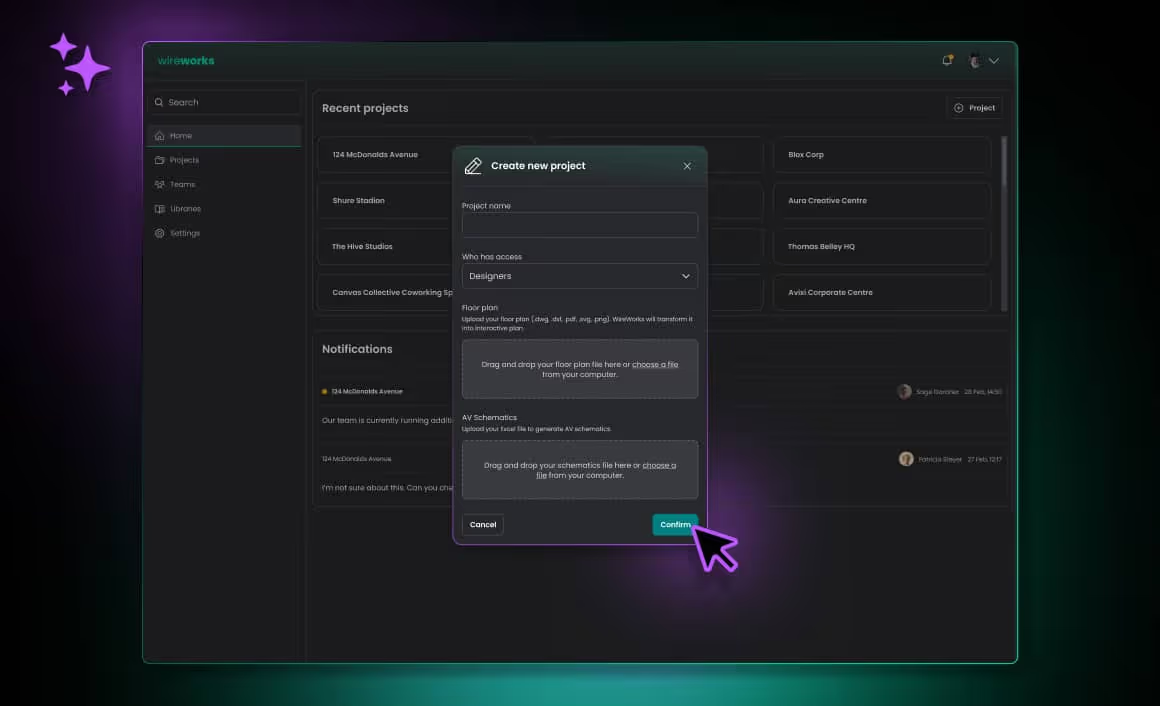
The platform accepts floor plans in DWG, DXF, PDF, SVG, and PNG formats. AI-powered recognition converts static drawings into editable, interactive layouts that can be further modified after import. Users can also build plans from scratch using predefined walls, windows, doors, and furniture.
AV schematic editor with device library
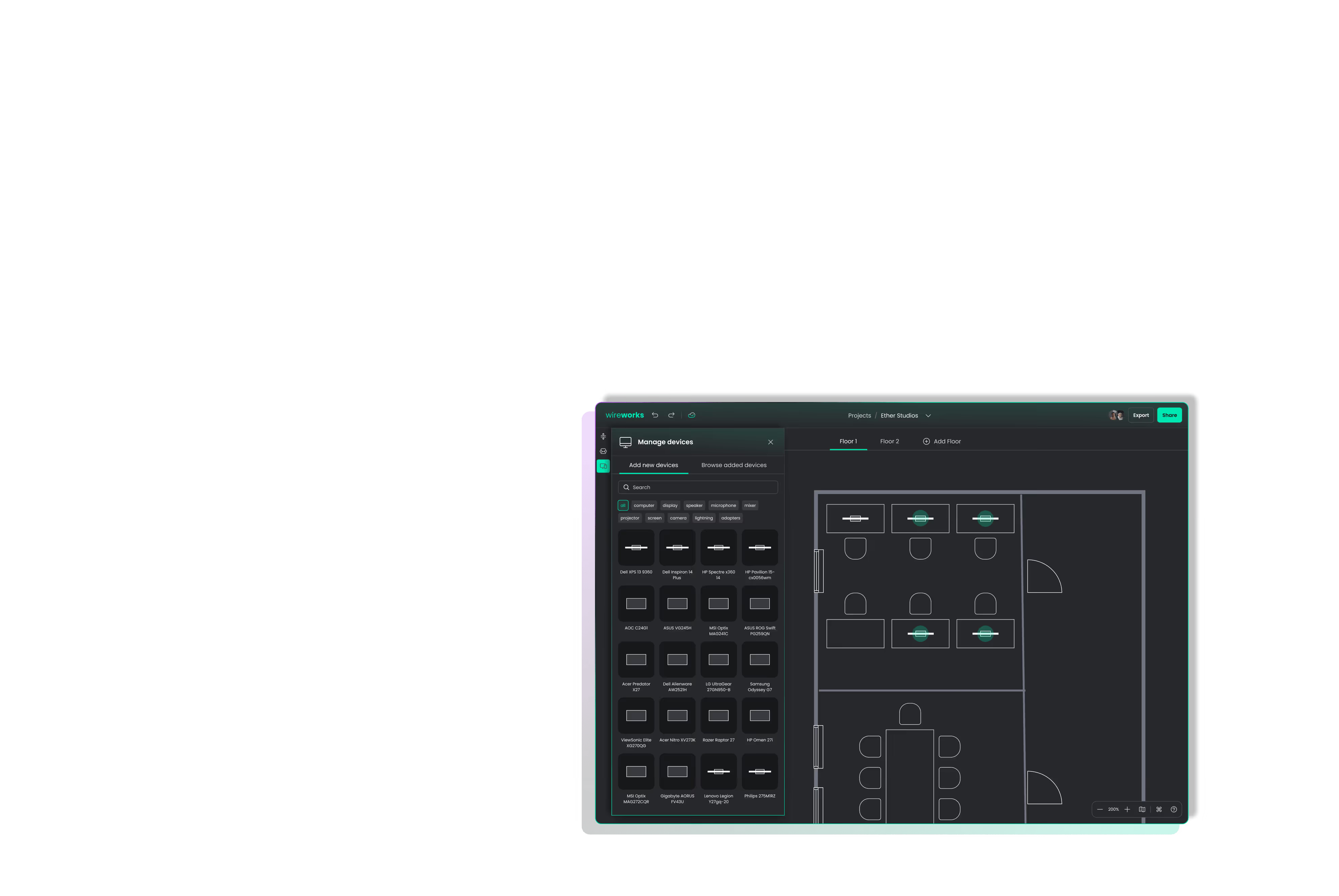
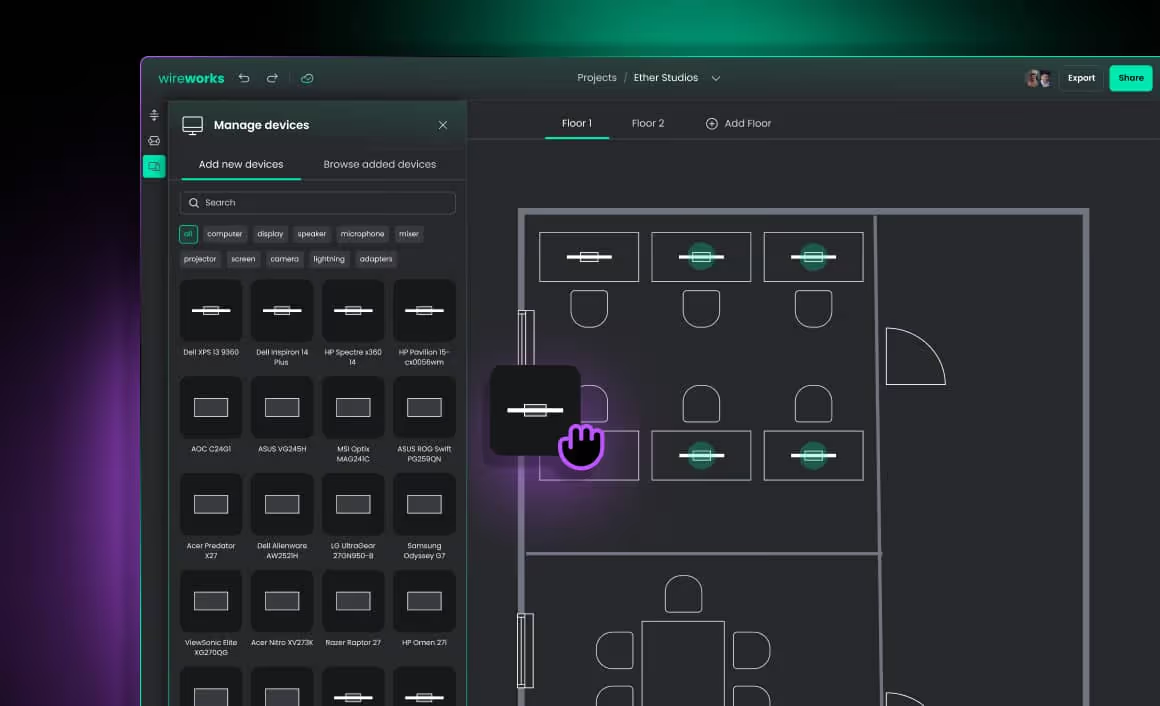
Designers drag AV devices from a categorized library – computers, displays, speakers, microphones, mixers, projectors, cameras, and adapters – directly onto the floor plan. Each device includes predefined manufacturer specs like dimensions, power, and I/O configuration. An Excel import option auto-generates schematics for large-scale projects.
Device details and configuration
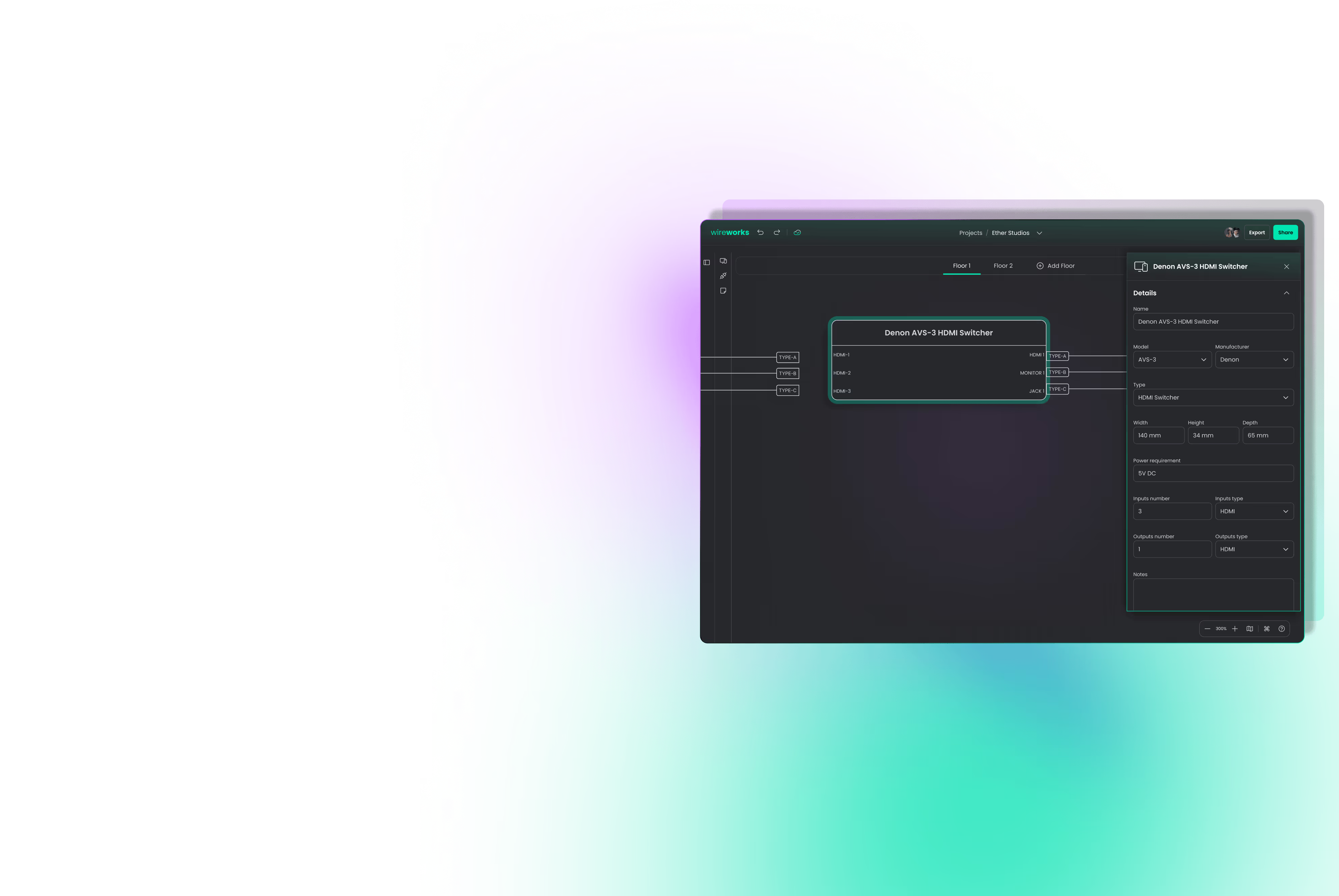
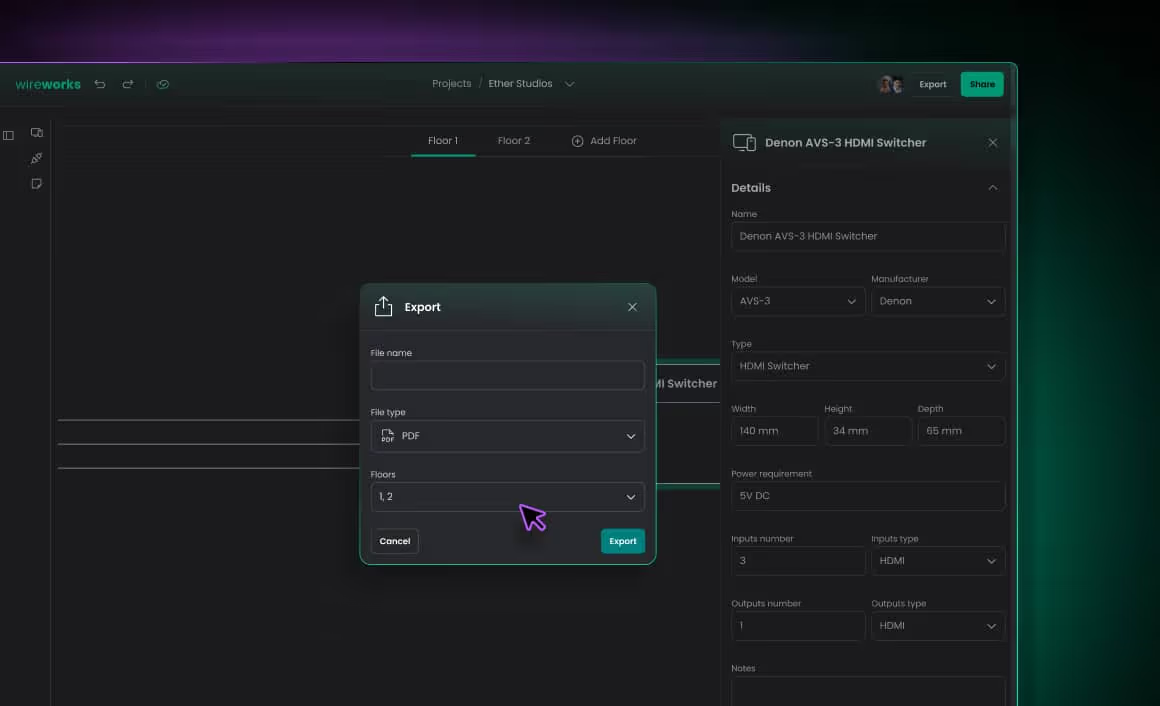
Selecting any device on the schematic opens a detailed configuration panel – name, model, manufacturer, type, physical dimensions, power requirements, input/output specs, and notes. Changes are reflected on the diagram instantly.

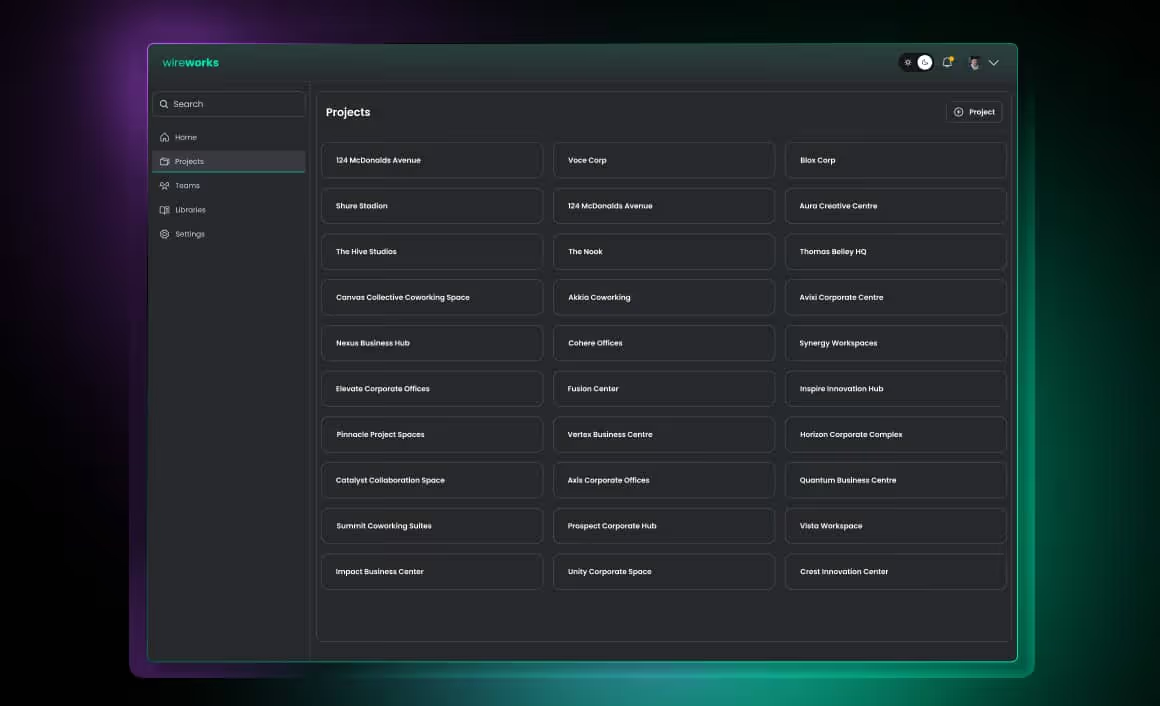
Project dashboard and notifications
A central dashboard displays all projects with in-app notifications for team activity. Users can create projects, manage teams, and control who sees what – setting granular access levels for internal team members, external collaborators, and clients.
Planning a similar project?
Let's talk about your challenges and goals.
Export and documentation
Projects can be shared directly with team members or clients – with configurable access levels – giving them a live, always up-to-date view. The platform supports PDF export with per-floor selection for structured documentation, and DXF export for teams that need to continue working with the designs in external CAD tools.

Real-time collaboration and contextual comments
Team members – whether designers collaborating on the same project, engineers reviewing schematics, or service technicians verifying an installation on-site – work in a shared environment. Comments can be pinned to a specific device or point on the floor plan, with threaded replies replacing scattered emails and phone calls.
Tablet interface for field work
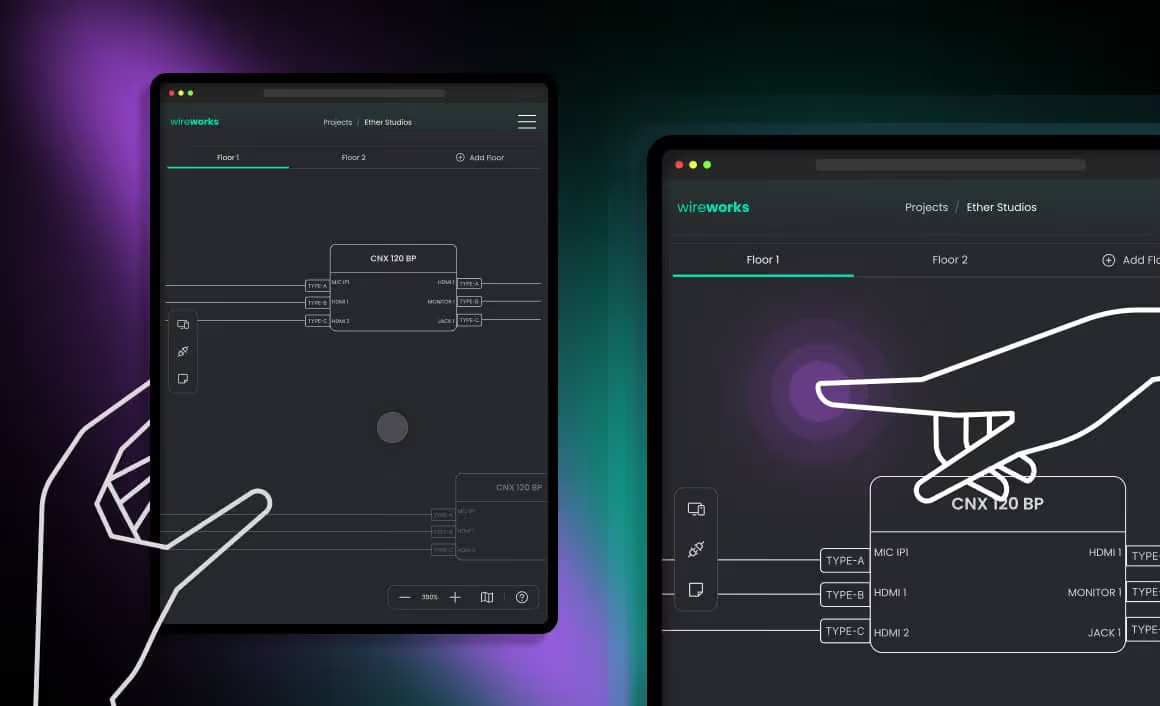
A tablet-optimized interface lets field teams browse projects, navigate floor plans, inspect schematics, edit device details, and leave contextual comments on-site. Project creation remains a desktop function, keeping the tablet experience focused on review.
Light and dark mode
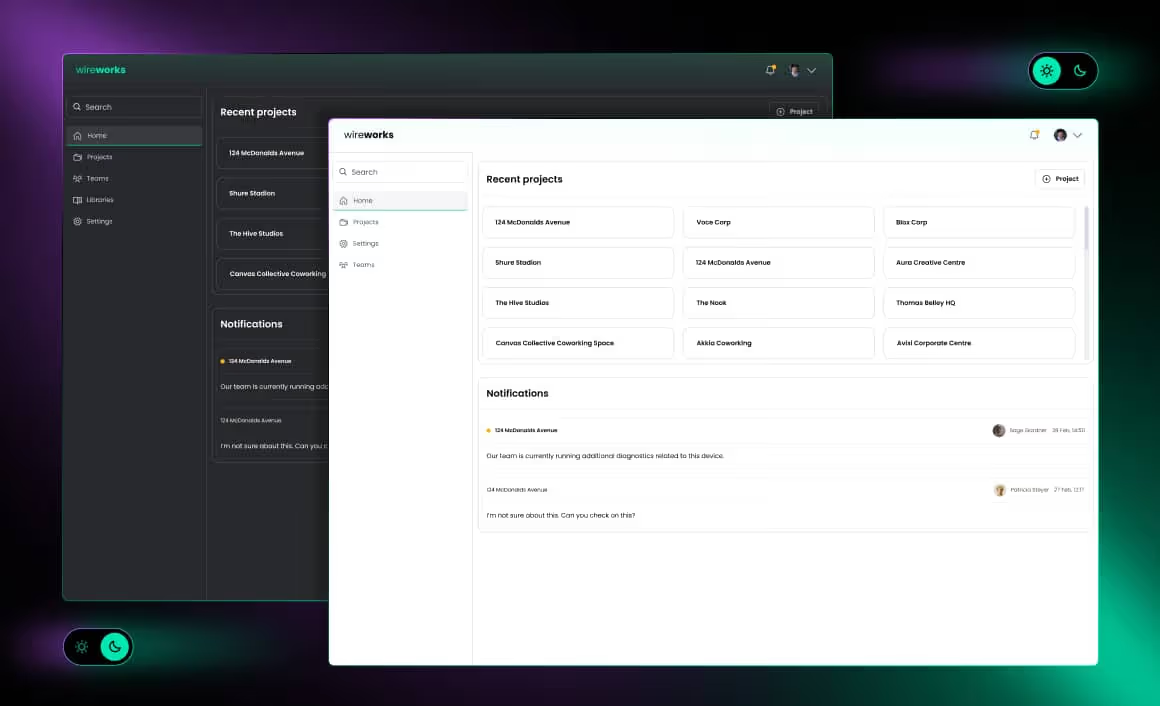
The interface supports both light and dark mode, adapting to user preferences and working conditions. Whether designing in a bright office or reviewing plans on-site in a dimmed environment, the experience stays comfortable and consistent across the entire platform.
A web-first platform in a desktop-dominated industry
Traditional AV design tools are mostly desktop-bound – installed locally, tied to one machine, limited to a single user. A platform built for cross-location collaboration, multi-device access, and on-site field work requires a web-based architecture. Every core feature in this design relies on centralized, browser-accessible data.
FAQ
- What is AV design software?
AV design software is a specialized tool for planning audiovisual installations – creating system schematics, placing devices on interactive floor plans, managing equipment specs, and generating documentation. It replaces disconnected CAD tools and spreadsheets with a single workspace.
- How does AI-powered floor plan import work?
The platform accepts static files – DWG, DXF, PDF, SVG, PNG, or scanned images – and uses AI-powered recognition to convert them into editable, interactive floor plans. This eliminates manual redrawing and accelerates project setup.
- Who benefits from custom AV design software and why choose it over off-the-shelf tools?
AV designers, engineers, integrators, and field technicians working on commercial AV system design. A custom-built platform adapts to specific workflows, device libraries, and integration needs – unlike generic tools that force teams into rigid, one-size-fits-all processes.
- How do collaboration and on-site field work function in a web-based AV design tool?
Team members access the same project simultaneously with role-based permissions and contextual comments. A tablet-optimized interface extends this to the field – letting technicians browse plans, edit device details, and leave feedback on-site.
- Why is a web-based AV design tool better than a desktop application?
A web-based platform works on any device with a browser, enables real-time team collaboration, and keeps project data centralized. Desktop tools limit access to one machine and require manual syncing between users.
- Is a web application the same as a cloud solution? What about data security?
A web app runs in the browser but doesn't have to rely on public cloud infrastructure. It can be deployed on-premise or in a private cloud, giving organizations full control over where project data is stored and accessed.
- How can an AV design concept be expanded into a full product?
A validated UX/UI design and interactive prototype provide the blueprint for development. Common next steps include building on GoJS or React Flow for the diagram layer, adding a Bill of Materials module, or integrating real-time IoT monitoring.