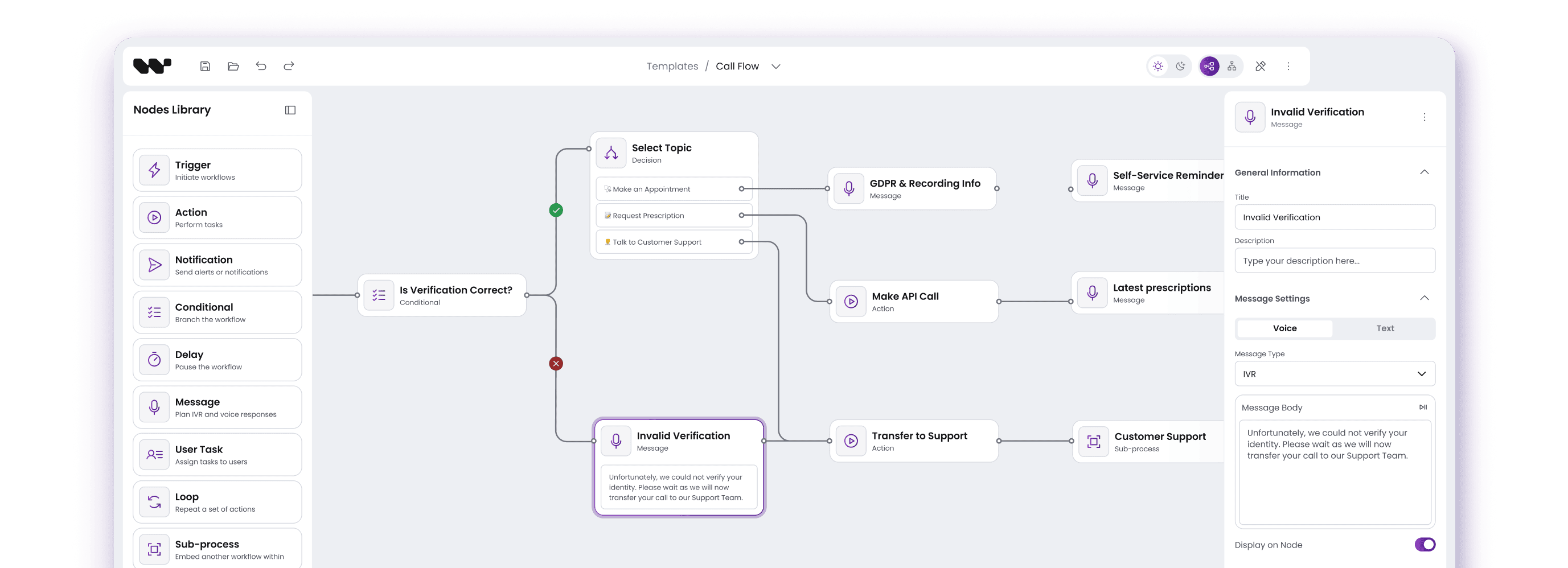


Outcomes that matter
faster
From sketch to publish in hours, not weeks. Visual authoring accelerates delivery across regions and channels.

On-canvas validation, version history and rollback cut misroutes and configuration mistakes before they hit production.
Unify call management and messaging: IVR, voice & chat, WhatsApp / RCS, SMS, and email in one studio.
Two paths, same expertise
Path 1
Workflow Builder
For teams who want to adapt their system to proven patterns
- Pre-built diagramming platform ready to customize
- All core features included - focus on your business logic
- AI Node connects machine learning models and data pipelines into cohesive, automated workflows
- 2-4 week integration timeline
- Self-service customization capabilities
Path 2
Custom Development
For complex systems requiring case specific integration
- Built around your existing APIs and data models
- Industry-specific components and workflows
- 8-16 week development timeline
- White-label and complete source ownership
Not sure which path?
Our 30-minute technical audit will map your requirements to the optimal approach.
Core capabilities that drive results
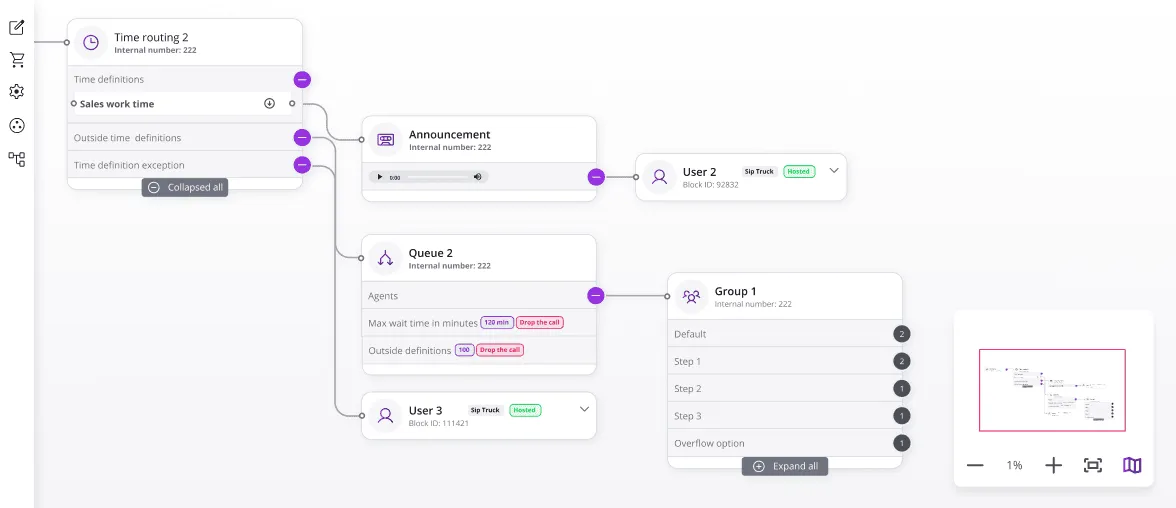
Zoomable canvas, groups and subflows
Navigate large call-flow diagrams with a mini-map, grouped logic, and reusable subflows.
- Mini-map and zoom for big flows
- Grouping and collapsible subflows
- Quick search and highlights
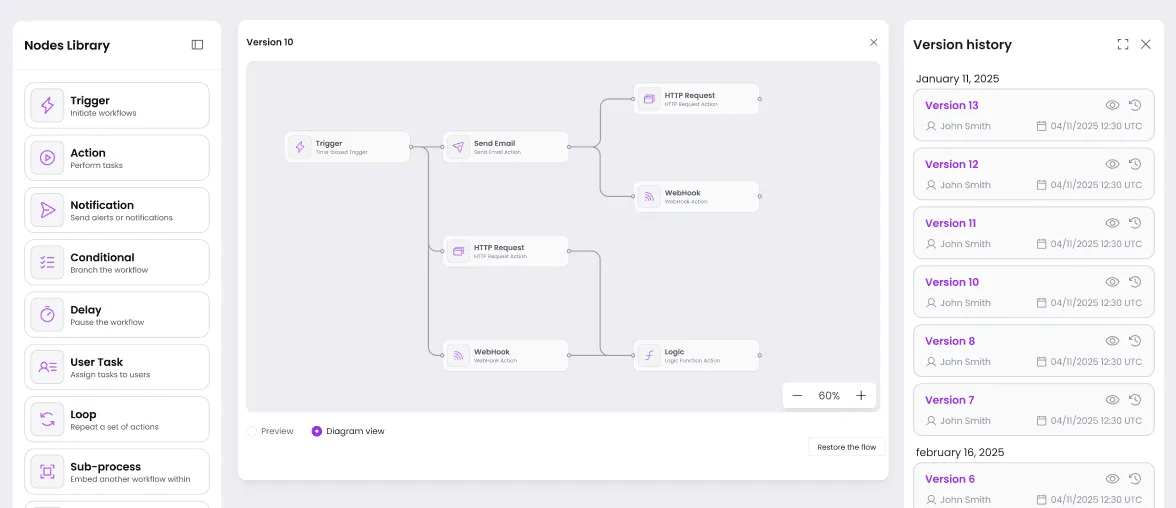
Versioning and rollback
Experiment freely. Compare diffs between versions,publish behind gates, and restore safely.
- Version history and diffs
- Publish gates and approvals
- Safe rollback
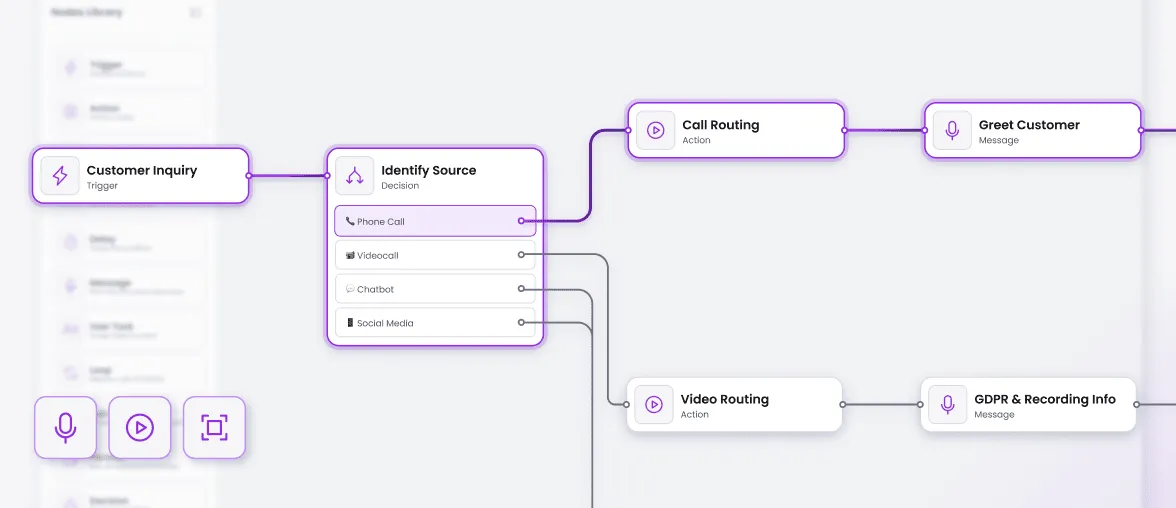
Omnichannel orchestration
Design journeys that flow naturally across voice, chat, and messaging channels.
- Voice → SMS → Email handoff flows
- WhatsApp/RCS rich media components
- Opt-in/opt-out compliance tracking
- Channel preference management
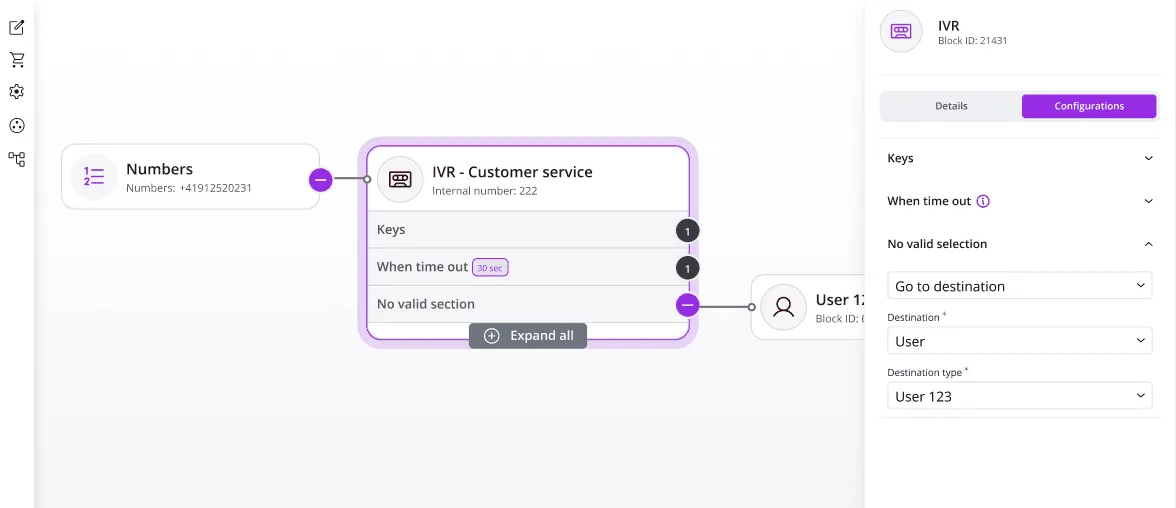
IVR, conditions and time/call routing
Branch by skills, business hours, regions and customer attributes.
- Conditional logic with variables
- Time/call routing, announcements, queues
- Skill based, manual routing and agent distribution
- DTMF input handling and validation
- Business hours / holiday routing logic
- Skills-based agent distribution
- Queue overflow and escalation paths
Integrations and data actions
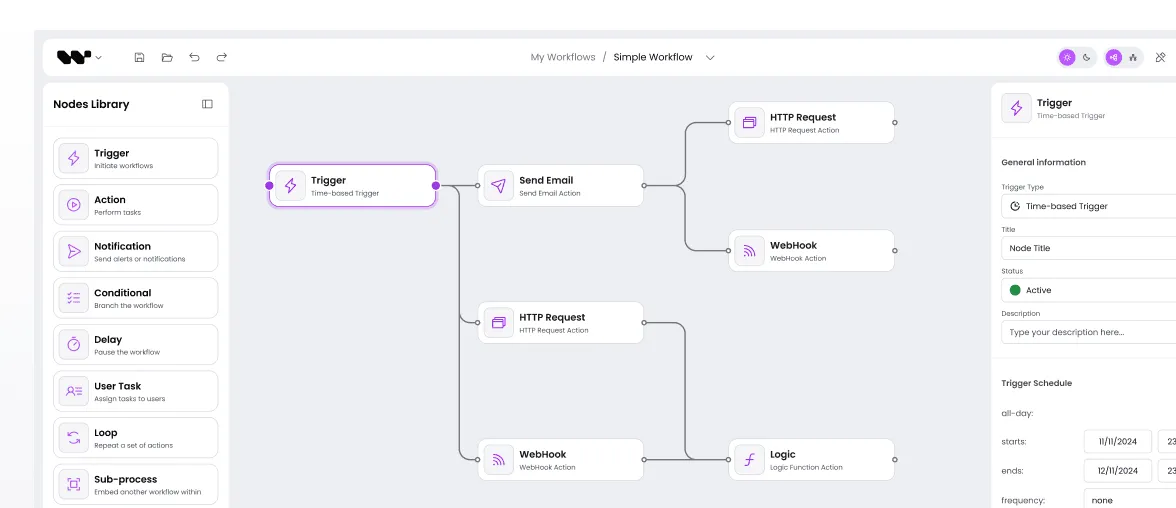
Call HTTP/webhooks, CRM/ticketing, and external services.
- API/webhook actions
- CRM/ITSM connectivity
- Custom node types
Security and collaboration
Create together with confidence
- RBAC (view / edit / admin)
- Read-only and audit trail
- Real-time collaboration and commenting
- Drill-down subflows for complex conversations
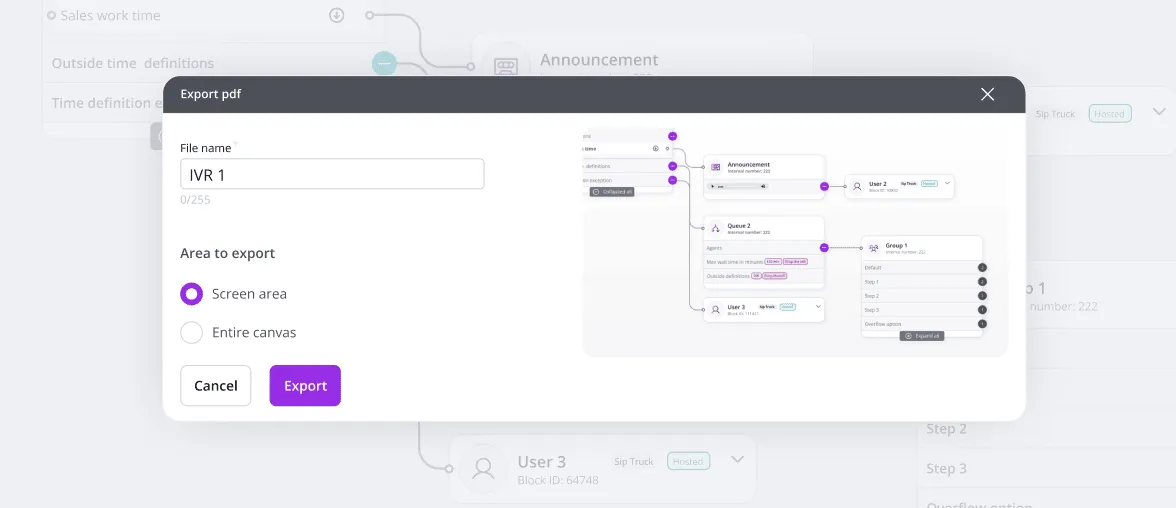
- Export to your preferred formats
Synergy Codes is at the top of the charts regarding timeliness, accuracy, completeness, and budget compliance.

Synergy Codes experts are unparalleled in creating visual collaborative apps, making them the top choice in the market. Their knowledge, professionalism, and how they leverage the Yjs library left me really impressed.

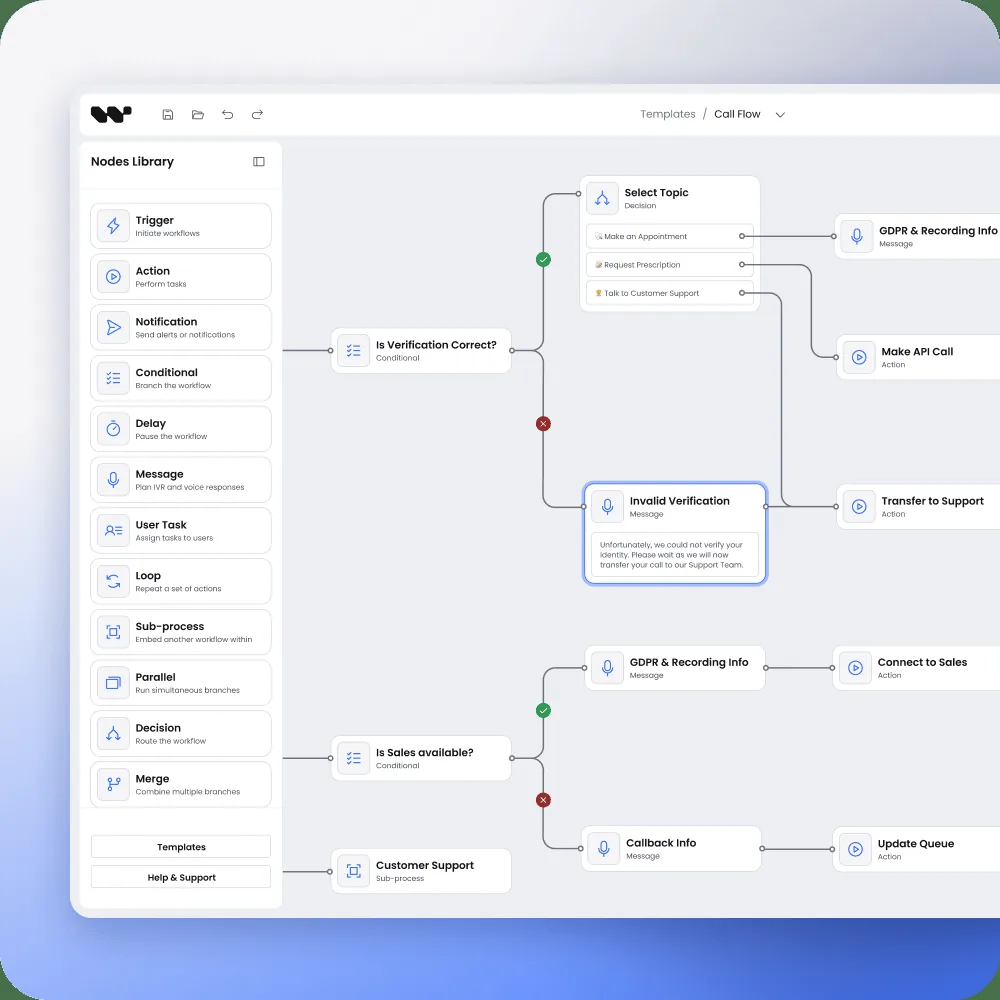
Proven success in visual flows for conversational systems


Partner with experts, not tools
Technology excellence and domain knowledge

delivering scalable solutions across multiple technologies and frameworks

guiding digital product transformation for diagram-based user interfaces, as a trusted business ally

understanding both business and technical needs proven across the most demanding industries and complex product ecosystems

React Flow, GoJS, Angular expertise and beyond

Performance-tested with 10K+ nodes

IVR, CPaaS, chatbot experience
FAQ
- What is a call flow diagram?
A call flow diagram is a visual representation of the sequence of steps and interactions involved in a telephone or communication system. It illustrates the path of a call or communication from the initiation to its completion, including the various decision points and possible outcomes.
- What are the steps in a call flow?
The steps in a call flow typically include call initiation, call routing, call processing, call transfer or forwarding (if applicable), call termination, and post-call actions or follow-up procedures.
- When should I choose Workflow Builder vs. custom development?
Pick Workflow Builder when you’re starting with your solution or want proven patterns quickly and a short integration. Choose custom when you need deeper integrations, special components, or strict governance.
Not sure? Our 30-minute consultation will point you to the safer bet. - Can non-technical teams build flows safely?
Yes. We set guardrails and a clear review path. Your authors see and edit the logic on a canvas, while admins approve changes before they go live. It’s fast for creators and safe for production.
- Can we import/export flows as JSON and integrate with our CRM?
Yes. You can import/export as JSON and connect to your CRM, helpdesk, or internal services. We match your API shape, so flows travel cleanly from dev to staging to production.
- How do you handle performance for very large diagrams?
Flows are organized into groups and subflows, so teams can jump between sections with search and filters instead of dragging through everything. Before go-live we size the editor to your real workloads and tune auto-layout and caching, so performance holds up as your library grows.
Bring your users a tailored experience with a custom flow editor
Contact us to discuss your project.

Not a fan of contact forms?
Reach out to Maciej on LinkedIn
Maciej Teska
CEO at Synergy Codes