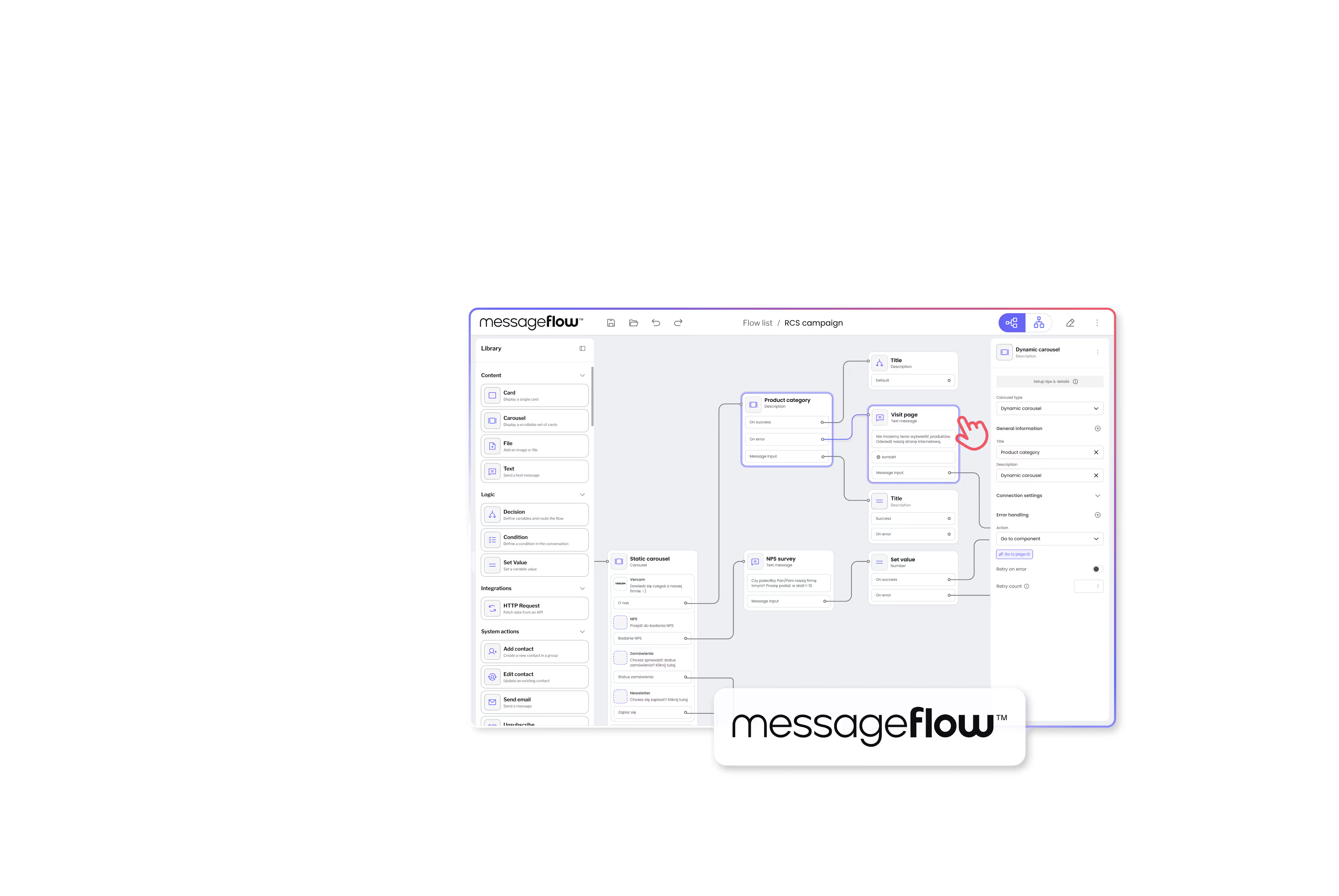


Visual workflow builder for RCS marketing campaigns
Vercom, creator of the MessageFlow communication platform, needed a no‑code solution for marketing teams to design complex RCS (Rich Communication Services) campaigns.
We delivered a purpose-built workflow editor that combines Product Discovery insights with Workflow Builder technology, enabling marketers to create customer journeys without developer dependency.
Vercom S.A., a leading CPaaS provider from Poznań, Poland, delivering multi-channel SaaS communications (SMS, email, push, RCS) to enterprise clients in marketing automation, retail, and e-commerce.

A visual workflow builder for RCS campaigns that integrates seamlessly with Vercom's MessageFlow platform, matches their brand identity, and empowers non-technical marketing teams to design complex customer journeys independently.
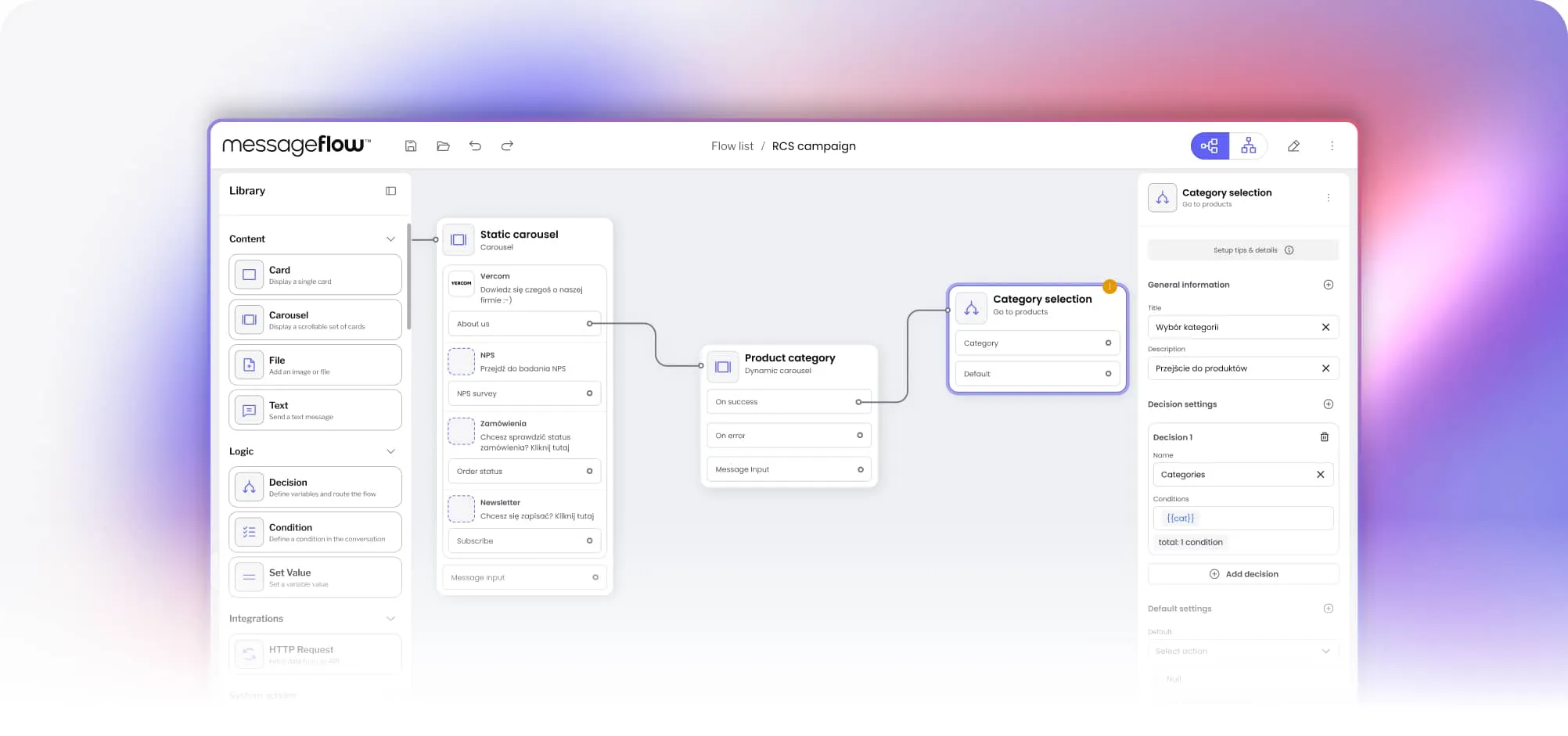
React-based workflow editor embedded in Vercom's CPaaS platform. Custom RCS nodes (static/dynamic carousels, decision logic, API integration). Design system adaptation. Speedway validation module. Global campaign settings panel.
Turning complex RCS workflows into an intuitive experience
Creating a visual RCS campaign builder wasn't straightforward. Here's what the customer dealt with coming to us:

Open source couldn't handle complexity
Vercom analyzed existing open‑source libraries but found none to fit RCS‑specific enterprise needs like advanced logic or dynamic content. Choosing open source would mean months of experimentation and extra team effort to solve problems already mastered by Workflow Builder’s experts.

Non-technical users needed intuitive UX
End users aren’t developers but marketing specialists. The interface had to be self-explanatory with guided configuration and contextual help with zero training manuals.

Smooth platform integration required
The solution had to embed into Vercom's existing CPaaS platform, connect to their backend APIs, and match their design system perfectly.
It shouldn’t feel like a third-party tool.

RCS-specific content types
Static carousels (designer-controlled), dynamic carousels (API-driven), product cards, decision logic, free-text handling; each with different configuration needs.

Campaign validation before launch
Marketing teams needed to catch errors (dead-end paths, missing variables, logic contradictions) before campaigns went live, not after customers received them.

Brand consistency mattered
Generic white-label tools wouldn't work. The interface had to match Vercom's purple branding, typography, and component styles to feel native.
Discovery workshops leading to production-ready flow editor
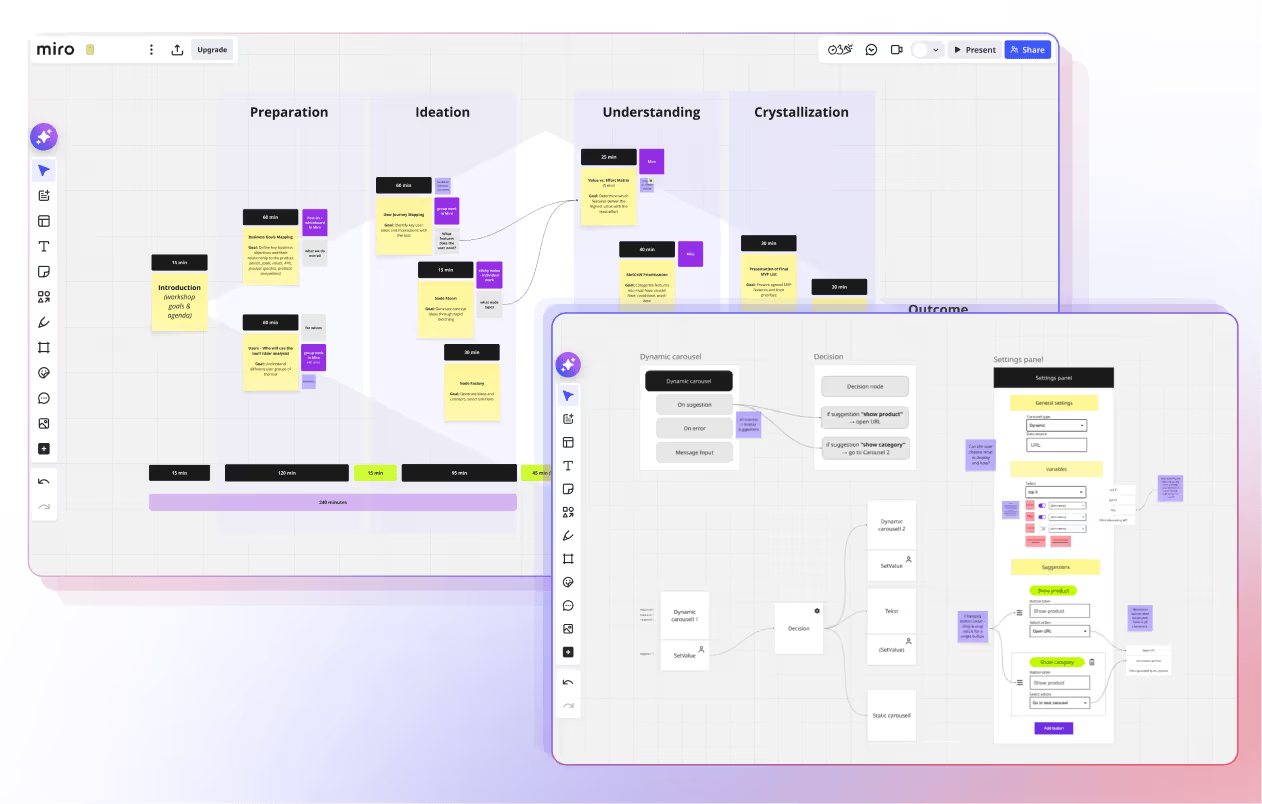
We started with onsite workshops in Poznan. Face-to-face collaboration with Vercom's team to map business goals, user needs, and technical requirements. Collaborative work in Miro to prototype flows and validate assumptions before writing code.
Transformed Workflow Builder's Design System tokens into Vercom's brand identity. Created custom component library matching their purple color scheme, typography, and visual style. Result: RCS Flow Studio looks like Vercom built it in-house.
Built custom RCS nodes (carousels, decision logic, API integration) on top of Workflow Builder SDK. Continuous collaboration with Vercom's backend team. Zero design-to-dev misalignment; Figma designs matched final implementation.
Embedded RCS Flow Studio directly into the MessageFlow dashboard – part of Vercom’s CPaaS ecosystem. Clean API integration with their CPaaS backend. Delivered ahead of schedule, development finished before Vercom's backend team was ready.
Product Discovery = asking the right questions first
Most agencies jump straight to building. We started with understanding.
Discovery workshops uncovered requirements that weren't in the original brief:
Set Value node
Discovery revealed additional functional gaps key to a complete builder experience – including a new node type, “Set Value,” for defining variables and controlling conditional logic in flows.
Speedway validation system
Marketing teams needed visual validation before launch. Can users get stuck? Are variables set correctly? Discovery identified this gap. We built a custom validation module that checks campaign logic and flags errors visually.
Contextual help as design principle
Non-technical users won't read manuals. Every node needed inline guidance: tooltips, configuration hints, examples. Discovery made this a core principle.
Custom RCS workflow nodes
Purpose-built nodes for marketing campaign automation, not generic workflow blocks trying to do everything.
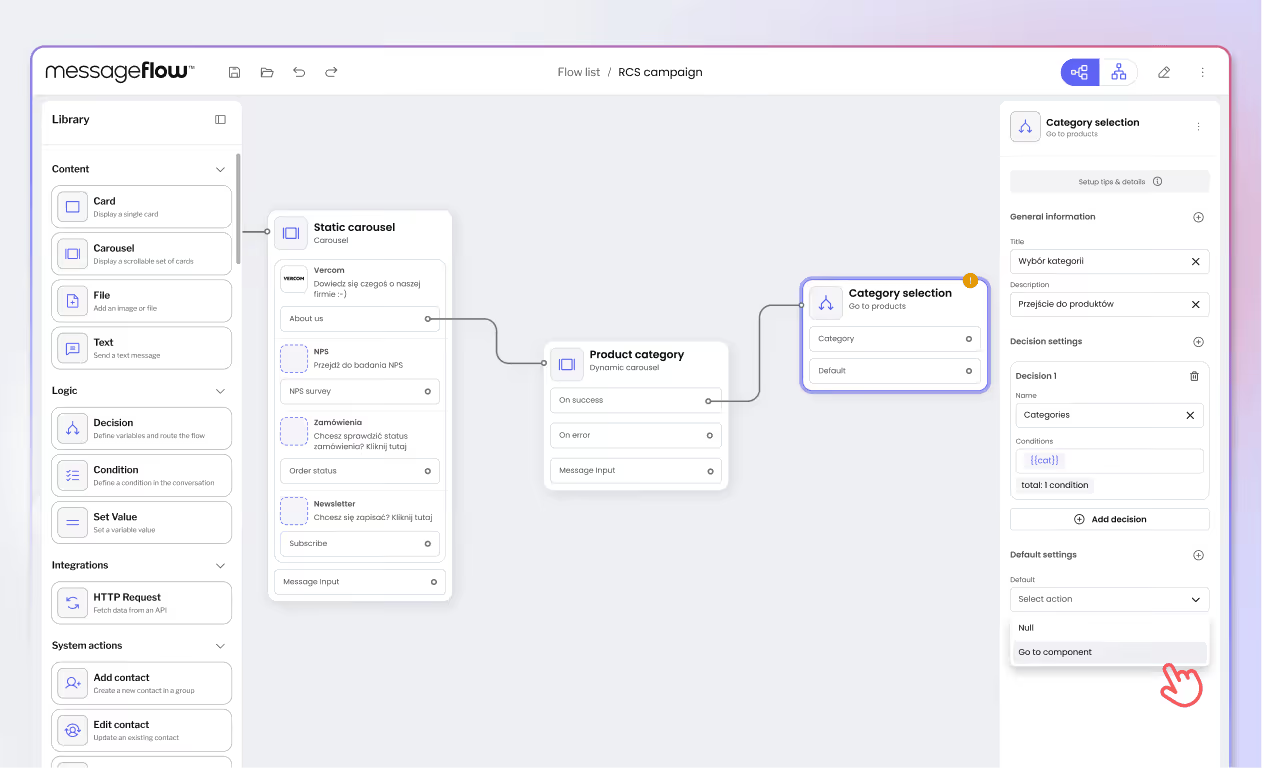
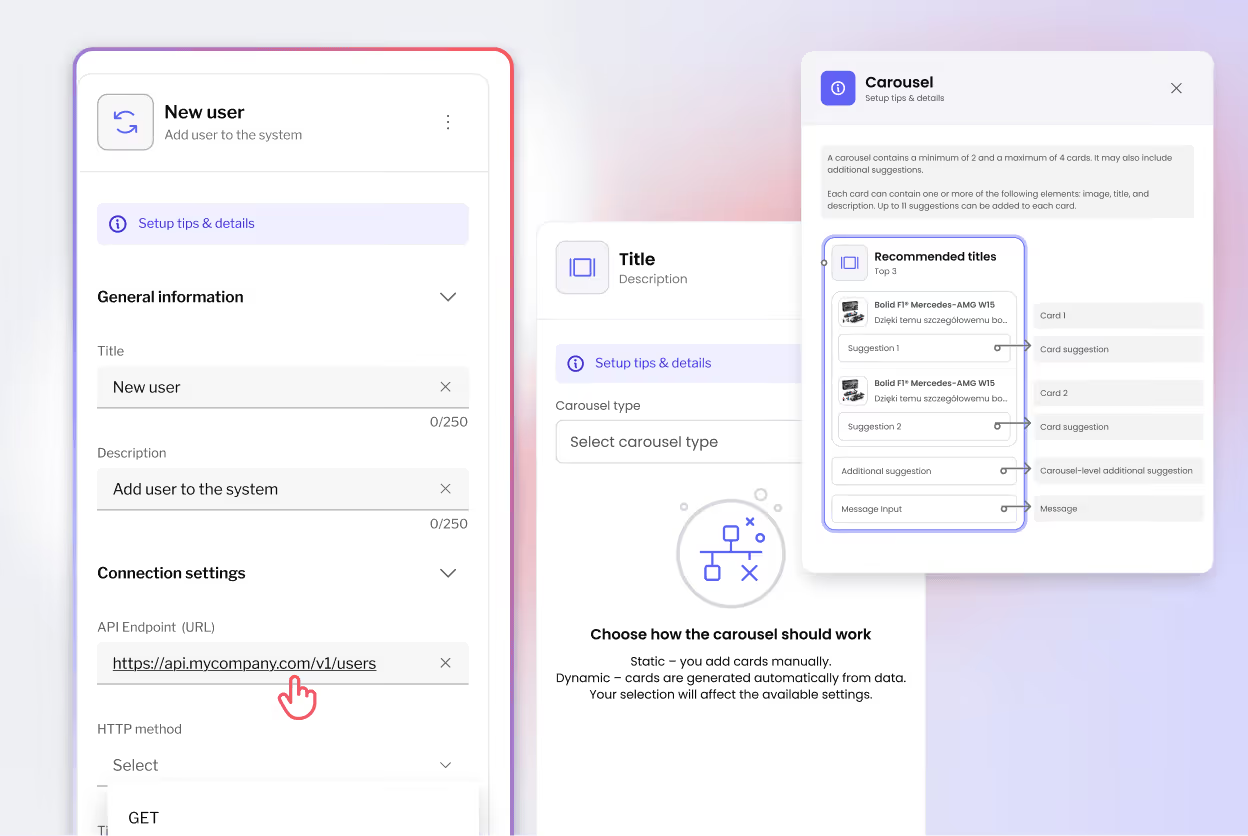
Static and dynamic carousels
Static: Designer uploads 2-6 product images, writes copy, defines CTAs. Visual configuration with mobile preview.
Dynamic: Connect to API endpoint, map fields (product name → card title, image URL → card image), content updates in real-time per user.
.avif)
Decision and validation logic
Decision nodes: Decision nodes: Route users based on button clicks or free-text responses. Handles both structured and unstructured input.
Speedway validation: Custom logic module that checks campaign paths, validates variables, catches errors before launch.
API integration nodes
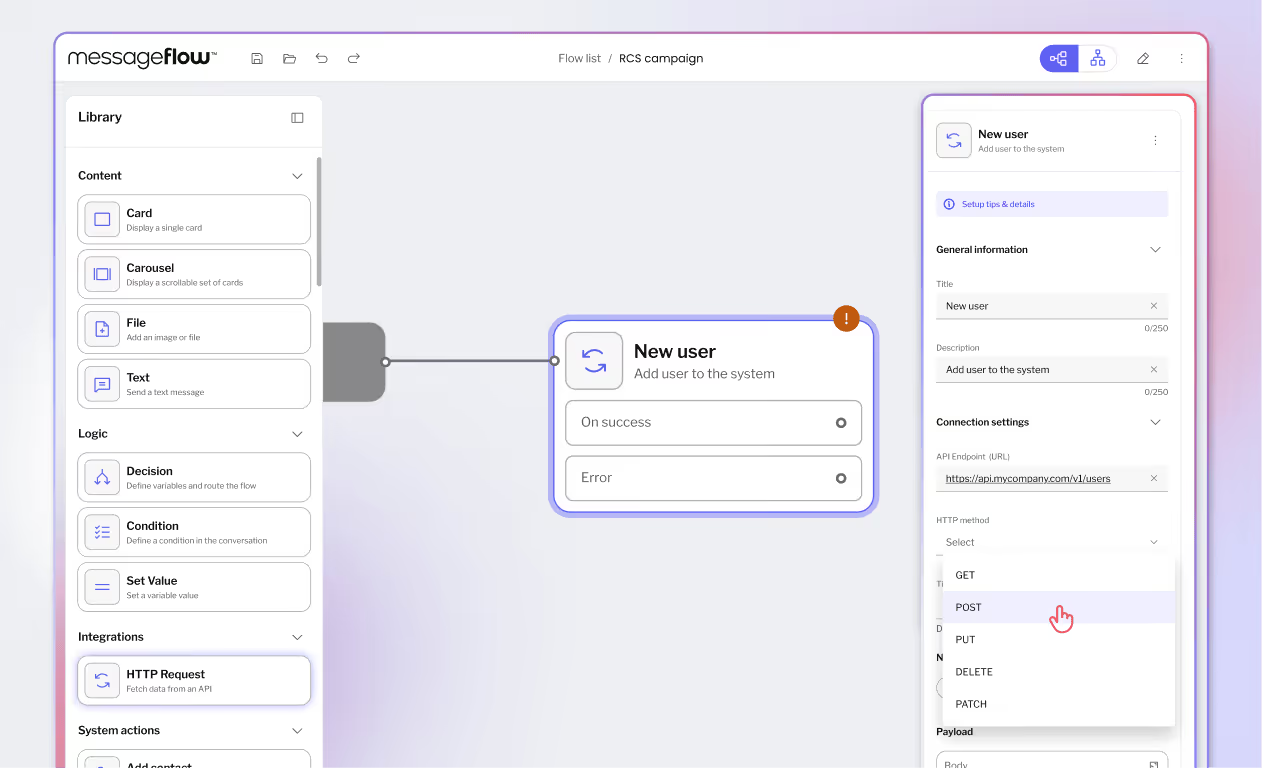
Visual endpoint mapping: select API, preview response, drag fields to match properties. No JSON editing required for marketing users.
Global campaign settings
Centralized panel for campaign-wide variables, audience filters, time zones, fallback messages. Set once, use everywhere; eliminates repetitive configuration.
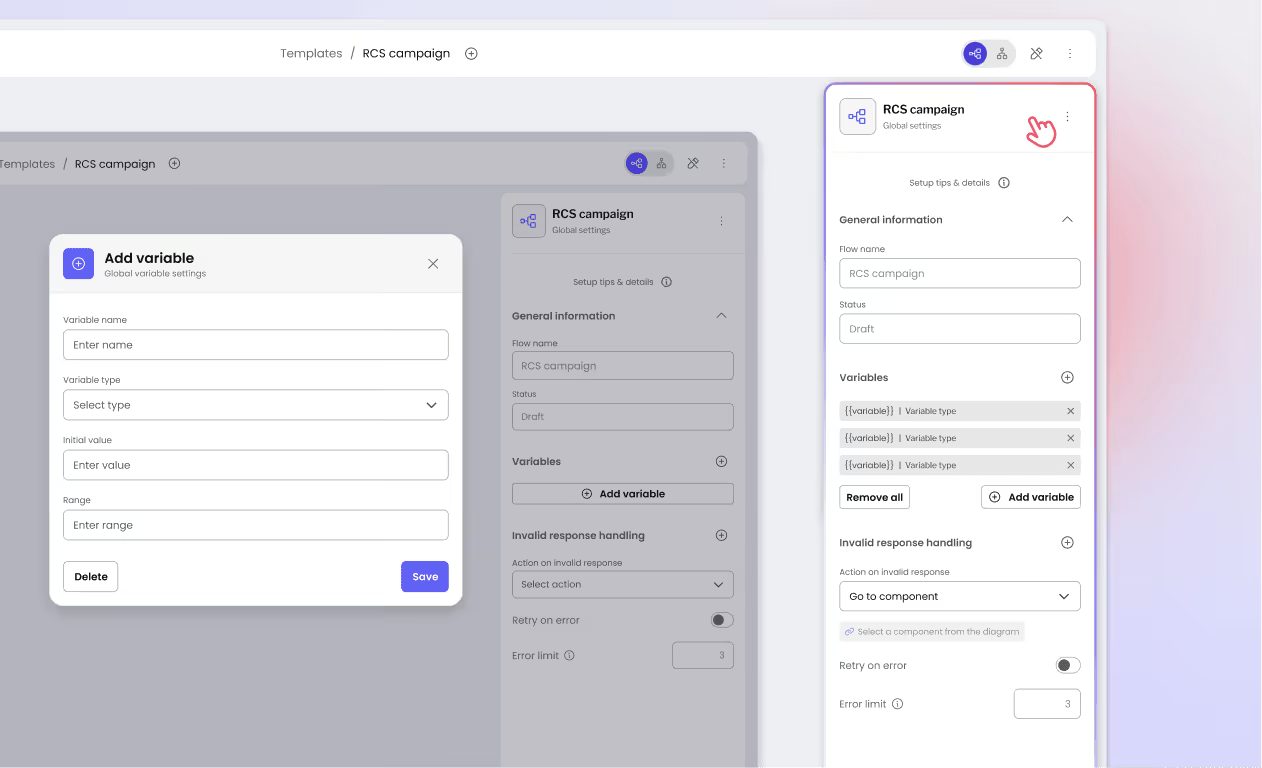
Design system that feels native
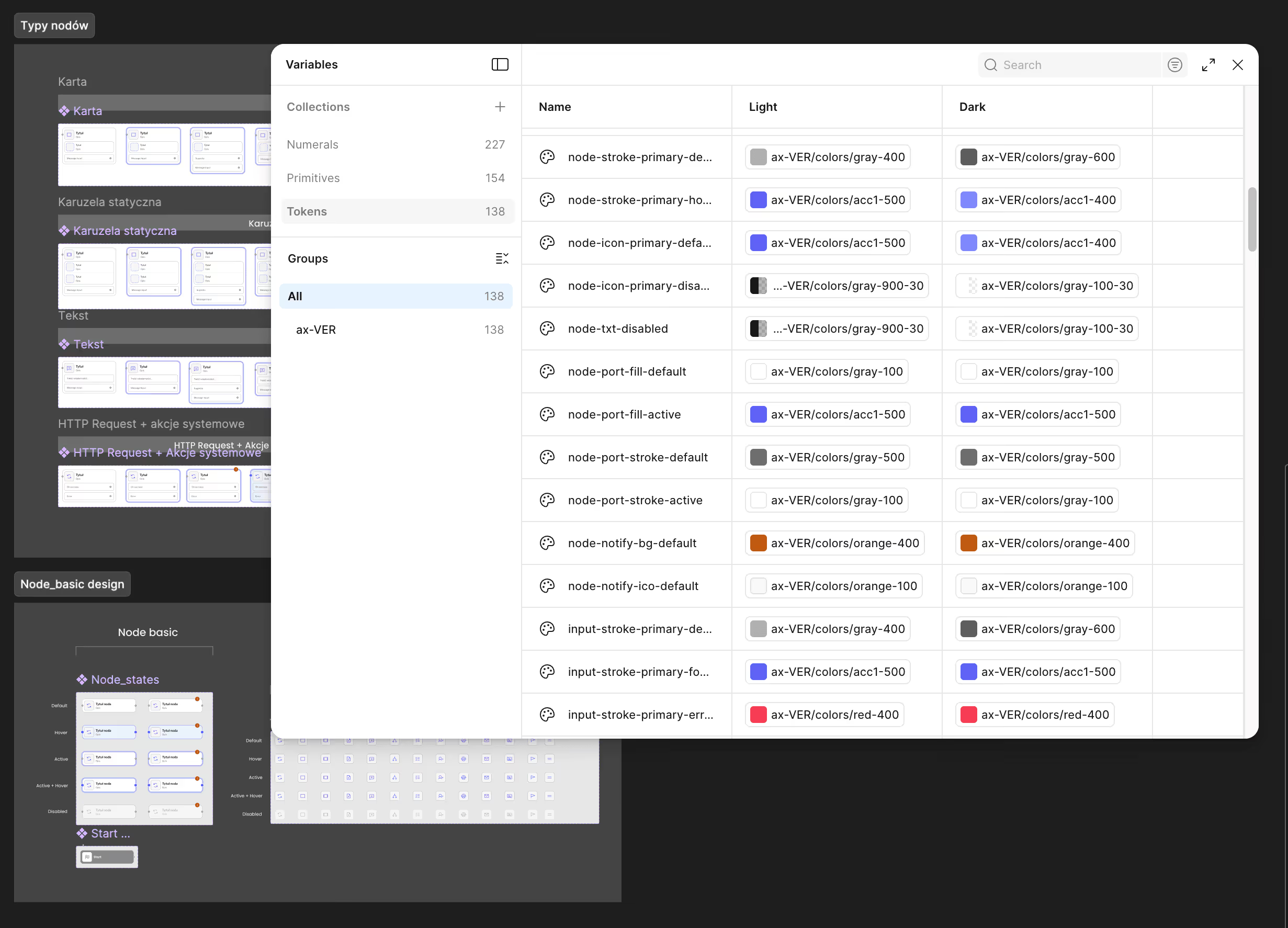
Workflow Builder's Design System adapted to Vercom's visual identity for complex brand integration.
Token-based theming
Colors, typography, spacing, component styles customized through design tokens. It isn’t a surface-level color swap but a complete component library rebuilt to match Vercom's design language.
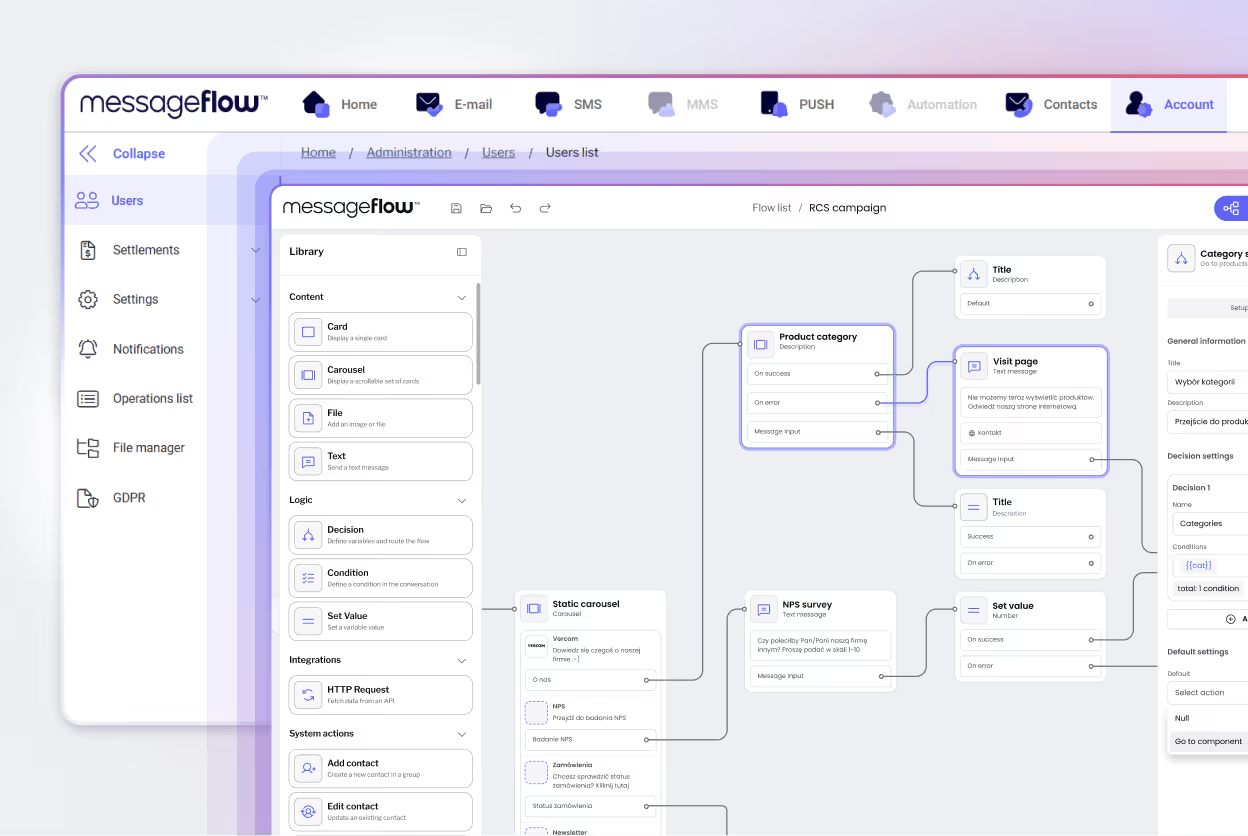
Embedded experience
RCS Flow Studio launches from Vercom's dashboard with no any separate login or visual disconnect. Feels like native platform feature.
Guided configuration for marketers
Every node includes contextual help and inline tips. Visual preview of how content appears on mobile. Validation feedback in real-time before users save. Self-explaining interface that minimizes learning curve.
Workflow Builder foundation
We didn't build a workflow engine from scratch.
We customized Workflow Builder SDK for RCS campaigns.
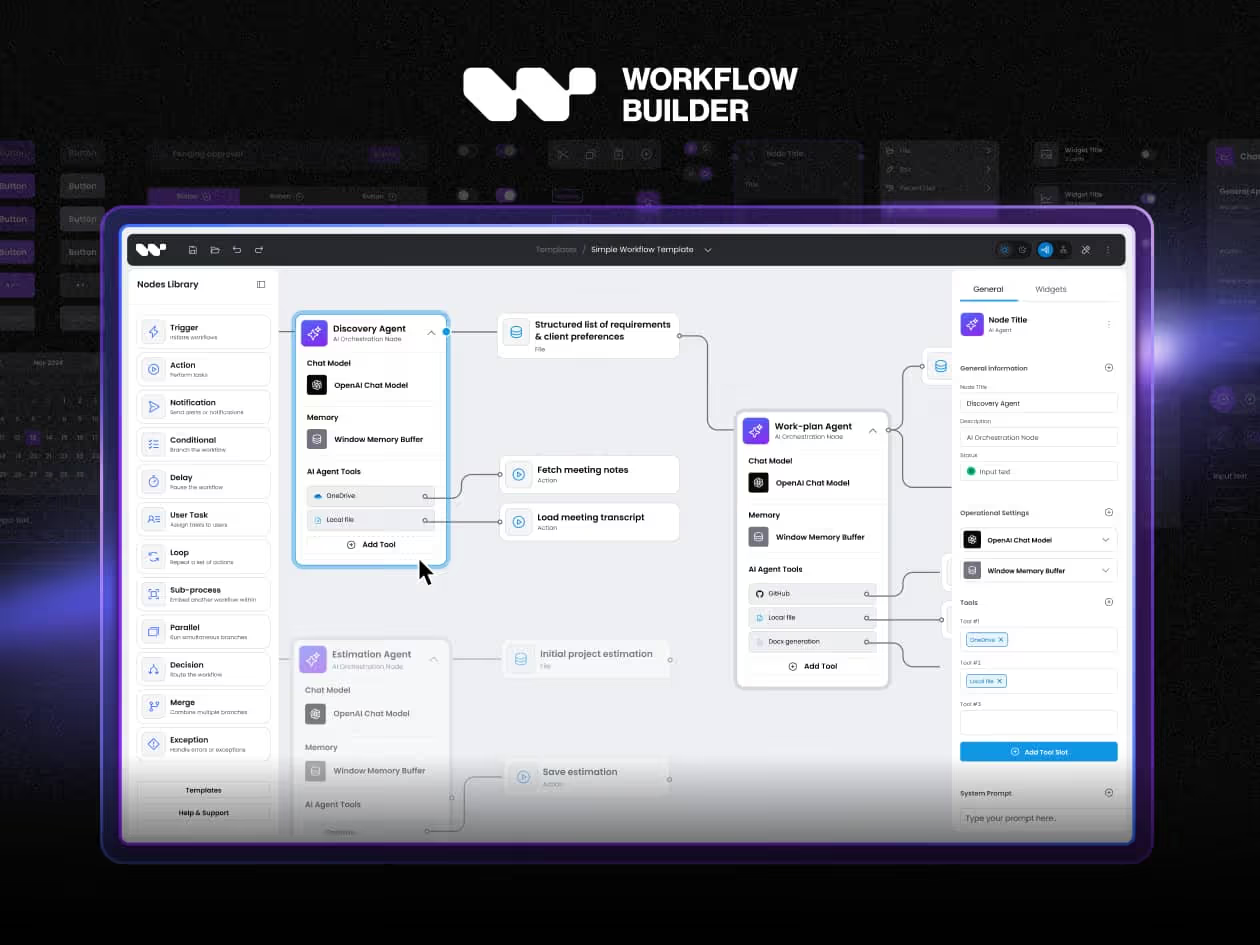
Production-ready React components
Pre-built node architecture, canvas rendering, connection logic, state management. Months of development time saved; team focused 100% on RCS-specific features.
Backend-agnostic integration
Clean API layer connecting to Vercom's CPaaS infrastructure. No forced architecture; it works with their existing systems.
React Flow + JSON Forms foundation
Built on proven libraries used in enterprise applications. Scalable architecture that handles hundreds of nodes with no performance degradation.
Design token flexibility
Axioma system enabling complete brand customization without rebuilding components from scratch.

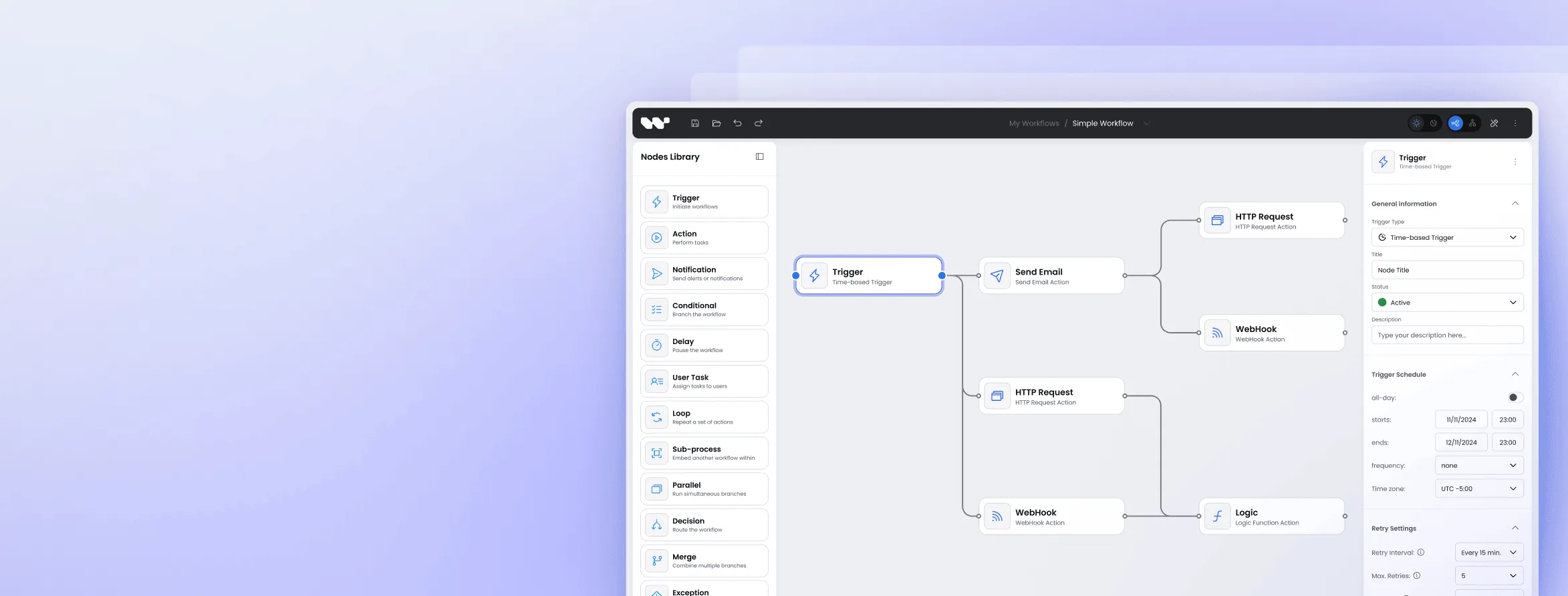
Complex integration for enterprise CPaaS
Embedding RCS Flow Studio into Vercom's existing platform required careful architecture and seamless data flow.
Adaptable approach
Fine-tuned to Vercom's infrastructure for fluid data exchange with minimal overhead. Backend integration handled by Vercom's team in parallel.
Low-impact rollout
Iterative release strategy introduced features without pausing essential operations. Productivity remained high throughout implementation.
Tailored connectivity
Specialized API endpoints and data formats accommodated. RCS Flow Studio became an organic part of Vercom's tech stack.
Built for expansion
As Vercom's client base scales, resilient architecture maintains performance under heavier loads.
Impact of collaborative Product Discovery and workflow expertise
Vercom now offers the most user‑friendly tool on the market for RCS campaign flows – a solution that previously didn’t exist in their segment.

Development team finished before Vercom's backend integration was ready. Extra time was used for polish.
"Your developers finished ahead of us, you actually beat our timeline."

Vercom rated the project at the top of their internal quality assessment. Zero design-to-dev misalignment; Figma matched final implementation perfectly.

Approximately 10 hours of development time remaining for fine-tuning. Workflow Builder foundation eliminated months of foundational work.
The difference of software with experts
Success relied not just on Workflow Builder as software but on the combination of proven technology and specialized expertise.
Production-ready React components and workflow architecture
Proven foundation (React Flow, JSON Forms, Vite)
Design system flexibility through tokens
Backend-agnostic integration
Years of workflow design experience across industries
Product Discovery methodology that validated approach before building
Design team focused on marketing user needs
Development team that finished ahead of schedule
Understanding of marketing automation and campaign design
FAQ
- What does Synergy Codes build for CPaaS and communication platforms?
Visual workflow editors embedded in complex SaaS products. For Vercom, we delivered RCS Flow Studio – a no-code campaign builder inside MessageFlow that lets marketing teams design RCS customer journeys without writing a single line of code.
- We evaluated open-source libraries. Why wouldn't they work?
Open source gives you a canvas – not a product. Vercom found no library that handled RCS-specific logic, design system adaptation, and non-technical UX out of the box. Building that from scratch would have taken months. Our Workflow Builder SDK had it solved already.
- What is Product Discovery and why does it matter?
It's a structured workshop phase before any code is written. For Vercom, it surfaced three requirements missing from the original brief – including the Speedway validation module. Without Discovery, those gaps appear in production. With it, they're solved in a Miro board.
- Can the tool based on Workflow Builder be embedded in our existing platform?
Yes – that's the default. RCS Flow Studio lives inside Vercom's dashboard: same login, same visual language, no context switch. The architecture is backend-agnostic and connects via REST API to whatever infrastructure you already have.
- Will it match our brand or look white-label?
It will look like yours. We use Workflow Builder’s token-based Design System adaptation – not a color swap, but a complete component rebuild. Vercom's version matches their branding so precisely that users assume it was built in-house.
- Our users are marketers, not developers. Can they use it independently?
That was Vercom's exact requirement. Every node has inline tooltips, real-time validation, and mobile preview. No manuals, no developer handholding. Marketing teams build complex branching RCS campaigns on their own, from day one.
- What node types and logic can you build into a workflow editor?
For Vercom: static and dynamic carousels, decision nodes, API integration nodes, a Set Value node for conditional logic, a Speedway pre-launch validator, and a global campaign settings panel. Scope depends on your domain – the SDK architecture handles equivalent complexity across industries.
- What's a realistic delivery timeline?
Workflow Builder SDK eliminates months of foundational work, so the entire timeline focuses on domain-specific features. Vercom rated the outcome at maximum quality score with zero design-to-dev misalignment.
- What makes Synergy Codes different from a generalist agency or in-house build?
Software plus expertise. The Workflow Builder SDK removes months of infrastructure work. Product Discovery prevents building the wrong thing. And deep workflow design experience means we've solved your problem before – in a different industry, with different users, at the same level of complexity.