
Background
Peoplefone is a paneuropean telecom provider serving businesses across Europe, and it goes to market through installation partners – the people who set up and run phone systems for the small and mid-sized companies they serve.
Those partners configure call routing all day long. For years that meant working form by form: every number, user, queue, IVR menu and routing rule set on its own page, the logic of a customer’s phone system scattered across dozens of screens. The tool had to carry two very different jobs on the same picture – building a configuration from scratch, and pinpointing a fault in a live one while a customer waits on the line.
Peoplefone AG – telephony (VoIP, SIP trunking, virtual PBX, Microsoft Teams calling), B2B2B through installation partners.
Give installation partners a visual way to design and troubleshoot call routing, inside the existing platform.
Product discovery, UX, and front-end delivery of an embeddable visual call flow editor. Peoplefone’s own team delivered the backend and API.
A system you could configure
but never see
Peoplefone’s platform could already do everything. The limit was visibility. A customer’s routing existed only as settings spread across the interface – never as a picture you could take in at a glance.
No single view of how a customer’s calls were actually routed.
Show a customer’s entire call flow in one place, with filtering to isolate the part that matters.
Building a flow was slow and easy to lose the thread of, one page at a time.
Serve both sides of the job: designing a flow and troubleshooting a live one.
Diagnosing a live problem meant rebuilding the logic in your head to find where it broke.
Stay fast when a single customer’s configuration runs into the thousands of numbers.
Partners had been asking for a visual editor – a flow is far easier to read as a diagram than to reconstruct from forms.
Fit inside the platform partners already used – an addition, not a rebuild.
Product discovery, from brief to build
Product discovery did the heavy lifting here. Understanding a live telephony platform, mapping the people who use it, and weighing the options together kept the build aimed at the right target rather than the obvious one.
The team took apart every element of peoplefone’s call handling, built a shared glossary, and pressure-tested how a diagram would map onto a system that already existed. Requirements were worked out with the client, not taken as dictation.
One tool had to serve the call flow designer, who builds a configuration end to end, and the troubleshooter, who has to reach a fault fast – by time, number, user or location. Mapping both journeys decided what the diagram needed to surface and what it could tuck away.
Peoplefone arrived with a firm picture: one screen, everything on it, filterable. Instead of simply building to the brief, the team worked through the real choices and their consequences:
Attach the diagram to the existing interface, in variants that kept each configuration compact;
Rethink the information architecture around a consolidated customer view, with stronger navigation and filtering;
Or render the entire flow on a single full canvas.
Each carried its own trade-offs in effort, performance and how much of the current product would change. With those in view, peoplefone chose the full, filterable canvas – the option closest to how their partners already pictured the work.
Synergy Codes quickly understood our business domain and turned that understanding into practical product decisions.
One canvas, wired into the product
The result is an embeddable visual call flow editor that lives inside peoplefone’s portal – delivered as a web component and handed to their own engineers to run. The forms partners knew stay in place as the foundation; the diagram is the new, materially faster way to work.
A single, visual call flow
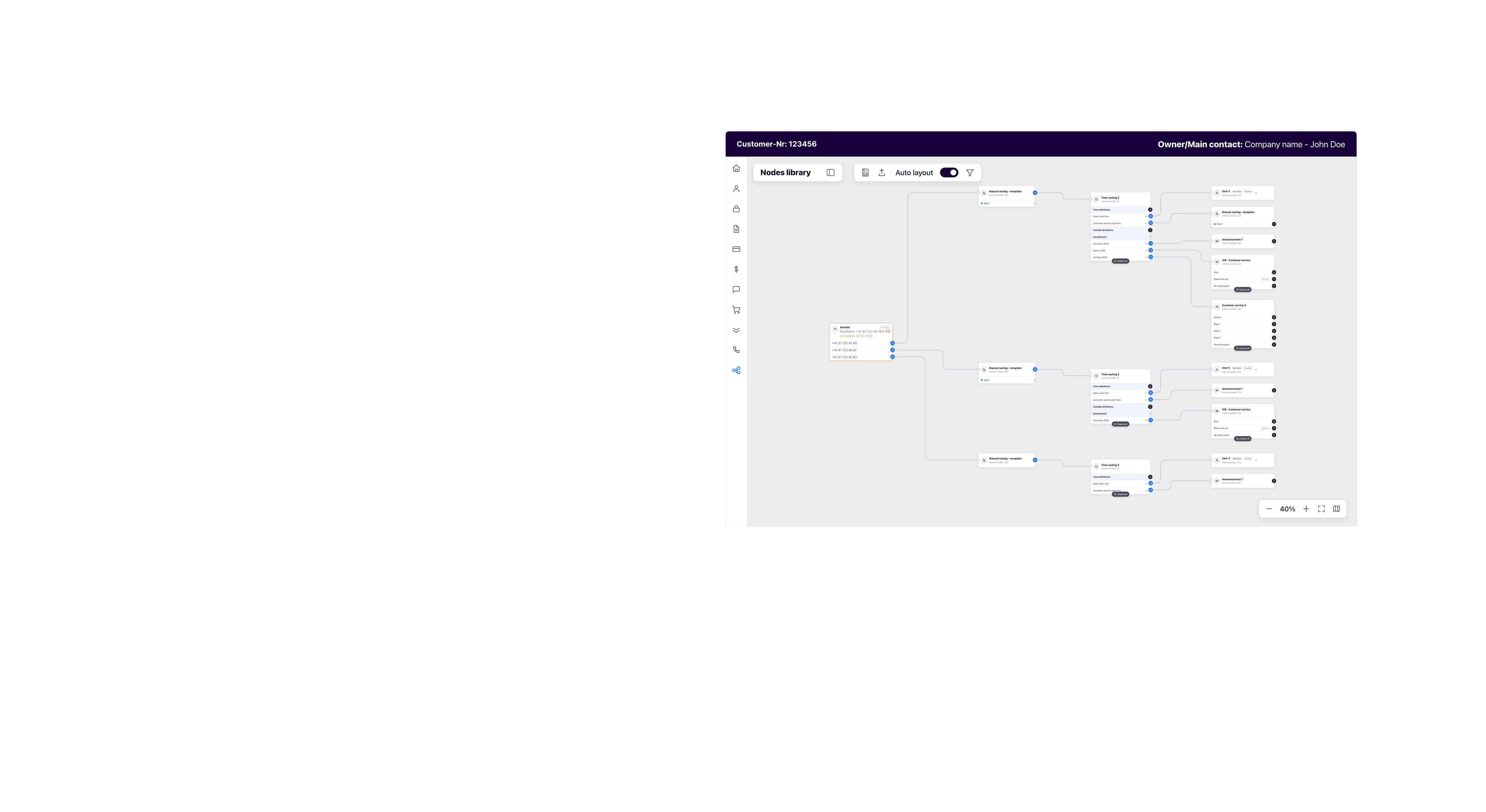
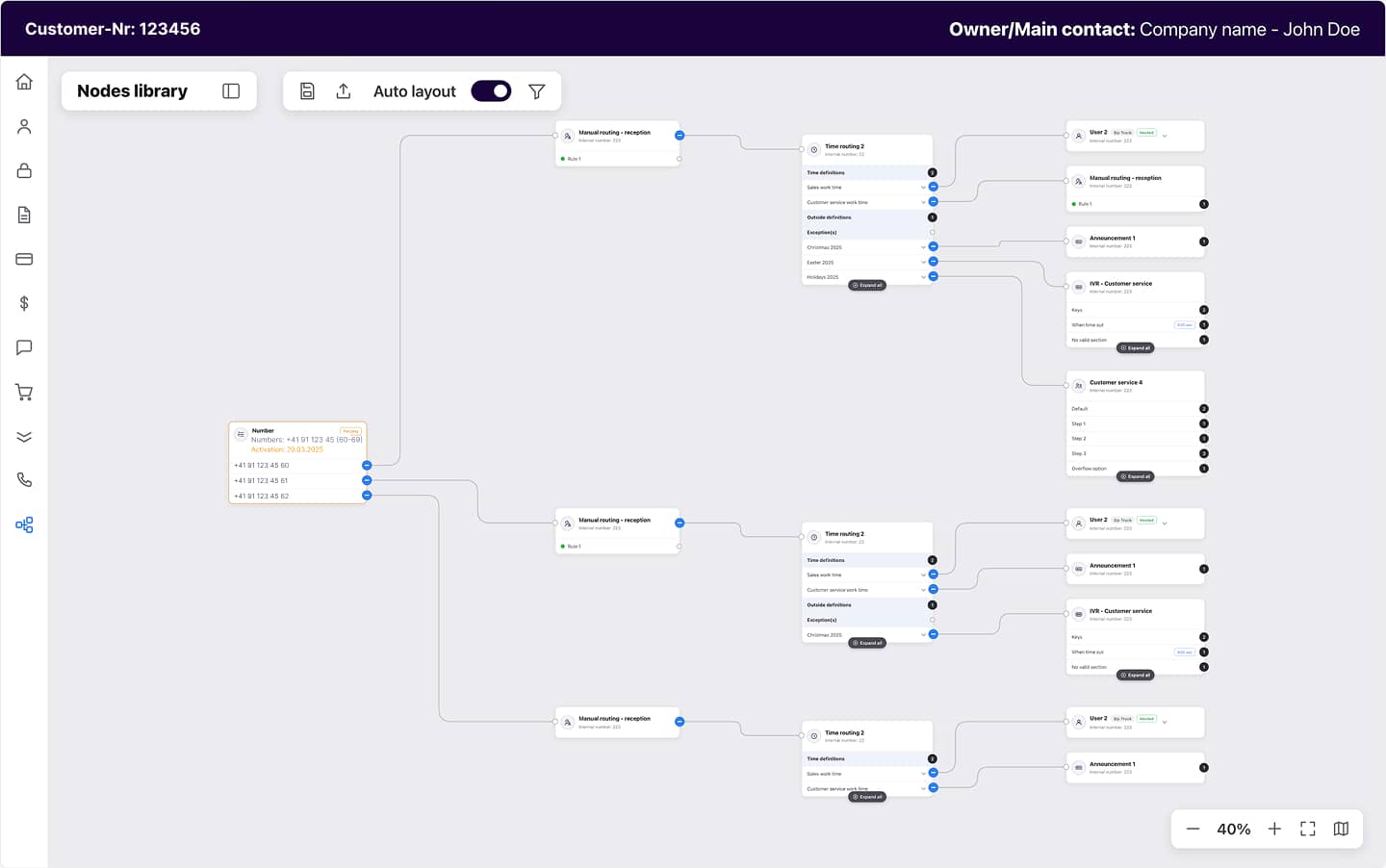
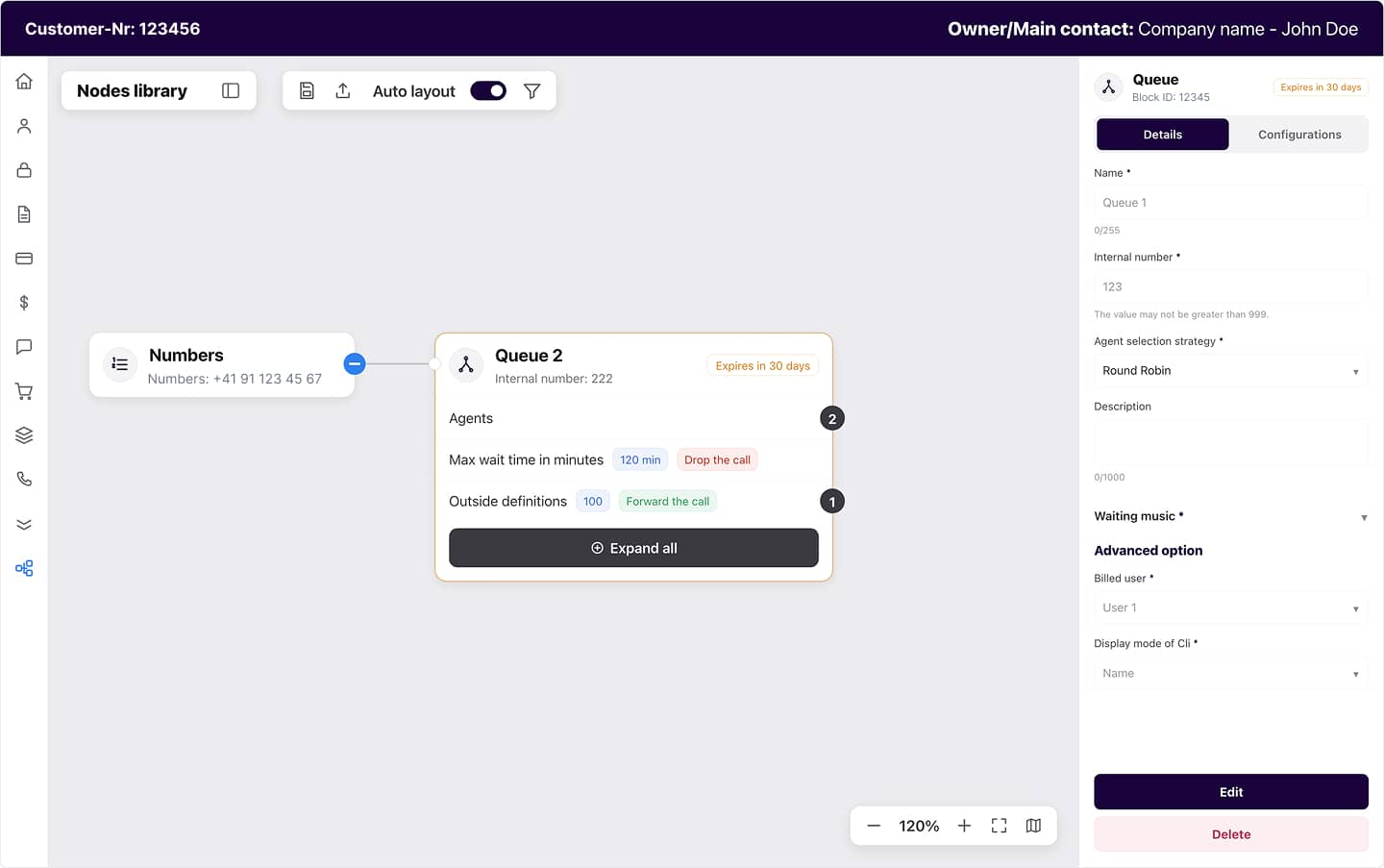
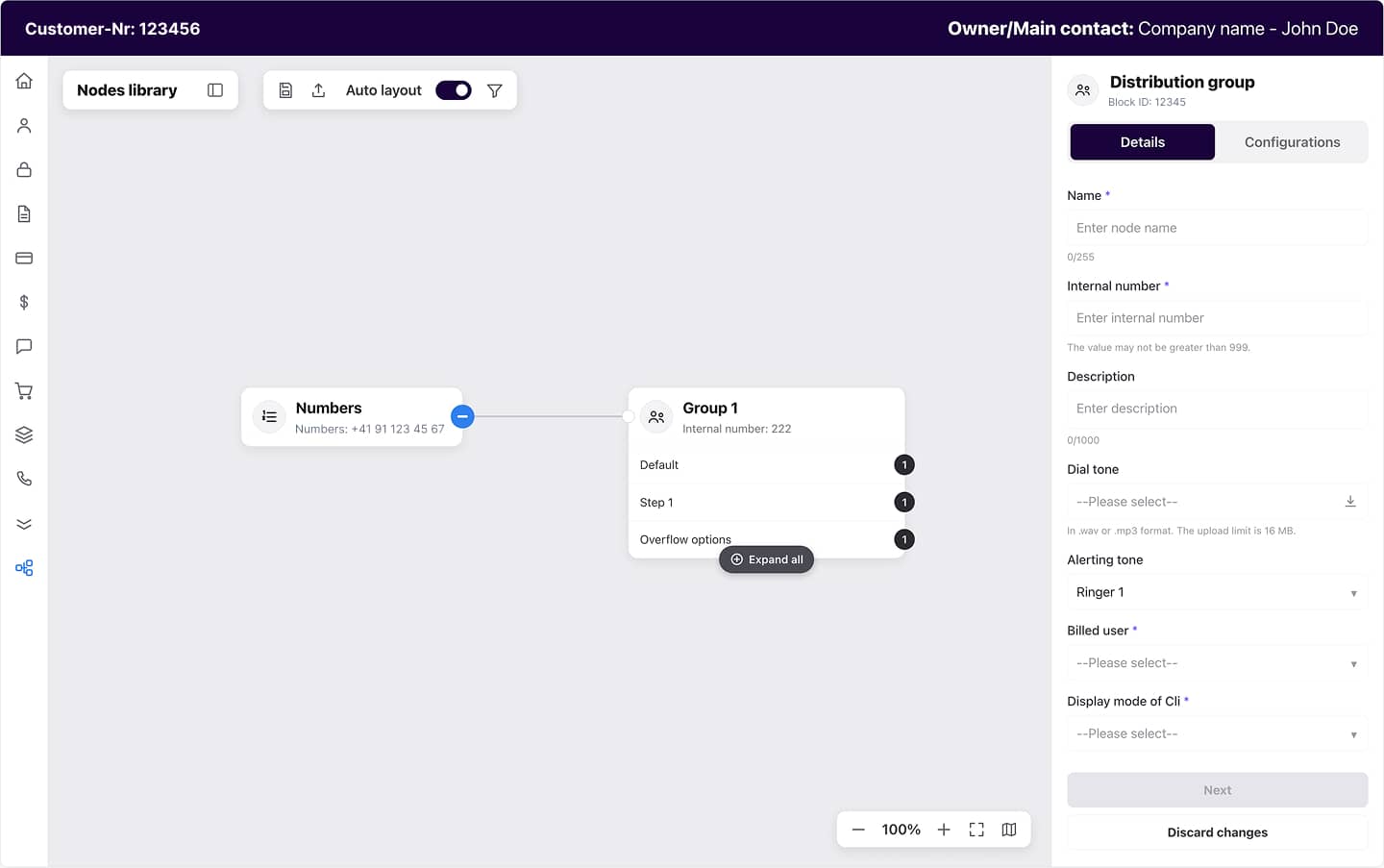
Every part of a customer’s routing – numbers, users, queues, distribution groups, IVR menus, time and manual routings – laid out as one connected diagram instead of dozens of forms.
Build by dragging, configure in place
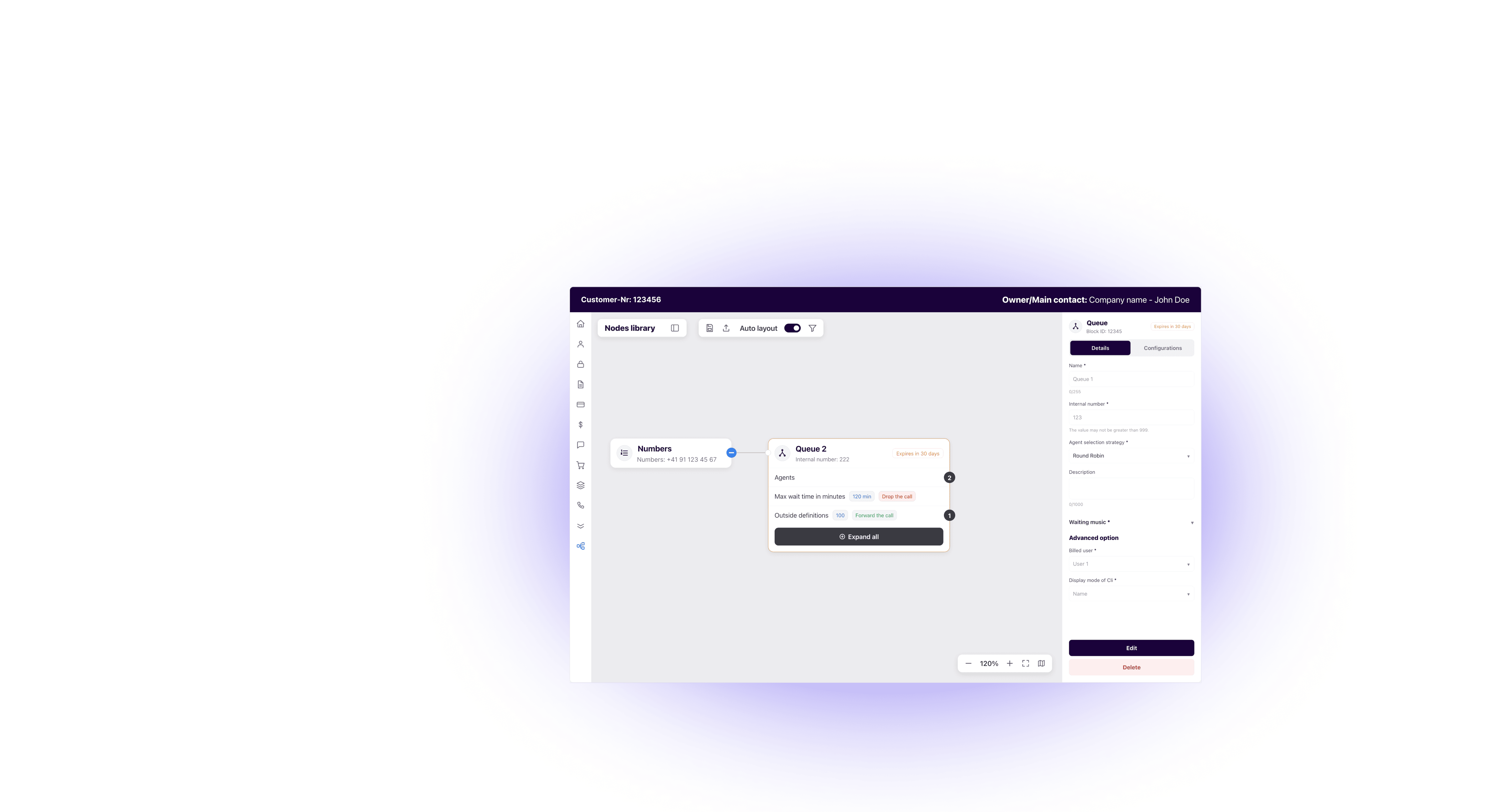
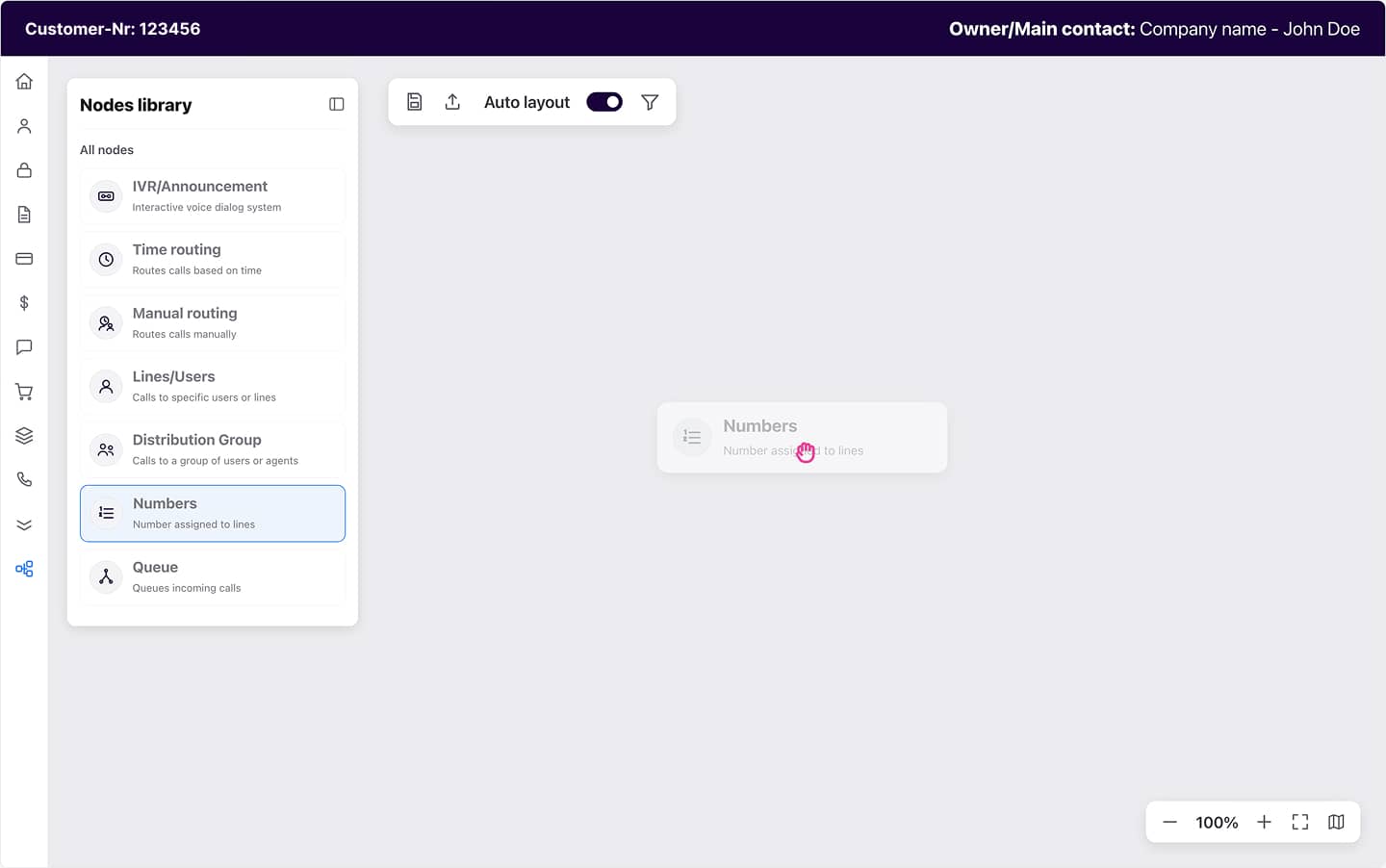
Pull a node from the palette onto the canvas; select it and a guided, multi-step panel opens, with validation that catches an impossible connection before it becomes a support ticket.
Readable and light at scale
Automatic layout, a minimap and zoom keep even a sprawling flow navigable – while grouping numbers, rather than drawing one node each, stops a large account from collapsing into thousands of boxes.
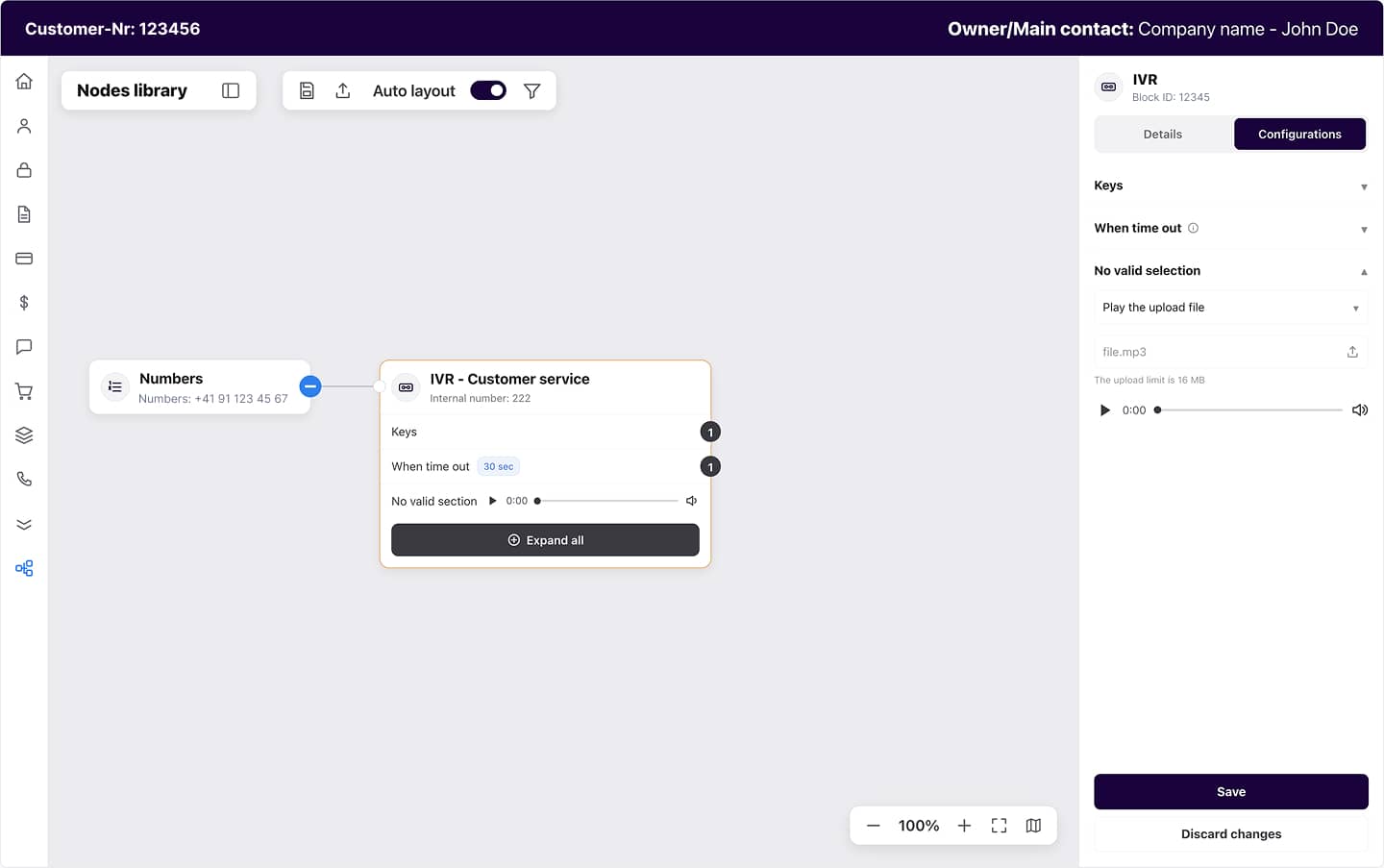
IVR you can hear
Announcement and IVR nodes carry an inline audio player, so a partner can check the recorded message without leaving the diagram.
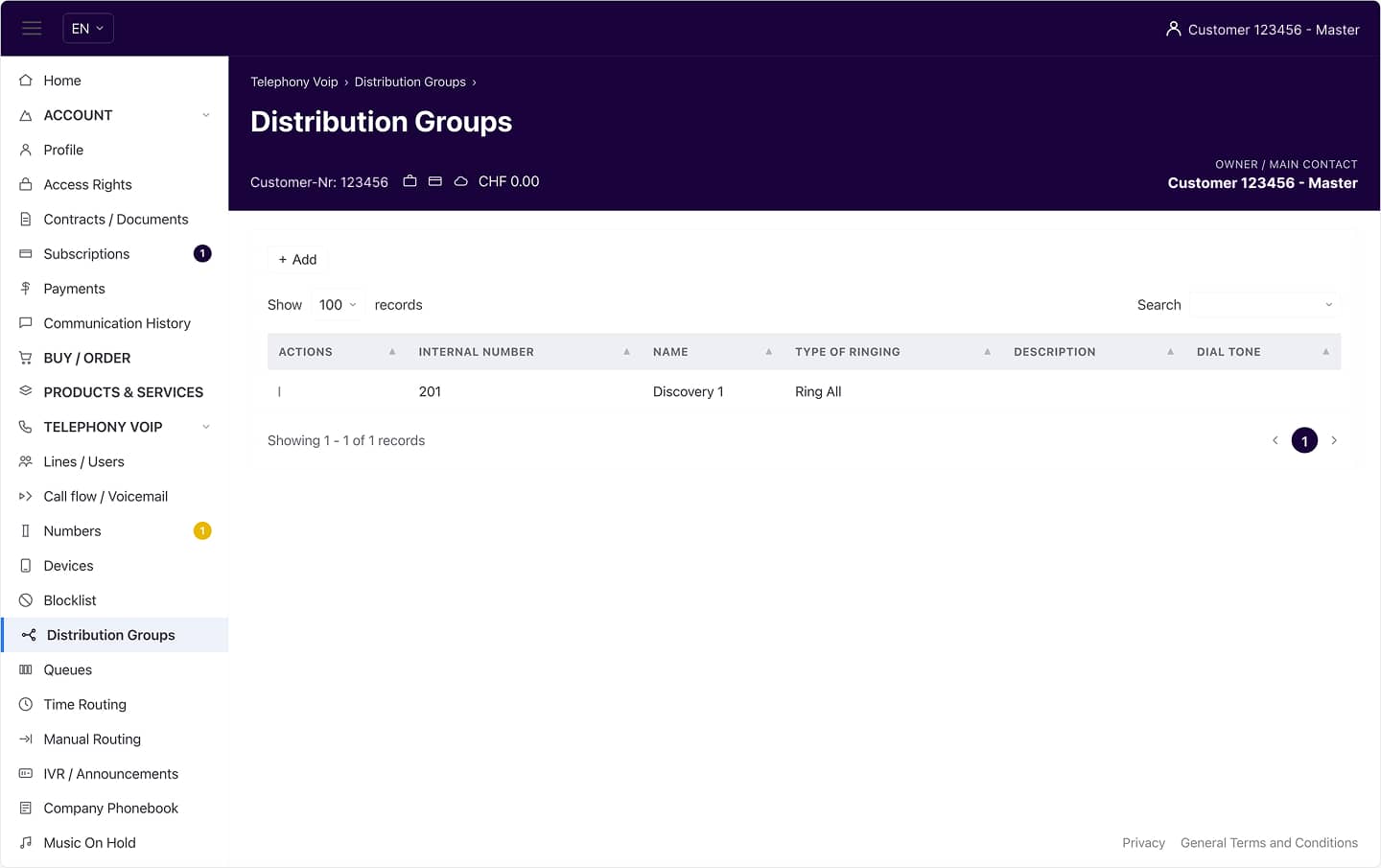
Embedded, not bolted on
It ships as a web component that drops into the existing portal, so partners gain the diagram without giving up the tools they rely on – and new customers can start visually from day one.
Need a call flow builder inside your product?
Let's talk about your challenges and goals.
A specialist's judgment, not order-taking
The value was never the diagramming library. Anyone can render boxes and arrows. Three things made the difference:

Discovery mapped a live telephony system faithfully, so the diagram matched how calls really flow instead of a simplified guess.

The editor plugs into peoplefone’s existing product and roles – giving partners a faster, visual way to configure routing without giving up the tools they know.

Instead of only building to spec, the team laid out the trade-offs and helped peoplefone choose with eyes open.
We can recommend Synergy Codes – we worked as a team very closely and we’re very happy.
Success you measure in silence
For the partners who set up call routing every day, the change is concrete – and the clearest sign of it is how little noise it made:
Our installation partners can work intuitively. If we do not get any support calls, this means, we achieved that it is user-friendly and self-explanatory! So we reached our objective!
FAQ
- What is a visual call flow editor?
A visual call flow editor lets you design how calls are routed – across IVR menus, queues, time routings, distribution groups and users – as one interactive diagram instead of page after page of forms. You build and edit the whole route on a single canvas, and see at a glance where every call can go.
- What is the difference between a call flow and an IVR?
An IVR (“press 1 for sales, 2 for support”) is one step inside a call flow. The call flow is the whole picture: how a call moves through IVRs, time routings, queues and routing to reach the right person or message. A visual call flow editor shows that whole picture, not just the menu.
- How is a visual call flow editor different from a generic flowchart tool?
A flowchart tool draws shapes; a visual call flow editor understands telephony. Its nodes are real routing elements – numbers, queues, IVRs, time rules – with validation that blocks invalid connections, and it plugs into the phone system that actually runs the calls.
- How do you build a visual call flow editor for a telephony platform?
It starts with product discovery: modeling the platform’s routing logic and the people who use it, then agreeing on the approach. From there we design the node types and validation, and deliver the editor as an embeddable component that connects to your backend.
- Can a visual call flow editor be embedded into an existing phone system or CPaaS product?
Yes. For peoplefone it shipped as a web component that dropped into their existing portal – no separate app, no rebuild. It reads and writes through your API, so it fits the product you already run.
- Does it replace the forms our users already know?
Only if you want it to. The diagram is added alongside the existing forms, so current users keep their workflow and new ones can start visually from day one.
- Will it hold up when a customer’s configuration gets large?
Yes. Automatic layout, filtering and a data model that groups repetitive elements keep an account with thousands of numbers readable, instead of collapsing into an unusable graph.
- Who owns and runs it after launch?
You do. We build for a clean handover – on this project, peoplefone’s own engineers run it in production, with us available for support when it helps.