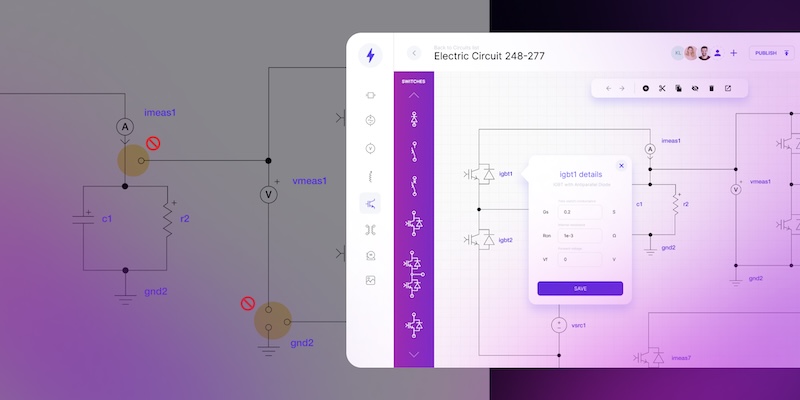
How CAD drawing automation speeds up sales and project delivery

Automating 2D CAD drawings speeds up quoting and reduces errors. Discover how these workflows radically accelerate delivery.
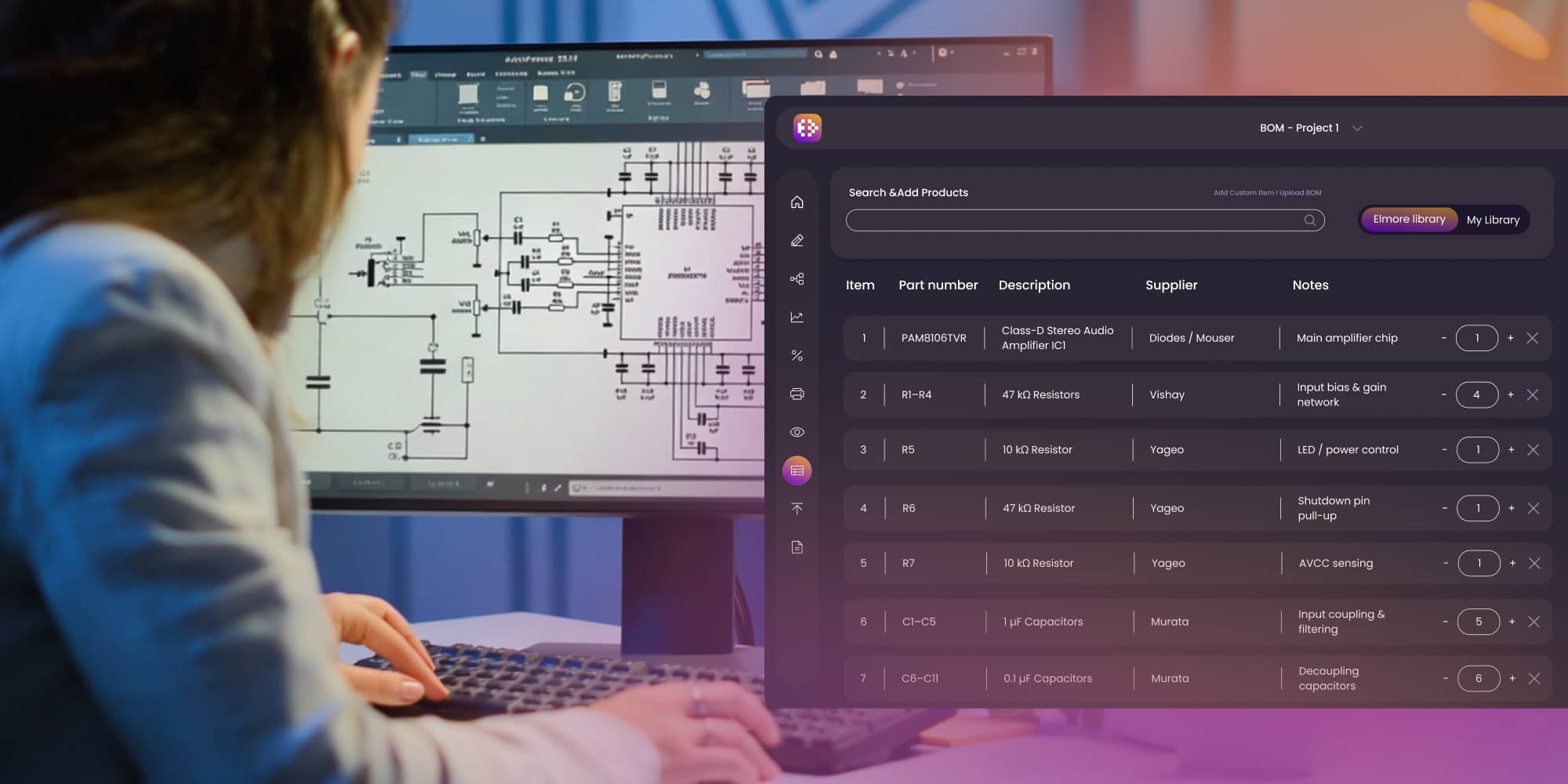
Manual 2D CAD drawing workflows slow down sales and overload engineers with repetitive tasks. Automating CAD drawings – especially when connected to CAD to BOM generation – drastically reduces quote time, minimizes errors, and boosts efficiency across sales and project delivery. Companies using custom 2D CAD programs close deals faster and stay ahead of the competition.
In manufacturing and industrial sales, time is leverage. Yet across sectors companies still rely on manual 2D CAD drafting to prepare technical drawings for inquiries, offers, and client approvals. The result? Sales cycles that stuck for days or weeks as engineers redraw repetitive designs, adjust layouts manually, or look for the right specs buried in spreadsheets.
But here’s the catch: your competitors aren’t waiting. As customers grow less tolerant of delays, companies that accelerate their 2D CAD drawing workflows – especially by automating them – are winning more deals, delivering faster, and freeing engineers to focus on what actually moves the business forward.
Automate CAD drawings and accelerate your work 10× faster
Learn more.png)
What are CAD drawings, and how do they connect to the bill of materials?
CAD drawings are digital technical outlines that show how a product or system should be built. They’re essential for visualizing layouts, wiring, piping, structural components, or electrical systems. Most often, they’re created as 2D CAD drawings using specialized software.
These drawings also serve as the foundation for a bill of materials (BOM). It is a detailed list of every part and component needed to build the product. Traditionally, engineers would generate the BOM manually, using data from the drawing.
Today, smart tools can connect CAD to BOM directly. That means as soon as a technician completes the layout, the system automatically creates an accurate BOM, saving time and reducing the risk of errors.
Slow CAD drawing workflows are holding sales back
Let’s call it what it is. Your sales team is ready, the client is ready – but the offer can’t go out because the engineer needs to manually prepare a CAD drawing showing the product layout, schematics, or install plan.
In many industries teams need to show exactly how the system will be installed: where each light, screen, or valve goes, how it connects, and what it will cost with a clear engineering bill of materials. Without them, there’s no approval, no purchase order, and no project start.
When engineers need to create CAD drawing examples manually, everything slows down. Drawings take days, edits take hours, and small changes can mean starting from scratch. Even worse, top engineers spend their time doing copy-paste work instead of solving real problems.
CAD automation capabilities that shorten the sales cycle
Below is a quick comparison of manual vs. automated 2D CAD drawing workflows. You can use it to benchmark where your current process might be falling short:
Where 2D CAD design automation brings the most value
In many engineering-driven industries, the ability to quickly produce accurate and consistent documentation is critical. Manual work on repetitive technical drawings slows down delivery and opens the door to costly mistakes and delays. That’s where 2D CAD design automation makes a measurable impact.
Lighting systems
Projects often require precise 2D CAD design layouts with lighting fixture placement and wiring diagrams. Automation allows engineers to generate full documentation faster and respond to customer changes in hours, not days.
Electrical installations and automation
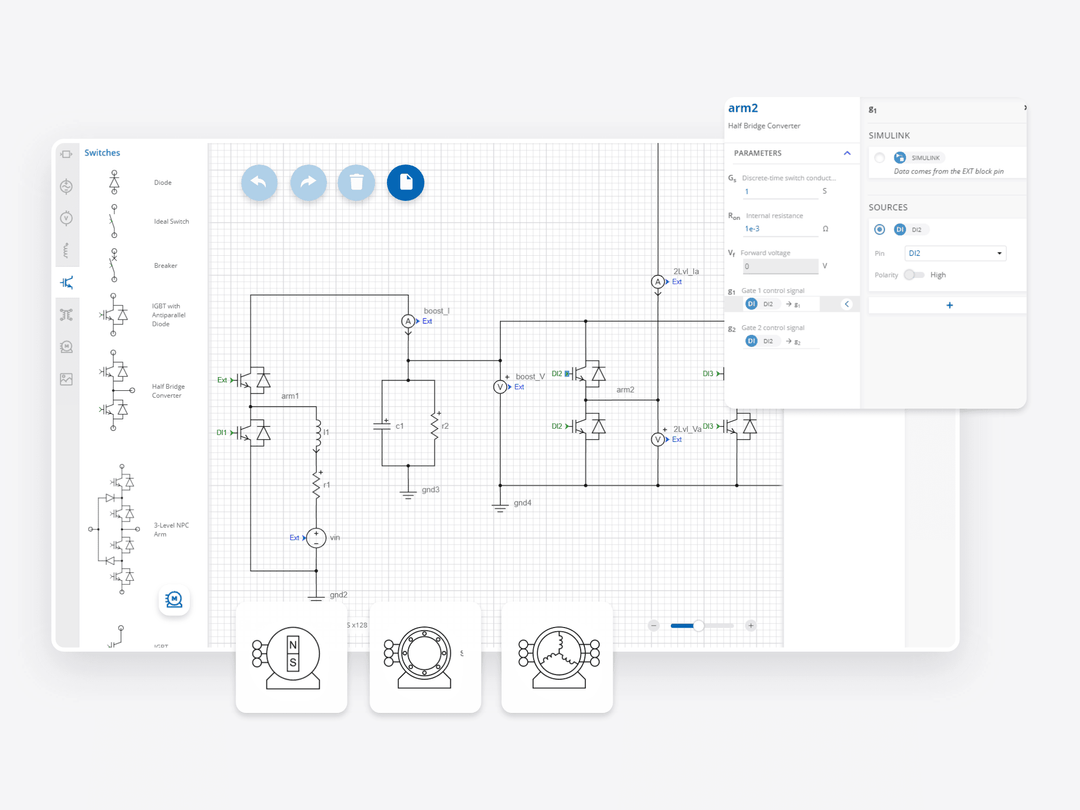
Integrators working with electrical systems, control panels, or PLCs depend on fast, error-free schematics. CAD design helps create clear visual layouts, including fixture placement and power routing – both of which are essential in technical proposals. Moreover, automating the engineering electrical bill of materials ensures consistency across quotations.
Process equipment manufacturers
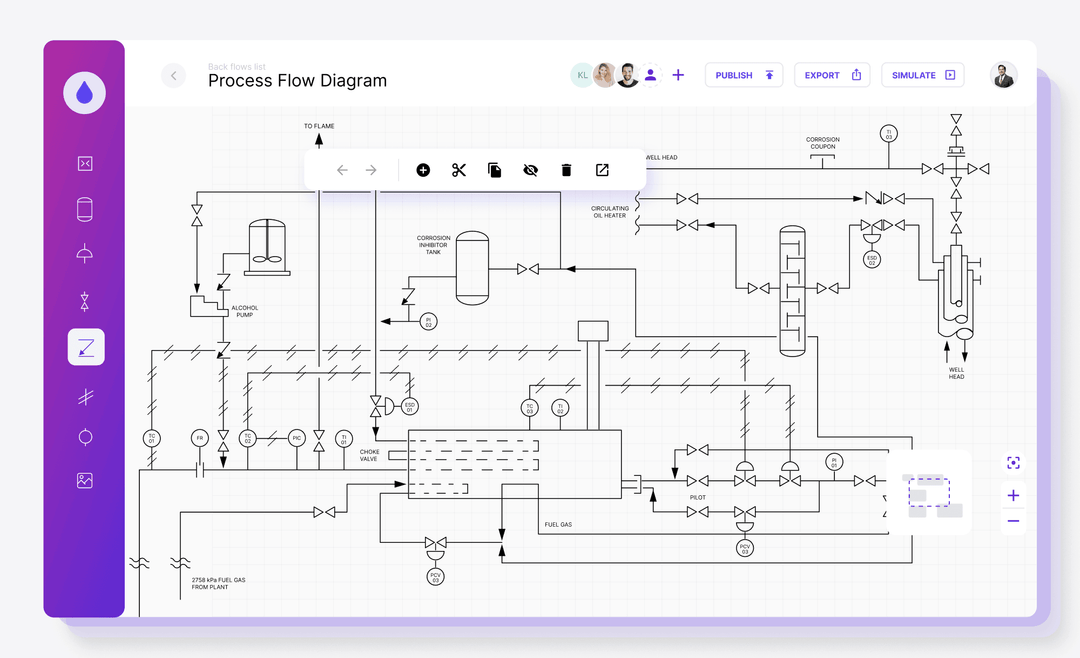
Producers of tanks, boilers, pressure systems, or industrial piping need detailed 2D CAD drawings for compliance and delivery. With automation, they can generate repeatable layouts and accurate manufacturing bill of materials directly from design logic.
AV system integrators
For integrators of audiovisual technology, technical drawings are required before any equipment is installed. Automated tools help generate floor plans, connection diagrams, and BOM drawings as part of the proposal phase.
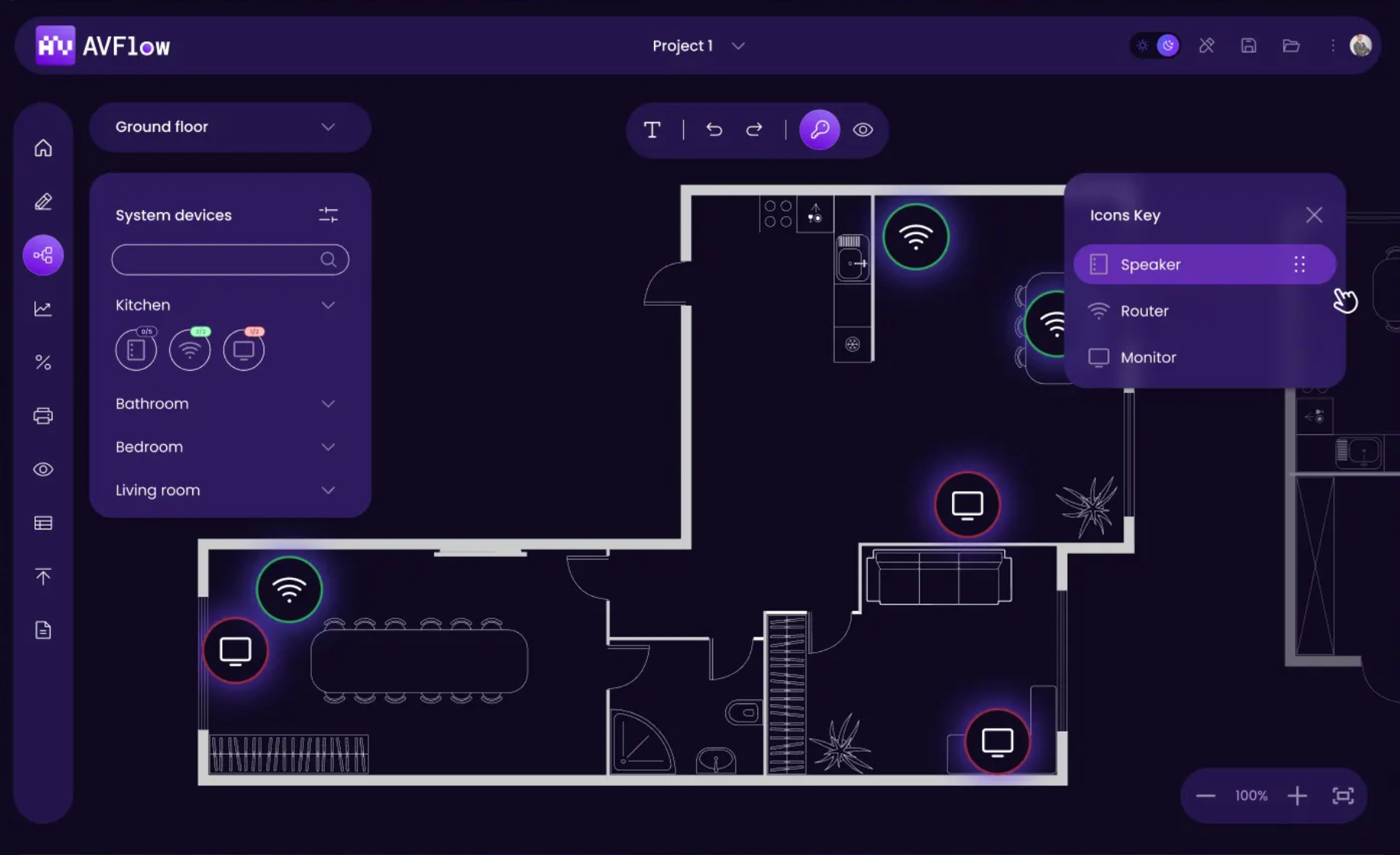
Across all these industries, switching from manual 2D CAD design to automated processes helps shorten the time between inquiry and delivery – while reducing workload on engineering teams.
Engineering CAD drawings can do more than just illustrate
In most companies, engineering CAD drawings still serve a single purpose: visualizing technical layouts. But in today’s project environments – where speed, accuracy, and documentation flow are critical – relying on visuals alone simply isn’t enough.
The true advantage comes when CAD drawings are directly connected to data workflows, particularly those involved in creating offers and preparing execution documents. And that’s where automation plays a key role.
How to make a bill of materials without wasting hours?
In many industries, preparing a BOM is a mandatory step in quoting or project planning. But how to make a bill of materials efficiently still remains a challenge for many teams.
When done manually, the process is painfully slow: pulling data from CAD files, checking component specs, entering them into spreadsheets, and cross-referencing part numbers. It’s time-consuming and error-prone.
With automation, engineering CAD drawings are enriched with metadata from the start. As you design, the system gathers part information in the background, letting you export a complete BOM with a single click – whether it's for prototyping, procurement, or customer-facing quoting.
.jpg)
Bill of materials in construction, manufacturing, and beyond
Whether you’re designing steel frames, electrical systems, piping layouts, or lighting schemes – automating the BOM process means:
- Instant part lists aligned with the drawing,
- Real-time cost estimation,
- Fewer mistakes from manual data entry,
- Shorter time to send a quote or proposal.
It also eliminates bottlenecks between teams. With shared access to synchronized CAD drawings and BOM data, engineering, sales, and procurement work faster and with more confidence.
Automate 2D CAD drawings – send quotes in hours, not weeks
Book call
Real-world use cases show how 2D CAD drawing automation drives results
You don’t need a fully automated factory to feel the pain of slow 2D CAD drawing workflows. Across lighting, electronics, AV, and industrial manufacturing, companies still rely on manual tools to prepare proposals, project documentation, and technical layouts. The result? Weeks lost to repetitive tasks that could be completed in hours with a custom-built 2D CAD program.
Here’s how forward-thinking companies have used custom CAD drawing services delivered by Synergy Codes to shorten sales cycles.
Faster engineering for electronics and control systems
If your team works with electronic circuits or control systems, chances are they’re using CAD practice drawings that need to be constantly updated. Every variant, every small change means opening the file, adjusting blocks, and checking connections manually.
That’s exactly the challenge OPAL-RT faced. They needed a more efficient way to design, validate, and reuse electronic schematics. We delivered a schematic editor that made this possible. Engineers now build layouts with drag-and-drop components and validate them instantly, without needing to redraw from scratch.
See full case study: Schematic Editor for intuitive electronics circuits modeling
AV system offers with faster approval cycles
In AV integration, your drawings are your proposal. Clients want to see where every device goes, how systems connect, and what equipment is included – upfront. Preparing those documents manually takes time and often results in delays, missed deadlines, or confusion.
That’s why an AV integrator turned to us to streamline their 2D CAD drawing services. We built a custom tool that lets their team produce layouts, schematics, and a complete engineering bill of materials directly from structured input data. Instead of jumping between design tools and spreadsheets, everything is generated in one place.
Check out case study: Smarter AV system design with a visual diagram platform
Smart configuration for automotive parts suppliers
For large manufacturing companies, especially in automotive, even small delays in documentation can create massive inefficiencies across departments. One supplier approached us with a goal: reduce time spent on configuration, calculation, and documentation for their components.
We created a rule-based product configurator with a visual flow engine and automatic BOM drawing generation. Engineers no longer start from scratch. Instead, product logic drives the design, and a manufacturing bill of materials is ready the moment the configuration is complete.
How automated 2D CAD drawings help you close deals quicker
If your team is still redrawing variations of the same CAD drawings with similar materials, you’re not just wasting time – you’re losing sales.
With automated 2D CAD drawing services, the drawing process can be connected directly to your existing tools like Excel, ERP, or CRM. That means the layout or schematic is generated automatically based on client inputs or your own product rules.
Send drawings, cost estimates, and full offers in hours – not days
At Synergy Codes, we build custom tools that automate the creation of repetitive technical drawings fully tailored to your company’s workflow, product, and offer structure. You don’t have to adjust your process to fit generic software. We design solutions that fit you. This gives your engineers back their time and gives your sales team the power to move faster.
A custom 2D CAD program can include features like:
- Standard templates and symbols for faster design,
- Consistency across documents, formats, and drawing versions,
- Integration with sales, inventory, and engineering tools,
- Automated BOM creation (CAD to BOM),
- Quick layout changes based on client specs,
- Easy onboarding for new engineers or support staff.
Because it’s custom-built, your CAD automation tool can evolve with your needs. We can extend it with advanced features and integrations that match the way your teams work.
In industries where every quote depends on a drawing, and every drawing feeds a bill of materials, slow documentation means slow business. Manual 2D CAD design – even when precise – is no longer enough when customers expect quick, clear offers and production needs detailed BOM drawings almost on day one.
Automated engineering CAD drawings, especially when combined with real-time CAD to BOM generation, change the pace entirely. They remove hours of repetitive work, eliminate errors, and free up engineers to focus on problem-solving, not copy-pasting.
We’ve seen it firsthand – companies that embrace automation in their 2D CAD drawing services quote faster, deliver quicker, and win more business. And because every tool we deliver is custom-made, it works the way your team works.
Let your technical offer be your competitive edge not a bottleneck. If you'd like to see how custom CAD automation could work in your organization, fill out the form below – and let’s talk.
- What is a 2D CAD drawing, and why does it matter in manufacturing and sales?
A 2D CAD drawing is a digital technical layout used to communicate design intent. In manufacturing and sales, these drawings are essential for planning, quoting, and execution. Automating them reduces time-to-offer and minimizes costly errors.
- How does CAD to BOM automation improve project delivery?
CAD to BOM automation connects visual drawings with part data to instantly generate bills of materials. This eliminates manual entry, streamlines workflows, and ensures accuracy between design, procurement, and production.
- What are the benefits of using a custom 2D CAD program instead of standard tools?
Standard CAD tools are built for everyone and not for your specific workflow. A custom solution lets you automate exactly what slows your team down, whether it’s repetitive drawing logic, rule-based diagram generation, or syncing design data with cost calculations. It reflects how your engineers actually work and eliminates the need to force-fit your process into generic software. Most importantly, it evolves with your business.
- What industries benefit most from automated CAD drawing services?
Industries that rely on repeatable, technical drawings during quoting or project planning see the biggest gains. This includes companies designing lighting layouts, AV systems, electrical schematics, pressure installations, or structural frames. Wherever the process involves preparing similar diagrams, bills of materials, and visual documentation under time pressure, automation helps teams move faster, with fewer errors.
- How does CAD automation support sales teams?
Automated CAD drawings allow sales to prepare accurate, visually supported offers much faster. This helps sales teams respond quicker to RFQs, win more bids, and deliver with confidence.
- Does Synergy Codes offer CAD automation solutions for manufacturing?
Yes – Synergy Codes specializes in custom CAD automation for 2D engineering drawings. Our solutions are full-stack, browser-based, and tailored to your exact workflow – helping your teams go from input to deliverables in record time.
As the founder and CEO of Synergy Codes, Maciej guides Fortune 500 companies and startups in identifying how custom diagramming solutions can transform their operations. With 15+ years in the field, he leads a team of experts who've delivered 170+ implementations across diverse industries, streamlining workflows and enhancing decision-making.

Find how we can help you enhance your software and win more deals
Contact us to discuss your project. After you submit the form, we’ll get in touch with you within 48 hours to arrange a call.