Automating AV system diagrams: from device lists to schematics

Learn how automating AV system diagrams reduces manual work, speeds proposals, and improves collaboration across sales, engineering, and project delivery.
Manual drafting still slows down many AV projects, even when device data already exists in structured lists. This article shows how automation transforms AV system design by generating schematics directly from data, reducing errors, saving engineering time, and delivering scalable, fully owned custom platforms built around real-world AV workflows.
Modern AV projects are no longer small, isolated installations. Today’s systems connect dozens – sometimes hundreds – of devices across different rooms and environments. Control systems integrate with networks and every connection must be documented clearly. Yet in many companies, the designing process still relies on manual drafting.
If you are an AV integrator, system designer, or technical decision-maker responsible for complex installations, this article is for you. We’ll look at why manual drafting still slows down modern projects and how automation in AV system design can turn structured data into clear, reliable schematics.
Looking for a reliable partner to build custom AV platform?
Check the offer.png)
The hidden cost of manual AV design
Many AV integrators work from a device list first – displays, microphones, switchers, amplifiers. The equipment is defined, the signal flow is known, and yet someone still has to manually draw the system. Others start from the opposite direction, sketching out preliminary diagrams before finalizing equipment. Either way, the design process eventually requires translating structured information into a visual schematic – whether in CAD, Visio, or other diagramming tools. And in most cases, that step is still done by hand.
Manual work introduces three major issues in AV system design:
Redrawing what is already defined in data adds cost but no value.
Traditional AV design often depends on manual drafting in CAD tools or another AV schematic drawing software. Engineers recreate what already exists in spreadsheets, bills of materials, or internal planning documents. Each connection is drawn by hand. Each port is placed manually. Each revision requires redrawing and rechecking.
This approach creates friction in a complex projects:
- Repetitive manual work slows down quoting and engineering,
- Minor changes require time-consuming updates across diagrams,
- Inconsistent drawing standards lead to misunderstandings within teams and clients,
- Errors in signal routing or device labeling slip through.
The larger the system, the bigger the risk. A small conference room may be manageable. A multi-room campus with hundreds of endpoints quickly becomes difficult to control.
Why invest in a custom AV design platform?
A custom AV platform helps your team move faster without sacrificing accuracy. Standard proposals and repeatable system layouts can be handled by sales using structured templates and automatically generated schematics. Engineers no longer spend hours redrawing common configurations in generic tools. Instead, they focus on complex integrations and high-value technical decisions – the work that actually drives revenue.
This shift improves margins and shortens proposal cycles. Sales responds faster, while specialists dedicate their time to advanced system challenges that require real expertise.
A custom solution goes beyond off-the-shelf software. Built on CAD foundations but fully tailored to your workflow, device libraries, and business rules, it reflects how your company actually operates. With deep experience in scalable diagram platforms, Synergy Codes delivers solutions that combine engineering precision with business performance.
→ Check what we can do for you and book 1-on-1 consultation.
Why is automation reshaping AV system design?
Automation in AV system design does not mean removing engineers from the process. It means removing repetitive drafting from their workload.
Instead of redrawing what already exists in a spreadsheet, custom AV design software can:
- Parse structured device and cable lists,
- Identify repeatable signal paths and logical relationships,
- Generate a simple but complete and structured AV schematic diagram,
- Apply layout rules for readability and consistency
The result is a system-generated schematic built directly from validated data.
Manual drafting vs. custom AV schematic software
| Manual CAD workflow | Custom AV schematic software |
|---|---|
| Redraw from device list | Generate directly from data |
| High risk of human error | Logic-driven connections |
| Time-intensive revisions | Fast amendments after changes |
| Inconsistent formatting | Standardized layouts |
| Diagram as static file | Diagram as dynamic system output |
For integrators handling complex conference rooms, broadcast facilities, or enterprise deployments, the difference is significant. What once took days can now take minutes.
From device lists to AV schematic diagram – how it works
Automation in AV design software is not about adding another drawing tool. It is about redefining the workflow behind the design.
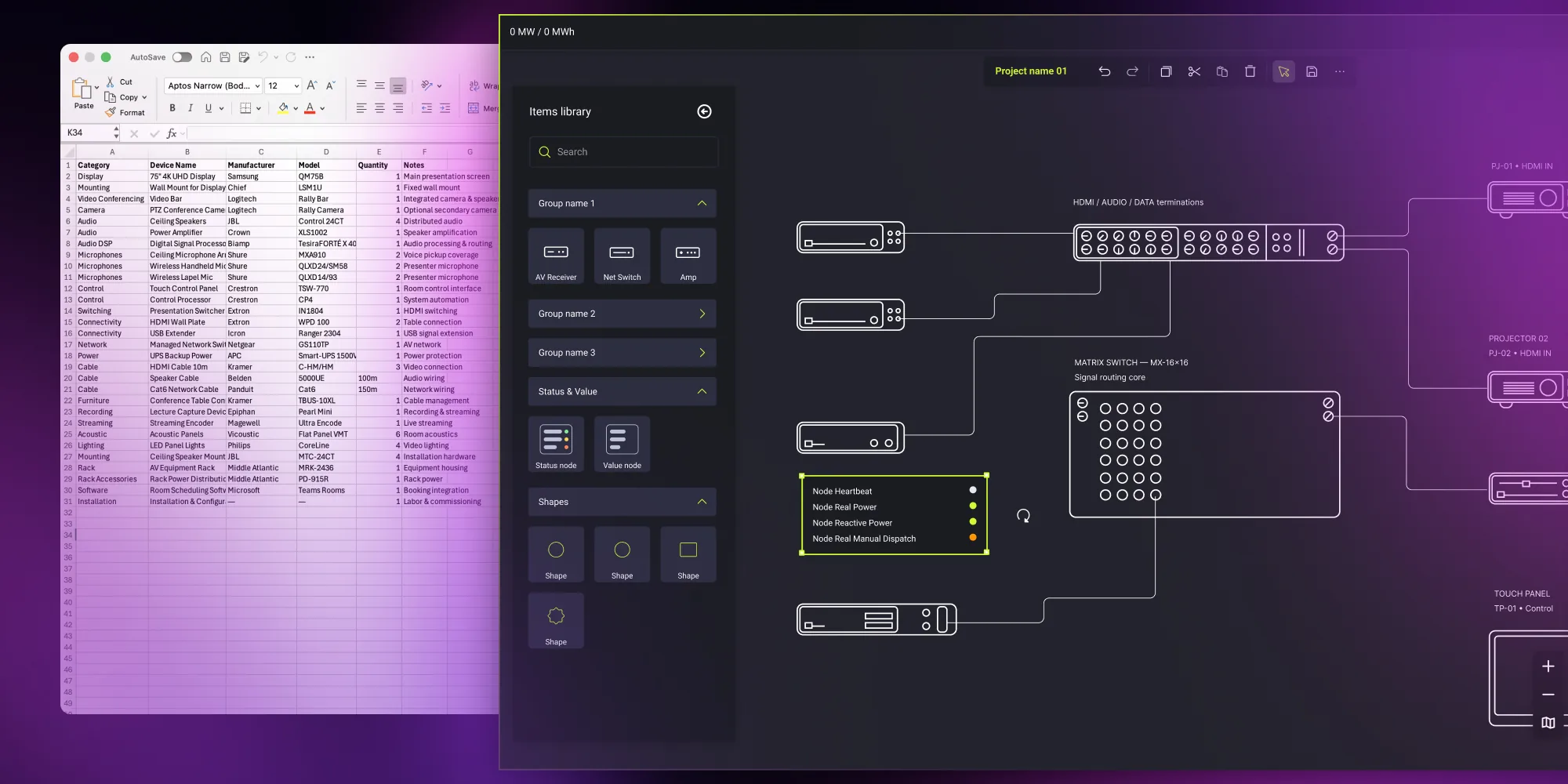
In a custom-built environment, the starting point is structured project data. That data may come from a bill of materials, a spreadsheet export, or an internal configuration tool. Each row represents a device. Each column defines attributes such as ports, signal types, rack placement, or room assignment.
Instead of manually recreating this information in CAD, the AV schematic drawing software reads it as input.
From device list to schematics – a step-by-step process
To understand how automated AV schematic software changes daily work, it helps to look at a practical scenario.
An integrator starts with a structured XLSX file. The file includes device identifiers, input and output ports, and connection mapping. Each device has a unique ID to prevent duplication or ambiguity. Signal types are defined consistently.
Custom-built software typically follows a structured workflow.
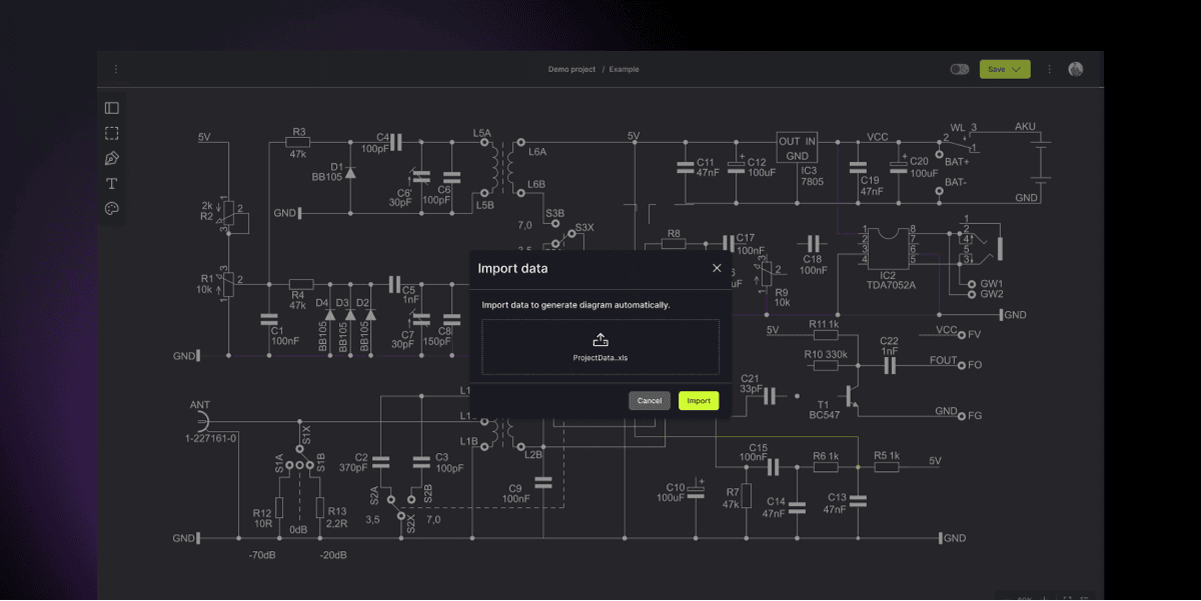
1. Import structured data
Upload an XLSX file or other structured export.
2. Analyze and validate devices
The platform checks device identifiers, signal types, and connection rules.
3. Generate connections automatically
Based on predefined logic, the system maps inputs, outputs, and signal paths.
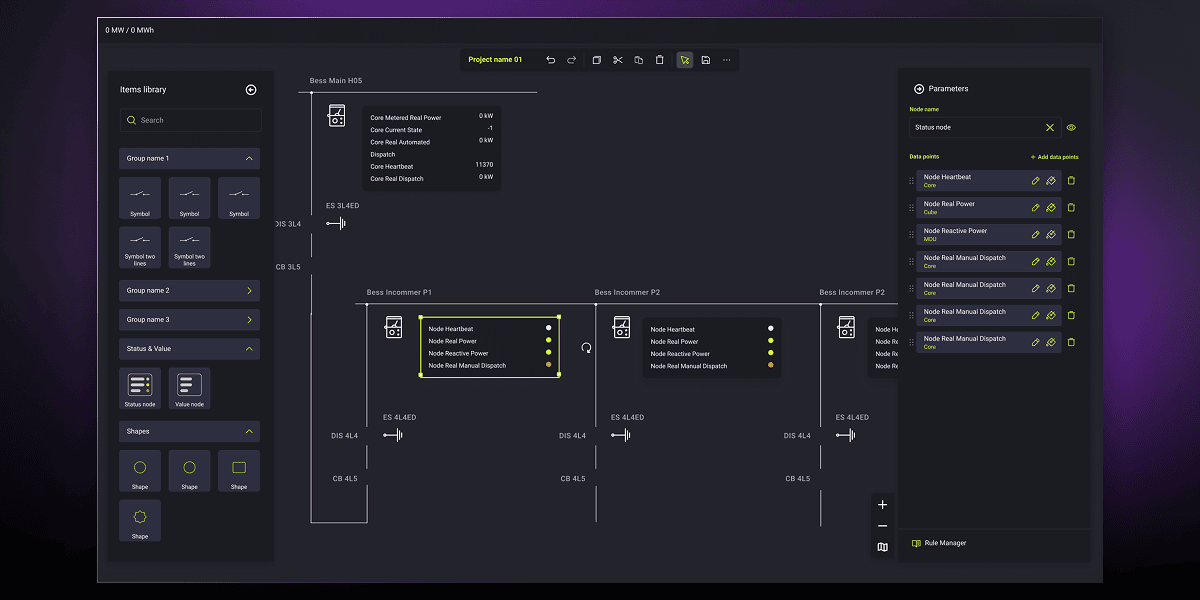
4. Render the simple AV schematic diagram
An automatic layout engine arranges devices and links for clarity and readability.
5. Allow controlled adjustments
Users can move elements for presentation purposes without breaking logical relationships.
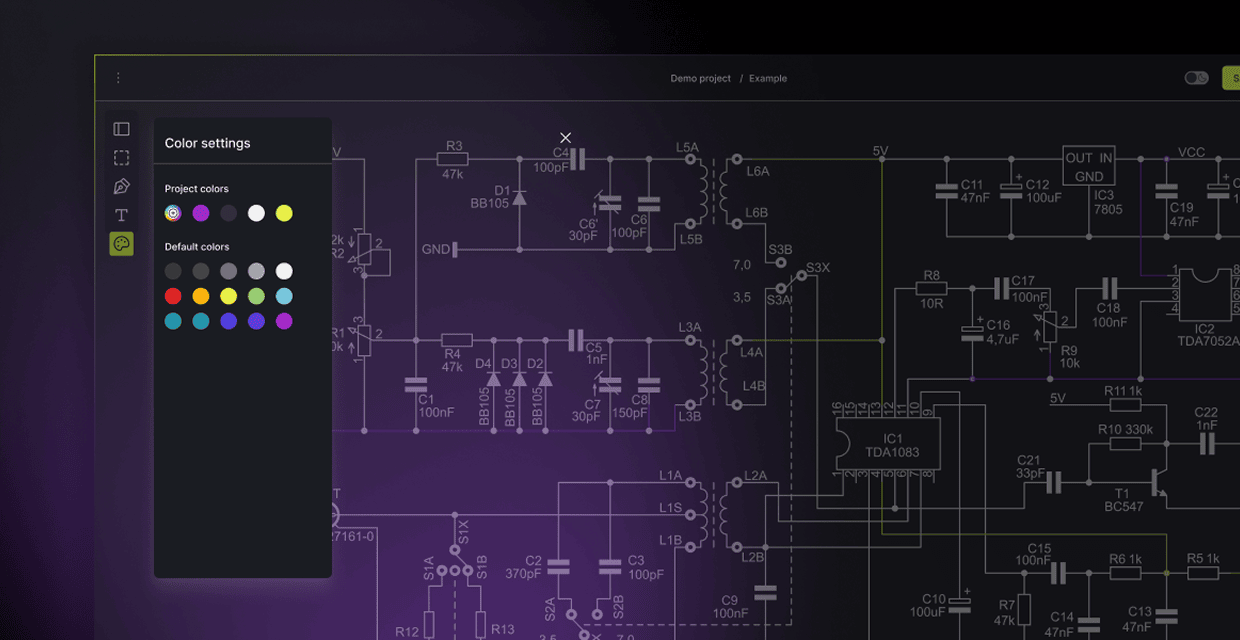
At this stage, engineers can inspect the result. They can make layout adjustments – such as grouping or repositioning elements for clarity – but the underlying logic of the system remains data-driven. When the project specification changes, the diagram updates accordingly.
The schematic is no longer an isolated drawing. It becomes a visual representation of the system’s structured data.
Choosing AV design software in 2026? Compare your options with the buyer's guide.
Download the guide
Key benefits of automated design and schematic platforms
When AV workflows shift from manual drafting to structured, automated generation, the impact goes far beyond cleaner diagrams. A data-driven approach improves scalability, reduces errors, saves time, and connects technical documentation with the broader business process. Below are the benefits that matter most to AV integrators and engineering teams.
Handle complex systems at scale
As projects grow, manual drafting becomes a bottleneck. Whether it's a multi-room corporate office, a university building, or a large entertainment venue – any system with dozens or hundreds of endpoints and signal paths becomes difficult to manage with traditional tools.
A structured platform approaches complexity differently. It manages large networks of interconnected devices without losing readability. It enforces consistent naming, prevents duplicate or undefined connections, and applies layout logic that keeps diagrams clear even as systems expand.
That makes the output more reliable for installation, troubleshooting, and future upgrades.
Standardize documentation and reduce errors
One of the most practical advantages of automation is built-in standardization.
When engineers draw manually, styles vary across projects. Small inconsistencies in labeling or signal naming can create confusion during installation. A structured platform embeds standards directly into the workflow. Device symbols, routing conventions, and diagram structure follow defined rules.
This reduces drafting mistakes, avoids mismatched bills of materials, and eliminates revision confusion between sales and engineering. Engineers validate system intent rather than formatting drawings. In competitive AV environments, that consistency protects both margins and reputation.
Connect diagrams with the broader workflow
Modern platform integrate with quoting tools, inventory databases, and ERP systems. When diagrams and device data are synchronized, updates flow automatically across tools.
Changing a device in the system model can update quantities in the bill of materials. Adjusting signal routing can trigger revision tracking. Exported schematics align directly with installation documentation.
The diagram becomes more than a static file. It becomes a living representation of the current project state – accurate, synchronized, and ready to support execution.
Summary of benefits
| Benefit | Technical impact | Business impact |
|---|---|---|
| Automation | Reduced drafting time | Faster proposals |
| Standardization | Consistent diagrams | Fewer installation errors |
| Data-driven logic | Validated connections | Lower risk |
| Integration | Connected systems | Operational efficiency |
To learn more, read Solving AV planning challenges with a custom-built design automation platform.
How we built a scalable AV design platform for automated system diagrams
One of our recent projects involved building a custom AV design platform from the ground up. The client's team was already working with structured device data, but their design process still relied on manual drafting – whether for a single conference room or a multi-room installation.
They needed a solution that could bridge the gap between structured project data and visual system documentation – automatically, reliably, and at scale.
How the platform works
The platform reads structured input files containing device identifiers, input and output ports, signal types, and connection mapping. It validates the data, flags inconsistencies, and generates signal flow diagrams automatically.
Under the hood, a logical engine converts validated data into a graph model – devices become nodes, signals become links. A layout engine then arranges everything according to predefined rules that ensure readability and technical clarity, even for dense, multi-layered systems.
Built for performance
To deliver the platform, we selected performance-oriented technology stack focused on responsive rendering, reliable state management, and a clean engineering-grade interface. This ensures the platform handles even dense, complex installations smoothly – without freezing, lagging, or visual clutter.
From proof of concept to full delivery
We began with a proof of concept phase to validate core assumptions, then moved into a design and development phase that spanned several months.
The team built the platform to production readiness through an agile process, with the client involved via regular demos, sprint planning, and ongoing feedback loops.
At the end of the engagement, we handed over full ownership of the platform along with documentation and knowledge transfer, giving the client everything needed to maintain and evolve the solution independently. At the same time, our team remains available for post-implementation support and further development as new needs arise.
Ready to modernize your AV workflow?
If your engineers already work with structured device lists, there’s no reason to keep redrawing system diagrams by hand. Automation can shorten project timelines, reduce errors, and bring clarity to even the most complex setups. The key is to build a custom solution that fits the way your team actually designs, quotes, and delivers projects.
At Synergy Codes, we create custom platform that turn raw project data into clear, scalable system visuals – while giving you full ownership and long-term independence.
If you want to see how automation could work in your specific AV workflow, let’s talk. Book a 1-on-1 consultation with our team to review your current process and discuss your goals. Schedule your consultation here or via the contact form below.
- What is the difference between manual AV and automated platforms?
Manual AV design relies on engineers drafting every device, port, and signal path by hand. Even when the bill of material is already defined, the schematic must be recreated manually. Automated platforms generate the AV schematic diagram directly from structured data – validating connections, applying layout logic, and reducing repetitive work. Engineers focus on system logic instead of redrawing what already exists.
- Can automated AV system design handle complex, large-scale projects?
Yes. A properly designed solution can handle tens of thousands of connections within a single diagram. It maintains readability, enforces naming standards, and prevents duplicate or undefined connections, even in complex multi-room environments.
- Do we need to replace our current quoting or CRM tools?
No. A custom AV design software can integrate with your existing quoting systems, ERP, or inventory tools. The goal is not to replace your workflow, but to connect structured data with automatically generated schematics, keeping everything synchronized.
- What kind of data is required to generate an AV schematic automatically?
The system needs structured data – typically an XLSX export or similar file that includes unique device identifiers, defined input and output ports, signal types, and connection mapping. Clear structure ensures accurate validation and reliable diagram generation.
- Will we be dependent on the vendor after implementation?
No. In our case study, the client received full ownership of the platform – including documentation and knowledge transfer. Their internal team can maintain, extend, and scale the solution independently without being locked into long-term dependency. You can read the full case study here.
Content Marketing Specialist who's spent the last decade making tech topics actually readable. With an MA in Brand Communication, Ida has crafted content strategies for several IT companies. Her portfolio spans from Kubernetes tutorials to enterprise software guides, now focusing on data visualization and diagramming solutions.

Find how we can help you enhance your software and win more deals
Contact us to discuss your project. After you submit the form, we’ll get in touch with you within 48 hours to arrange a call.