GoJS vs. React Flow: Choosing between diagramming library alternatives

Compare GoJS vs React Flow diagramming libraries. Learn which fits your product needs - performance, UI flexibility, scalability, and development speed.
Choosing between GoJS and React Flow isn’t about better or worse. It is about the right fit for your product. React Flow is the go-to diagramming library for UI flexibility, development speed, and prototyping in React environments. GoJS is the robust, enterprise-grade solution for high-performance, large-scale and real-time diagrams. This article compares their strengths across performance, UI, accessibility, collaboration, and licensing.
If your digital product involves visual workflows, chances are you’ll need a diagramming library. The right one won’t just save development time – it can remarkably improve performance, user interface, usability, scalability, and even product-market fit.
The difficulty in choosing a library is that teams rarely know all requirements at the start – edge cases and limitations tend to emerge as the work progresses. They start building, hit a wall, and only then realize their tech choice is slowing them down or limiting what they can build.
That’s why we created this in-depth comparison of the two leading diagramming libraries on the market: GoJS vs. React Flow. These tools solve the same problem, but they take different paths to get there.
In this article, we’ll walk through what each library is, where they shine, and how to match the tool to your product's real-world needs. Whether you're building a SaaS dashboard, an enterprise SCADA system, or a low-code platform, this guide will help you avoid costly mistakes.
What is React Flow?
React Flow is a lightweight, flexible diagramming library built specifically for React. It enables quick integration, intuitive UI development, and deep control over how your diagrams look and feel – especially when your app needs rich, interactive content.
Teams often use React Flow when they need to:
- build visually polished, easy-to-understand interfaces,
- create modern, user-friendly and responsive product features,
- iterate quickly without sacrificing UX quality,
- embed forms, charts, or controls directly inside nodes.
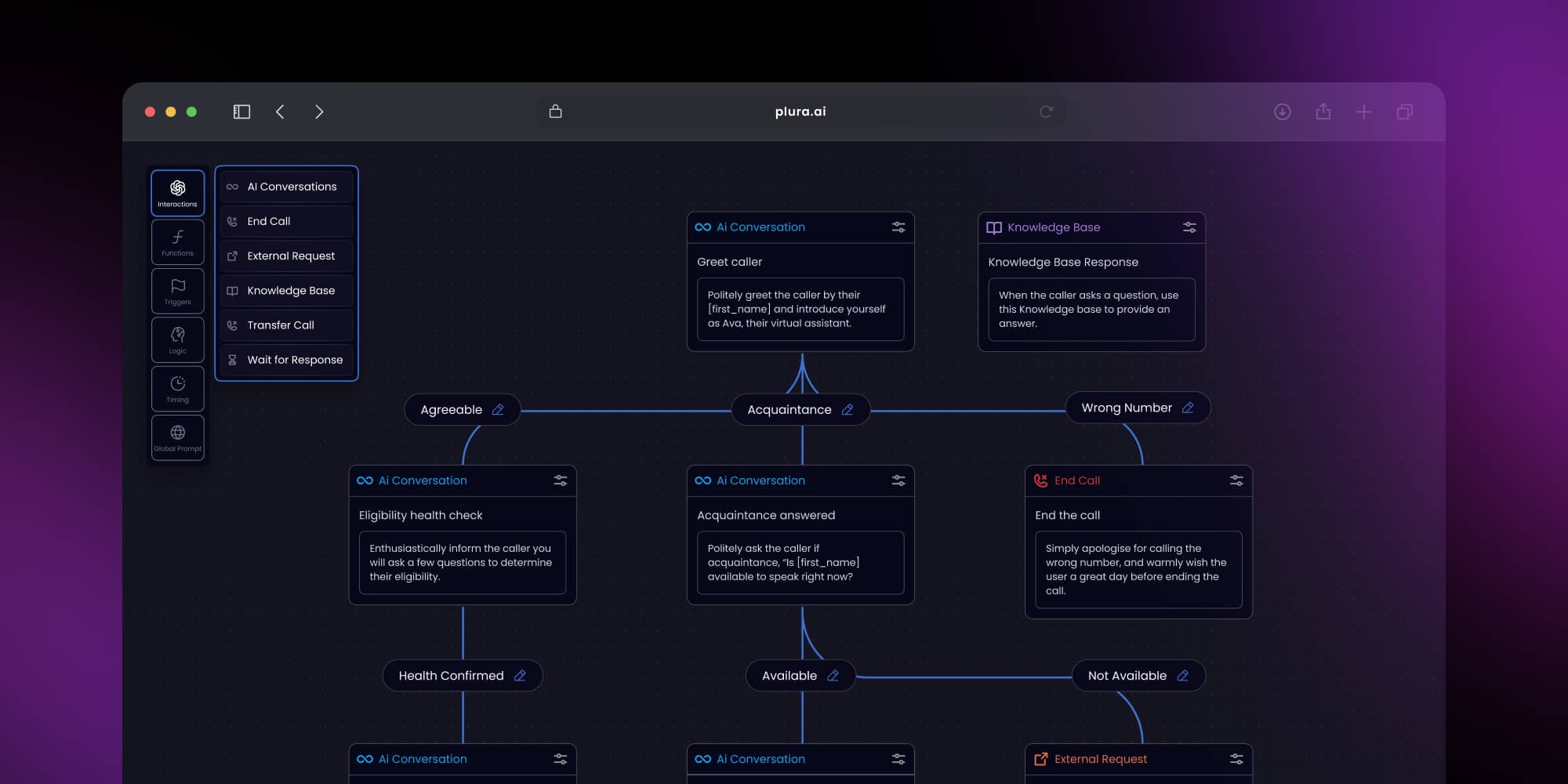
React Flow is a strong fit for customer-facing apps, SaaS products, workflow builders or low-code platforms where the diagram is part of the core user experience. It’s great for products, where good UX and UI directly support adoption, retention, and customer satisfaction.
We have years of diagramming experience in React Flow – check what we can do for you
Learn more.png)
React Flow alternatives
However, if you’re looking for a React Flow alternative, it usually comes down to two reasons. First – performance requirements grow, and you need a better match for your scale. In that case, we can help optimize your React Flow implementation and keep the experience smooth.
Second – your app may not be built in React. If that case, GoJS may be a better fit. Synergy Codes supports both, so we can guide the choice and deliver the full solution in the right technology.
Looking for an Angular-native diagram library?
Check ngDiagram
What is GoJS?
GoJS is a commercial diagramming library optimized for performance, real-time updates, and large-scale visualizations. It renders diagrams on an HTML canvas instead of using the DOM like React Flow, which gives an edge when your product needs to handle thousands of nodes, heavy interactions, or complex relationships.
GoJS is commonly used when:
- your diagrams process continuous data streams,
- your internal architecture demands predictable performance,
- you need advanced diagramming features out of the box.
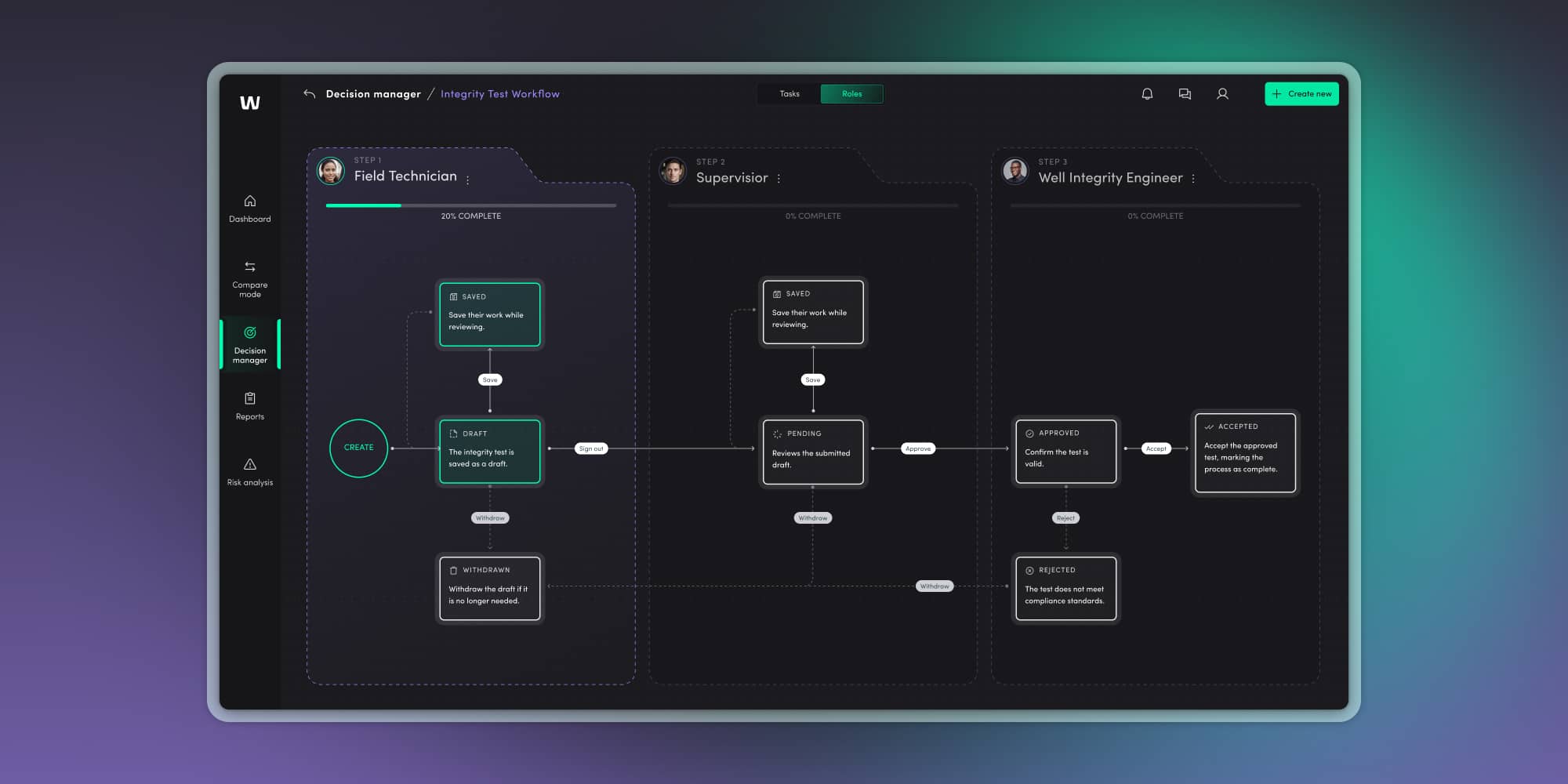
It’s widely used in industrial automation, SCADA systems, industrial monitoring, business process modeling (BPMN), organizational charts with complex hierarchies, network schematics, and enterprise platforms that cannot afford performance trade-offs.
Synergy Codes is a GoJS-certified expert. See how we can support your project
Check the offer
Why choosing the right diagramming library matters?
Diagramming is no longer a “nice visual extra.” It has become a core interaction layer in modern digital products – because almost every application today needs to present data in a way that is both easy to understand and visually engaging.
What areas does a diagramming library impact?
If your product explains something, coordinates something, or connects something, there’s a high chance a diagram powers that understanding.
Choosing the right diagramming library directly affects:
- Time to market – how fast your team can deliver early versions and iterate with confidence.
- Scalability – how well your product adapts when diagrams grow from 100 to 10 000 nodes.
- User experience – how intuitive, responsive, and visually clear your diagrams must be in daily use.
- Total cost – from initial development to long-term maintenance, licensing, and support.
- Future roadmap – how easy it will be to expand the system with additional functions.
Want a quick overview? Download the GoJS vs. React Flow checklist
Get your copy
GoJS vs. React Flow – Comparison
Once you understand the strengths of each library on its own, the real value comes from putting them side by side. A GoJS vs. React Flow comparison shows how differently both technologies approach performance, UI, UX, scalability, and long-term needs.
To be clear – this isn’t a battle for “the best” diagramming library. It’s a practical evaluation of which alternative serves your specific use case. By reviewing each area below, you’ll quickly see where the libraries overlap, where they diverge, and which direction aligns naturally with your product vision.
Diagramming libraries: Speed and ease of development
Developers often ask which library is “faster to start with.” The answer depends on the type of work your team expects to do. Below is a simple table summarizing how both tools behave during early development and long-term implementation.
React Flow delivers agility, GoJS scales with structure
React Flow wins in speed of development, simplicity, and ease of implementation. It’s quick to start, especially for teams already fluent in React. Custom UI elements are direct components, so you can use Tailwind, MUI, or any other system out of the box, which is very handy. At the same time, React Flow can also be extended with add-ons that significantly boost its capabilities. For example, component libraries like overflowUI that can save developers hours of work.
GoJS requires more upfront investment. That effort pays off when you need a more structured and complex architecture, advanced features out of the box, and predictable performance with large numbers of nodes.
Development speed comparison
| Area | React Flow | GoJS |
|---|---|---|
| Initial setup | Quick, React-native, low learning curve | Requires learning GoJS fundamentals |
| Building custom UI | Full HTML / JSX freedom | No embedded HTML. Powerful templating system, but less flexible |
| Implementing advanced diagram logic | Often built manually with component libraries like overflowUI | Many features available out of the box |
| Best fit | Products prioritizing rapid development, custom UX, and tight integration with React-based UI systems. | Products where diagrams are a core feature, requiring structured models, advanced built-in behavior, and reliable performance at scale. |
Performance and scalability – React Flow vs. GoJS
If your app should handle thousands of nodes, edges, or real-time updates, performance should be your top concern. If not, you can use a GoJS alternative – React Flow.
GoJS dominates high-data scenarios, React Flow shines in small UI’s
GoJS is built primarily for medium-sized and massive diagrams consisting of thousands of nodes. Its canvas-based architecture means it can handle large-scale topologies without sacrificing responsiveness. Whether you’re managing data pipelines, real-time sensor input, or sprawling business processes, GoJS provides unmatched scalability.
React Flow, by contrast, excels in smaller-scale and UI-centric diagrams. It includes virtualization to avoid browser overload, but it’s still limited by DOM performance. For many applications, that’s more than enough.
Performance comparison
| Feature | React Flow | GoJS |
|---|---|---|
| Rendering engine | HTML / SVG | Canvas |
| Large dataset handling | A hundreds of elements – good for smaller to mid-size diagrams | Optimized for 10,000+ elements |
| Virtualization | Built-in | Not built-in, but GoJS provides an example of how to add it yourself. It’s needed usually only for extremely large graphs (50k -100k+ elements) |
| Re-render efficiency | Fast for UI interactions | Extremely fast, even under load |
Comparing user interface capabilities
User experience is often where the GoJS vs. React Flow difference becomes obvious. If your diagrams are customer-facing, the UI is not “nice to have” – it’s the product. In this area, React Flow has a clear edge.
React Flow nodes are just React components. That sounds simple, but it changes everything. It means you can build diagrams that look and behave like the rest of your interface – polished, branded, and consistent with your design system. You can put real UI inside nodes – charts, forms, dropdowns, toggles, buttons, and create diagram experiences that users actually enjoy using. This also gives teams a better developer experience. The ability to build remarkable interfaces – paired with strong usability – could give your business a real advantage at the demanding market.
GoJS takes the opposite path. Its template system gives you precision over geometry, behavior, and logic. It’s ideal for technical diagrams that must follow standards, engineering conventions, or strict symbolism. However, this also means that achieving highly interactive and visually impressive UI requires more effort than with React Flow.
Nevertheless, at Synergy Codes, we build visually stunning interfaces in both React Flow and GoJS. We’ve delivered advanced, customer-facing nodes in both technologies and developed ready-made components that allow us to embed rich content – including third-party libraries – directly inside nodes.
UI capabilities comparison
| UI priority | React Flow | GoJS |
|---|---|---|
| Embedded elements (charts, forms, media) | Native support – perfect fit | Custom implementation required |
| Clean UI aligned with product design | Fast and natural to implement | Possible with more effort |
| Highly interactive, customer-facing diagrams | Excellent | Possible, but requires learning custom templating system |
| Technical shapes and industry-specific notation | Possible with more effort | Excellent control |
Examples of where each library excels – UI
React Flow’s biggest advantage is UI freedom. This means your team can easily embed: charts, forms, animations, custom visuals, and interactive controls.
Typical React Flow UI use cases include:
- configuration flows where users edit values directly in nodes,
- builders that combine logic with visual controls,
- diagrams that reuse existing UI components and design systems,
- products where visual clarity and ease of use drive adoption.
GoJS fits better when UI must be very fast, responsive, pixel perfect. It focuses on consistency, rules, and predictable behavior rather than rich embedded UI. This makes it well suited for technical environments where diagrams represent systems, infrastructure, or engineering logic.
GoJS vs. React Flow: Comparing real-time monitoring capabilities
For industries like manufacturing, logistics, or finance, real-time updates are non-negotiable. A diagram must reflect data changes as they happen – without delays, dropped states, or UI jank. If your product depends on continuous sensor data, IoT, operational alerts, or infrastructure changes, GoJS is excellent long-term direction.
In React Flow, every update triggers a UI re-render, which means performance depends on how much of the interface gets refreshed each time. The scope of that re-render is determined by how carefully the developer structures and optimizes the components. If events occur very frequently and too large part of the UI re-renders, responsiveness can quickly decrease – especially in situations where changes need to be displayed to the user immediately. This puts the app at risk of becoming unresponsive.
Here’s how diagramming libraries compare when it comes to dynamic data handling.
| Feature | React Flow | GoJS |
|---|---|---|
| Real-time updates | Supports, but requires manual setup | Native support with optimized data-binding engine |
| Update frequency | Limited by DOM performance | Designed for high-frequency and high-volume updates |
| Rendering model | Possibly re-render all elements, requires management | Canvas-based, partial re-renders only where needed |
Collaboration and multi-user features – both libraries are flexible, but DIY
Modern users expect collaboration: shared diagrams, real-time co-editing, multi-cursor presence. But here’s the catch. Neither GoJS nor React Flow offer built-in collaboration features out of the box. However, both libraries are flexible enough to support real-time and multi-user collaboration with the right tools.
If collaboration is key to your product, you’ll need to build a synchronization layer. Both libraries allow deep integration with libraries like Yjs or Loro for real-time state sync and conflict resolution.

Accessibility – React Flow vs. GoJS
Accessibility rarely appears as a first-round criterion during technical discovery, yet it becomes critical the moment your product reaches broader audiences or enterprise clients. Both libraries can support WCAG standards, but they take different paths to get there because they rely on different rendering technologies. Understanding these differences early helps you avoid costly rewrites later and ensures your diagramming experience remains inclusive and future-proof.
Ensure your diagram meets WCAG 2.1 standards – get the accessibility checklist
Download now
Accessibility comparison table
| Feature | React Flow | GoJS |
|---|---|---|
| Screen reader support | Needs manual customization with a bit lower entry threshold due to HTML | Needs manual customization |
| Keyboard navigation | Support basic keyboard navigation | Support basic keyboard navigation |
| Live updates announcement | Requires customization | Requires customization |
| HTML semantics & ARIA | Uses native HTML semantics and ARIA – easier to implement | Canvas-based – requires custom accessibility layer and manual configuration |
Accessibility in React Flow
Because React Flow renders through HTML and React components, teams can adopt standard web accessibility practices immediately. Every node, panel, or interaction can carry ARIA attributes and keyboard-friendly behavior. This makes React Flow a pragmatic choice for teams building user-facing tools where inclusivity matters.
React Flow makes accessibility easy to configure using props like nodesFocusable, ariaLabelConfig, and autoPanOnNodeFocus. Full details are available in React Flow accessibility guide.
Accessibility in GoJS
GoJS as a canvas-based diagramming library cannot expose native HTML semantics within the diagram itself. Instead, GoJS implements a virtualized accessibility layer that gives keyboard users the ability to move focus across nodes, links, panels, and diagram actions. More about accessibility is described in the GoJS documentation.
Licensing and pricing – open-source freedom or enterprise confidence?
Licensing affects more than budget. It shapes how much support you receive, what level of stability you can expect, and how easily your team can grow the product when complexity increases.
Cost comparison overview
| Cost factor | React Flow | GoJS |
|---|---|---|
| License | MIT (free) + optional Pro | Paid commercial license |
| Initial cost | Minimal | Moderate to high |
| Support | Community or Pro plan | Support included |
| Long-term engineering costs | Higher for advanced features | Lower due to built-in functionality |
| Enterprise readiness | Startup-friendly | Full compliance, SLAs, long-term stability |
React Flow licensing
React Flow is open source under the MIT license, which makes it appealing for teams that want to start quickly without extra costs. It works well for prototypes, MVPs, and fast-moving SaaS products because it offers a low barrier to entry, lots of flexibility, and an optional paid plan if you need extra support.
In practice, this means you can experiment freely, validate ideas, and build early features without committing to a commercial license before your business model is fully established.
GoJS licensing
GoJS is a commercial library, and its license reflects its enterprise focus. Paying for the license gives you professional vendor support, extensive documentation, long-term stability guarantees, and advanced features built specifically for demanding environments.
Similarly to React Flow, GoJS also allows teams to experiment before committing to a commercial license. The library is available via NPM and can be used in development with a watermark. This enables teams to test before purchasing a license.
GoJS can really pay off for building industrial systems, monitoring tools, or large-scale data platforms. This diagramming library reduces the risk of performance issues and includes many diagramming features that would require custom implementation in other libraries.
→ Tip: If you're still unsure which model fits your project best, download our free GoJS vs React Flow checklist.
Case studies – How React Flow and GoJS perform in real products
To move beyond theory, let’s look at real products built with both technologies. At Synergy Codes, we’ve delivered dozens of projects in both React Flow and GoJS, so we understand exactly when each technology fits and why. Our experience lets us guide clients toward the right choice based on their product goals – and then build the solution end to end.
Below are examples drawn from our portfolio.
Case: No-code AI agent builder for Composabl
Composabl, a fast-scaling startup, needed a visual-first platform to let users train AI agents – without writing a single line of code. Their vision demanded:
- an interactive, intuitive diagram editor built into a React stack,
- light/dark themes, and real-time drag-and-drop logic,
- a production-ready MVP delivered in under 3 weeks.
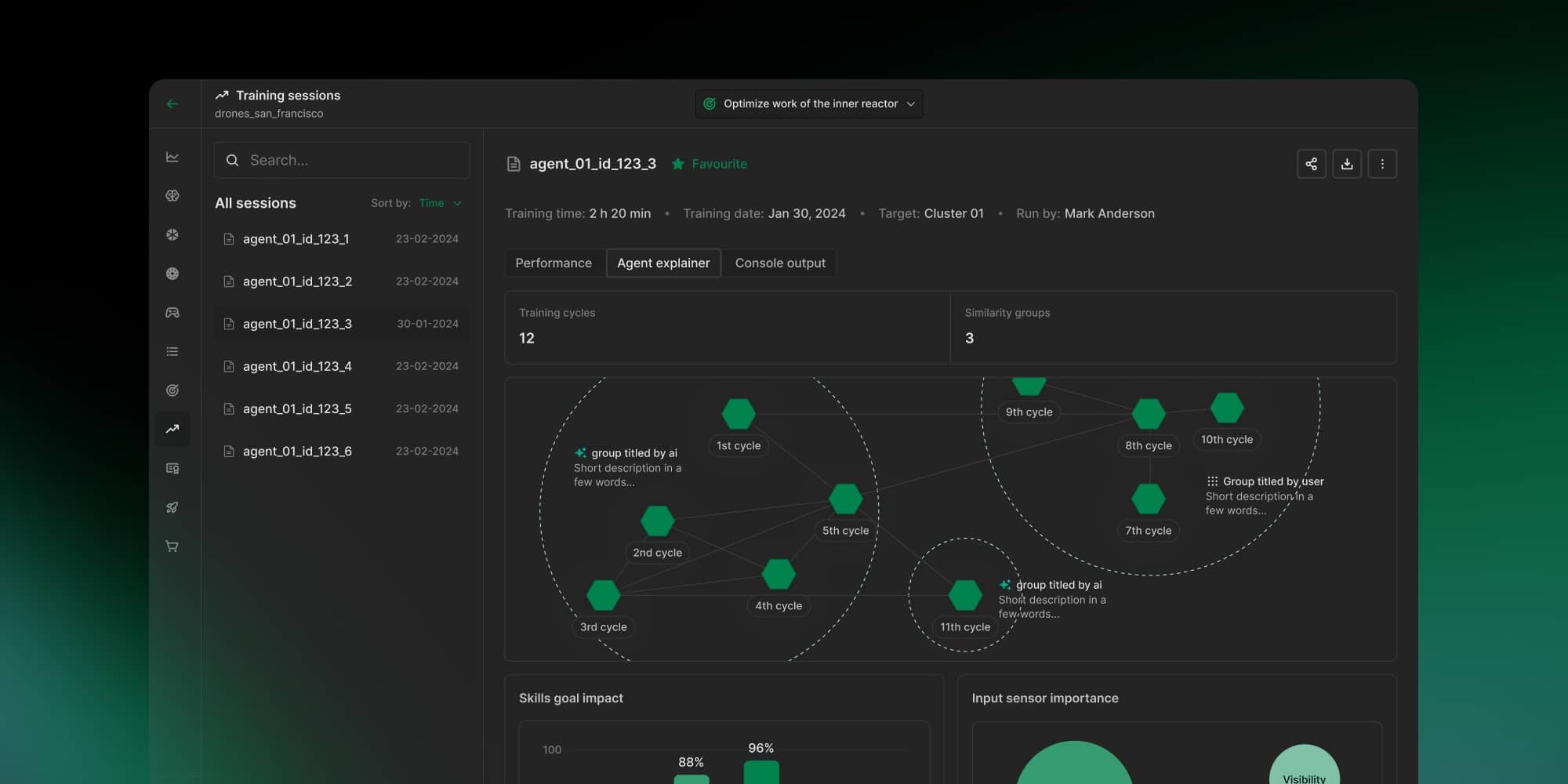
React Flow gave them exactly that – a lightweight, flexible diagramming engine with custom components and seamless state management. Its tight integration with the React ecosystem let Synergy Codes deliver features quickly and iterate fast, while keeping UI precision high. Although React Flow doesn’t provide smart layouts out of the box, this is one of Synergy Codes’ core specializations – we designed and implemented advanced auto-layout solutions tailored to complex products.
Why React Flow was a fit:
Composabl’s success depended on rapid delivery, flexibility, and UI innovation. React Flow enabled faster prototyping and gave designers and developers room to customize interactions without fighting an architecture.
→ Read full case study: From MVP to a full-year partnership – building a no-code AI platform with React Flow
Case: Collaborative software architecture modeling for knowis AG
knowis AG needed a collaborative solution for building and managing C4-based software architecture diagrams. The tool had to support multiple user roles (business and technical), real-time co-editing, and tight integration with their backend systems.
Synergy Codes designed and implemented:
- a custom React Flow-based architecture editor with real-time multiplayer (Yjs + Hocuspocus),
- role-based editing, user presence, locking, and live diagram updates across views,
- serialization of diagram states across Git and MongoDB for persistence and version control.
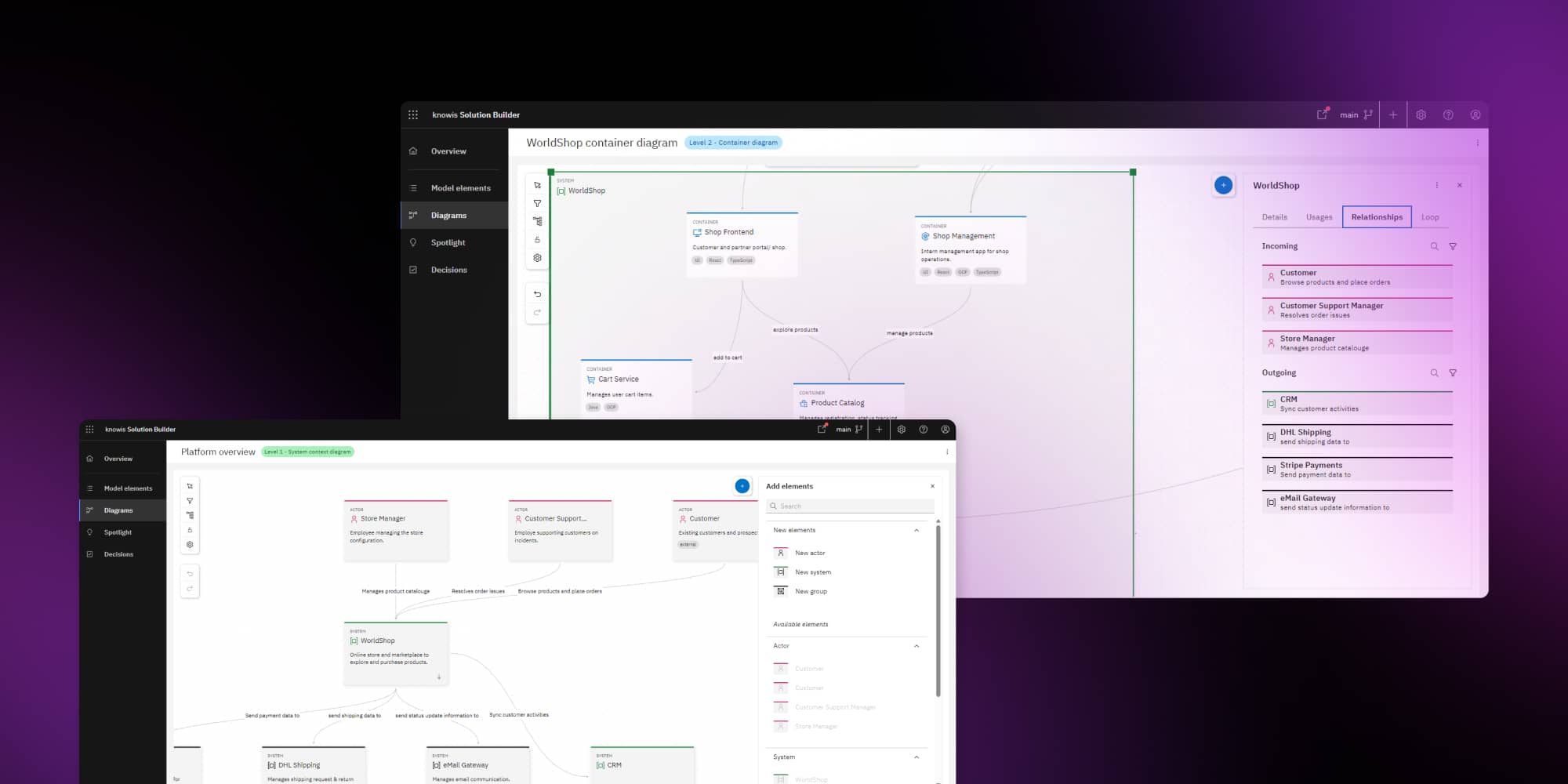
Why React Flow was a fit:
The flexibility of React Flow allowed the team to build structured yet extensible architecture views, while integrating seamlessly with the company’s React-based frontend. Real-time collaboration was added without compromising performance or UX.
→ Read full case study: Collaborative software architecture builder tailored to enterprise-grade workflows
Case: Industrial IoT dashboards for smart manufacturing
An international factory needed a custom-built tool to track its smart production line using real-time sensor data. The Synergy Codes team used GoJS to create:
- a drag-and-drop editor for IoT sensors,
- real-time visualization of production data,
- visualization of real alerts.
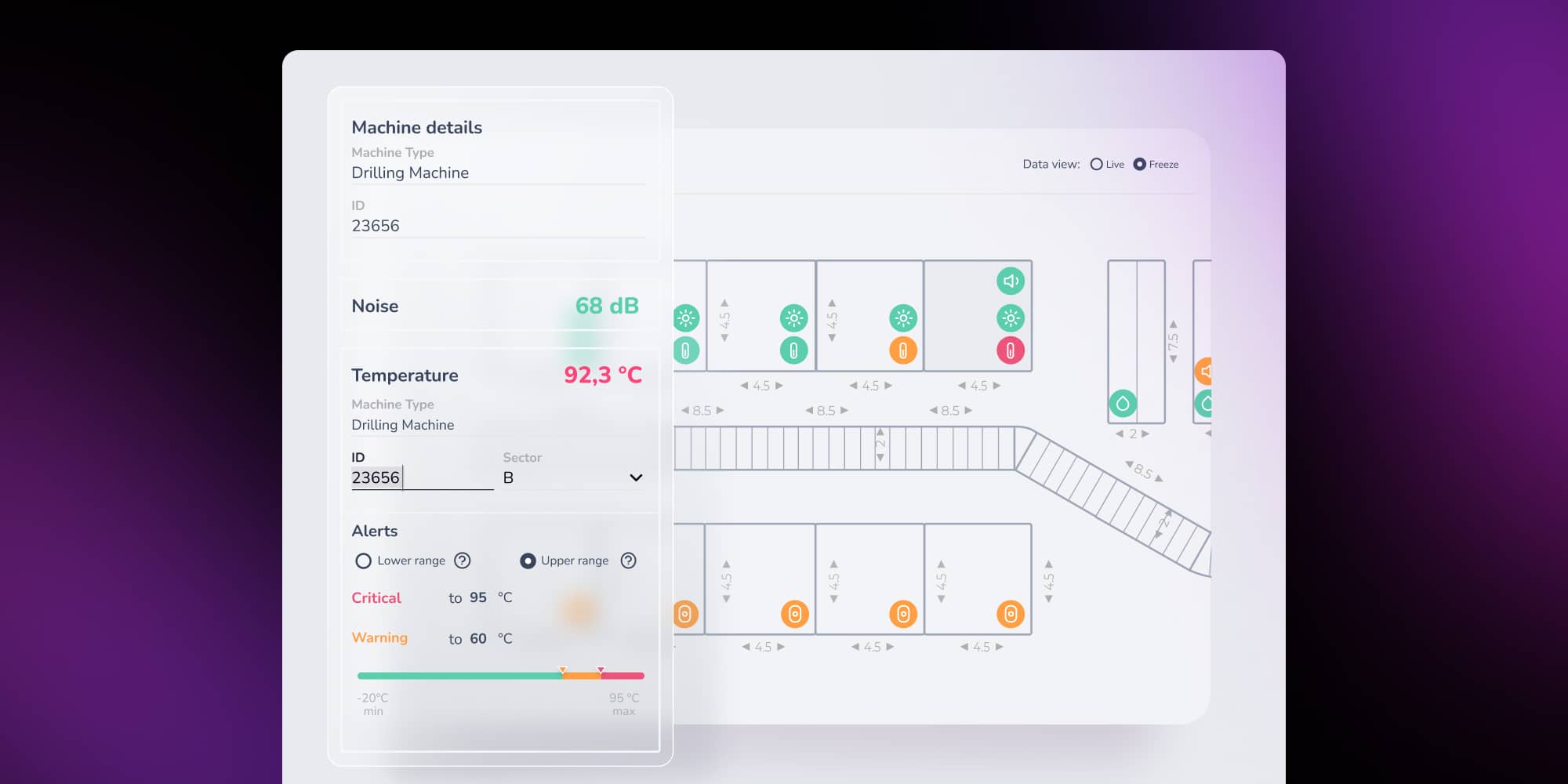
Why GoJS was a fit:
The project required a high-performance engine to process live data, scale across hundreds of elements, and support advanced visual logic. GoJS delivered smooth rendering and powerful customization unmatched by HTML-based libraries.
→ Read full case study: Industrial IoT Dashboards to Enable Smart Manufacturing
Case: Custom P&ID tool for a global energy company
A multinational energy company partnered with Synergy Codes to build a custom P&ID editor. We developed an editor with engineering-specific symbols, auto-connection rules, and error validation. GoJS ensured smooth performance and precision even in large, detailed industrial diagrams.
Key features built with GoJS included:
- real-time data feeds visualized in interactive diagrams,
- drag-and-drop component creation with rotation and zoom,
- simultaneous multi-user collaboration and alerting,
- sandbox mode for simulation without disrupting live operations.
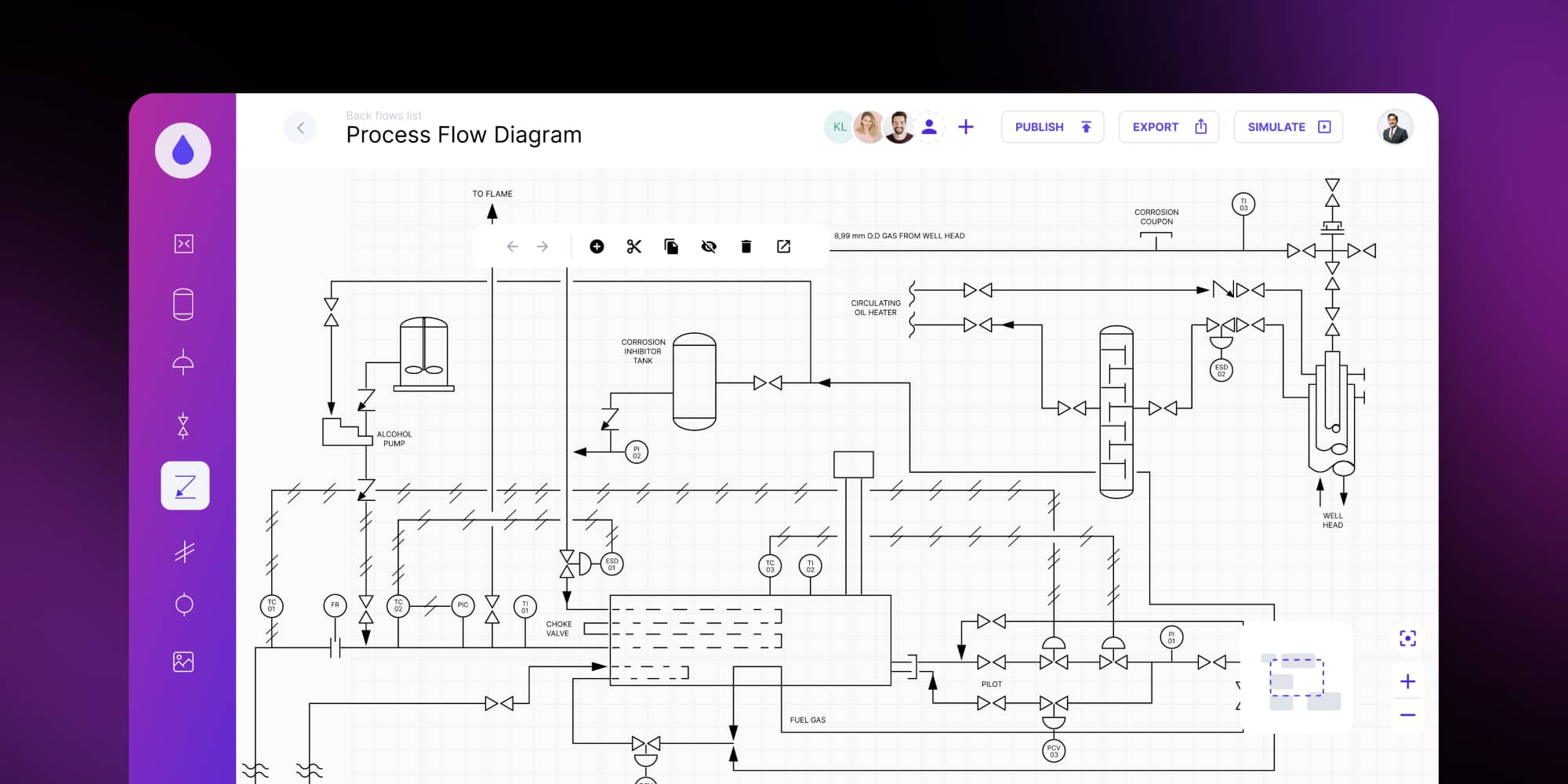
Why GoJS was a fit:
The application demanded real-time rendering, collaboration support, and custom object logic – all handled efficiently by GoJS’s canvas-based architecture. Its extensibility and performance made it an excellent choice.
→ Read full case study: Gain real-time operational insight with a custom piping and instrumentation diagram software
Making the right choice in the GoJS vs. React Flow debate
By this point, you’ve seen how differently these two technologies behave. Choosing between GoJS and React Flow is not about picking a winner. It’s about deciding which diagramming library fits the reality of your product, your roadmap, and your team’s capabilities.
To make the comparison even clearer, below is a summary of when each technology becomes the natural fit.
GoJS vs. React Flow – quick decision matrix
| Area | React Flow | GoJS |
|---|---|---|
| Development speed | Fast start, easy for React teams, flexible UI | More setup and learning, but lots of features built in for complex logic |
| Performance and scalability | Great for mid-sized diagrams; needs tuning at scale | Designed for large, data-heavy and real-time diagrams |
| User interface | Full HTML / JSX in nodes; best for interactive UIs | Precision templates; ideal for technical notation |
| Real-time monitoring | Works, but requires careful state handling | Highly optimized for frequent updates and telemetry |
| Collaboration | Excellent UX; smooth multi-user flows | Stable under heavy diagrams in collaborative setups |
| Framework compatibility | Best fit for React apps | Framework-agnostic – works across stacks and can be used almost anywhere |
| Accessibility | Can support WCAG standard. (However, since it's React, it's easier to achieve basic accessibility) | Can support WCAG standard |
| Licensing | MIT (free) with optional Pro support | Commercial license with enterprise-level support |
Choosing the right diagramming library sets the course for your product
Choosing between GoJS and React Flow comes down to what your product needs most.
React Flow gives feature and content rich nodes, ease of node styling with CSS, low barrier to entry, initial development speed,
GoJS, on the other hand, delivers high extensibility, performance, and full diagramming feature coverage.
At Synergy Codes, we work with both libraries every day. This helps us guide clients toward the option that truly supports their roadmap – and then build the end-to-end solution. Before you decide, download our checklist GoJS vs. React Flow checklist.
If you need a professional help evaluating your case or developing your diagrams, check what Synergy Codes can do for you:
We’re here to help you choose the right path and turn it into a solution that works.
- What is React Flow, and when should I use it?
React Flow is a flexible diagramming library designed for React applications. It’s best used when your product needs fast development, content-rich custom UI, and smooth user interaction. For many teams, it’s the ideal, lightweight GoJS alternative.
- What is GoJS, and what makes it different?
GoJS is a commercial diagramming library built for large, complex, and real-time diagrams. It excels in enterprise and industrial environments that require performance stability, precision, and advanced diagramming. Many teams choose it as a more powerful React Flow alternative.
- How do I choose between GoJS vs. React Flow?
Choose React Flow when you need UI flexibility, quick iteration, and rich-content nodes. Choose GoJS when your product must handle thousands of elements, real-time data, or advanced diagramming behaviour. The best choice depends on your product’s scale and long-term roadmap.
- Can I switch from React Flow to GoJS later in development?
It’s technically possible, but in practice highly not recommended. React Flow and GoJS use fundamentally different rendering models – one is DOM-based with React components, the other is a high-performance canvas engine. Because of that, node structures, interactions, event handling, state logic, and even the visual architecture must be rewritten almost entirely. Teams that switch mid-development often face weeks or even months of rework, plus the risk of breaking existing features. Making the decision early – before diagrams become central to the product – saves significant time, budget, and technical debt.
- Is there a free GoJS alternative?
Yes – React Flow is often the most popular free GoJS alternative. It’s open source under the MIT license, so teams can start building without upfront cost. This makes it especially attractive for startups and early-stage products that need UI flexibility, fast iteration, and a low barrier to entry. While it doesn’t offer all the advanced, built-in diagramming features of GoJS, React Flow provides enough freedom and control to validate ideas quickly and deliver polished user experiences before investing in more specialized tooling.
If you're working with Angular, there's another free GoJS alternative. ngDiagram is an open-source, Angular-native library, build with performance an scalability in mind.
- Can I integrate these libraries with my design system?
Yes – but the experience differs between the two. React Flow integrates seamlessly with any React-based design system. You can reuse your existing button and forms, which keeps the entire product visually consistent and speeds up UI development.
GoJS can also match your design system, but it requires more custom styling work. Since GoJS uses its own canvas-based template system, your team needs to manually recreate certain visual elements, define shapes, and adjust styling rules so they reflect your brand. It’s fully achievable – especially for technical diagrams – but it takes more effort than plugging in components.
CTO at Synergy Codes who ensures that new customers are stunned with our code, quality and knowledge. He is also a great GoJS expert who loves theoretical side of computer science.

Find how we can help you enhance your software and win more deals
Contact us to discuss your project. After you submit the form, we’ll get in touch with you within 48 hours to arrange a call.




.jpg)