Best Visio alternatives for AV design teams in 2026

Compare the best Visio alternatives for AV design, including Stardraw, D-Tools, XTEN-AV, Jetbuilt, AVSnap, AutoCAD and custom software.
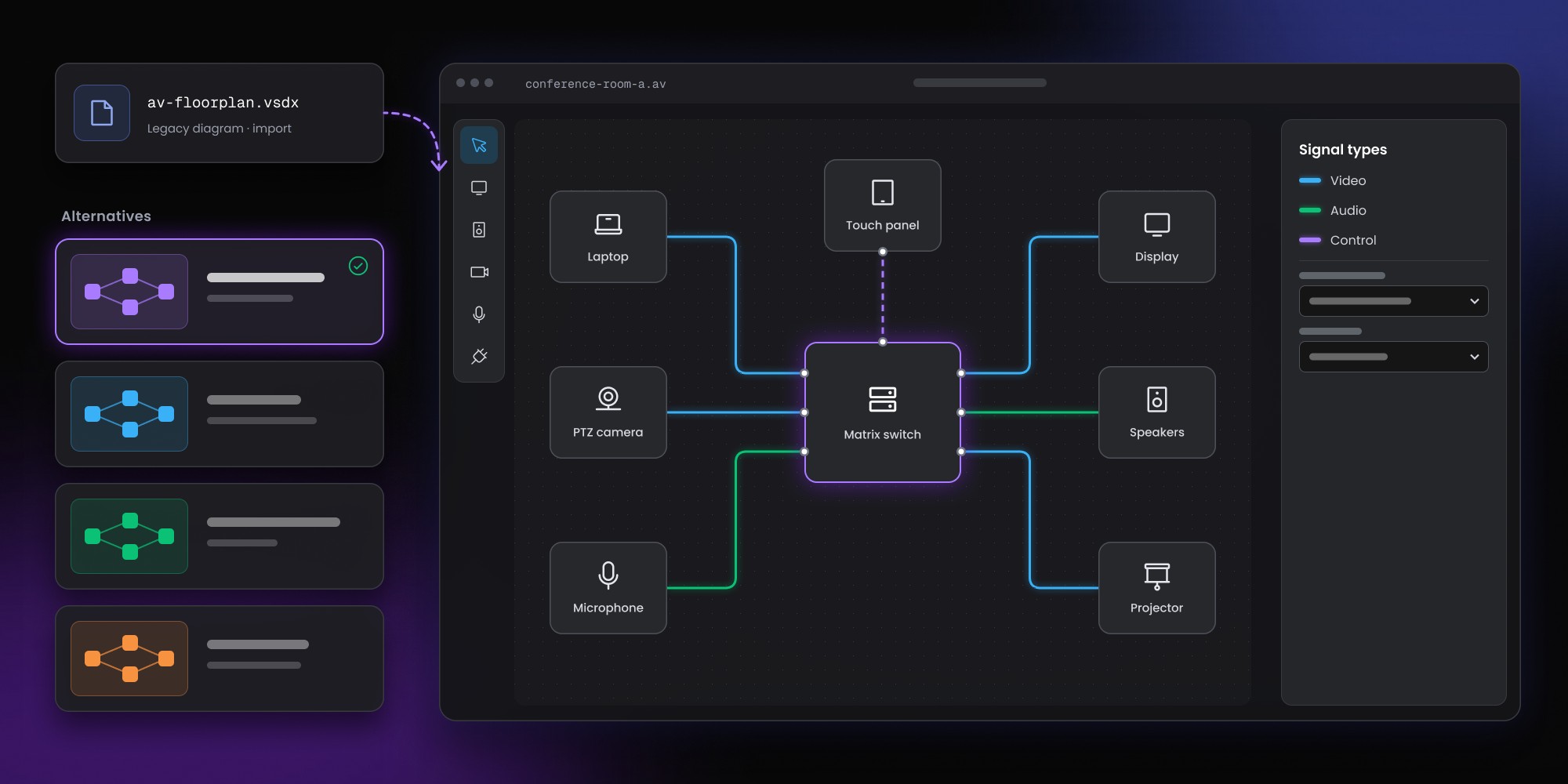
Visio works well for basic AV diagrams but becomes limiting when drawings need to connect with equipment data, bills of materials, and project workflows. Stardraw and AVSnap offer AV-specific drawing capabilities, while D-Tools, XTEN-AV, and Jetbuilt support broader design and project automation. AutoCAD is better suited to CAD-heavy projects, and Lucidchart focuses on collaboration. For teams with proprietary engineering requirements or complex integrations, custom AV design software may be the better long-term solution.
Microsoft Visio still works well for straightforward AV diagrams, signal flows and early system concepts. Problems appear when the drawing also needs to stay synchronized with equipment data, racks, cables, proposals, documentation and project workflows.
The best Visio alternative for an AV team depends on what needs to improve: drawing quality, AV-specific data, project automation or the entire design workflow.
The AV team's shortlist
Stardraw is one of the closest dedicated replacements for AV schematics and rack documentation. D-Tools connects design with sales and project delivery. XTEN-AV offers a broader cloud-based AV environment, while Jetbuilt is attractive when drawings should originate from structured project and quoting data. AVSnap is a lighter AV-specific option. AutoCAD remains useful for CAD-heavy environments and Lucidchart for general collaborative diagrams. Custom AV software makes sense only when standard platforms can't support a business-critical workflow.
Why do AV teams look for alternatives to Visio?
Visio becomes limiting when an AV drawing needs to function as structured engineering data rather than a standalone diagram.
A device in an AV system may have specific inputs and outputs, rack dimensions, cable requirements, pricing, product metadata and compatibility rules. A connector between two Visio shapes can represent a signal path visually, but the line doesn't automatically understand which ports it connects, which cable is required or what should change in the bill of materials.
AV-specific tools can attach more meaning to the objects on the drawing. Some also connect system design to estimating, proposals, purchasing, installation and project delivery.
If your main question is broader -- generic CAD or purpose-built AV software? -- see Custom AV design software vs standard CAD drafting tools.
Here, we're looking specifically at the software AV teams can evaluate when Visio no longer fits.
What should you look for in a Visio alternative for AV?
A good replacement should solve the problems your team currently works around manually. AV-specific drawing features are useful, but the bigger gains often come from connecting diagrams with the rest of the project.
AV schematics and signal flows
Look for support for the drawing types your engineers actually produce, such as:
- block schematics
- signal-flow diagrams
- rack elevations
- panel layouts
- floor and plan views
A general diagramming application can reproduce many of them visually. AV-specific software can connect the drawing to product and project information.
Device and manufacturer libraries
Large manufacturer libraries reduce repetitive symbol creation and help teams standardize drawings.
For example, Stardraw Design 7.4's product libraries contain over 134,000 product symbols from more than 1,600 manufacturers, and Stardraw updates those libraries monthly. Those symbols can carry drawing information relevant to AV work rather than acting as generic boxes.
Rack design
Rack layouts need more than rectangles placed on a page. Engineers may need correct dimensions, rack units, front and rear views, depth and clearances.
Stardraw's Rack Layout module, D-Tools and newer Jetbuilt drawing features address rack documentation in different ways.
BOM and project data
A stronger AV workflow can connect drawings with equipment lists, cable information, quoting and project records.
The benefit grows every time something changes. If a device is replaced, teams shouldn't have to remember which spreadsheet, quote, drawing and installation document needs a matching manual edit.
Export and interoperability
Few AV teams work inside one application from concept to installation.
Check support for formats your partners and downstream teams need, including PDF, DWG, DXF and spreadsheet exports. CAD interoperability becomes especially important when AV documentation forms part of a larger architectural or engineering package.
Workflow fit
Features alone won't tell you whether a platform suits the business.
A technically capable AV tool can still become frustrating if its project model, approvals, quoting flow or data structure doesn't match how the company operates. Once configuration turns into constant workaround-building, it may be worth evaluating custom AV design software.
Best alternatives to Visio in 2026
1. Stardraw Design: best for dedicated AV schematics and documentation
Stardraw Design is one of the strongest direct Visio alternatives for teams whose main priority is better AV-specific technical documentation.
The software is centered on AV system design rather than general-purpose diagramming. Its drawing environment supports block schematics, rack layouts, pictorial schematics, panel layouts and plan views.
Why is Stardraw better suited to AV than Visio?
The product library is a major difference. Stardraw provides manufacturer-specific symbols with information that can be reused across technical drawings.
Its rack-design capabilities are also purpose-built. Front, rear and side views, accurate scaling and equipment clearances are much closer to an AV engineer's actual documentation needs than manually assembled generic shapes.
For a team currently spending most of its time drawing signal flows and rack systems in Visio, those capabilities can remove a significant amount of repetitive setup.
Who should choose Stardraw?
Stardraw makes the most sense when technical AV documentation is the central problem and the company doesn't need to replace its sales, CRM or project-management systems at the same time.
Best fit: AV engineers who need stronger schematics, racks, device libraries and technical documentation.
2. D-Tools System Integrator: best for connecting design with project delivery
D-Tools System Integrator goes beyond technical drawing by connecting AV design with sales, proposals and project delivery.
An important detail is that D-Tools doesn't necessarily force teams to stop using Visio. System Integrator links drawing items in Visio directly to the bill of materials, and it integrates natively with AutoCAD too, so the existing drawing surface can stay in place while D-Tools owns the structured project and equipment data. One constraint to check first: only desktop Visio integrates with SI (Visio 2010 through 2024, or Visio Plan 2). Visio Plan 1, which is web-only, will not connect — and AutoCAD needs the full version because LT is not supported.
For some companies, the real migration decision isn't Visio versus D-Tools. A more accurate question is whether Visio should remain one interface while D-Tools becomes the system connecting design to the rest of the project.
What does D-Tools add to an AV workflow?
D-Tools is useful when teams want equipment, proposals, drawings and project information to stay closer together.
A typical integrator may need to connect:
- system design
- equipment lists
- proposals
- sales data
- installation documentation
- project delivery
Maintaining each artifact separately creates versioning and reconciliation work. A broader AV platform can reduce that fragmentation.
When is D-Tools too much?
Teams looking only for better diagrams may not need the operational scope of a larger platform.
Best fit: AV integrators that want design connected to sales and project operations.
3. XTEN-AV: best cloud-first Visio alternative for AV
XTEN-AV is a cloud-first AV platform that combines system design, technical documentation and wider project workflows. D-Tools also offers D-Tools Cloud, so XTEN-AV should not be treated as the only cloud option in this category.
Its scope goes well beyond replacing shapes on a Visio canvas. The product is positioned around AV-aware data, documentation, design automation and project processes.
Why consider XTEN-AV instead of Visio?
Moving from a generic drawing tool to an AV platform can reduce duplicate work between drawings and other project artifacts.
Devices become part of a structured project model rather than isolated graphics. Drawings, documentation and project outputs can then reference information held within the same environment.
Cloud delivery can also appeal to distributed teams that want browser-based access rather than desktop-centered design workflows.
What should you evaluate before choosing XTEN-AV?
A broader platform creates more dependency on its workflow assumptions. Before migrating, verify that your project model, integrations, proposal process and data-export options fit how the company already works.
Best fit: AV teams looking for a cloud-based design environment rather than another standalone diagramming application.
4. Jetbuilt and Jetbot Drawings: best for project-data-driven AV drawings
Jetbuilt is particularly interesting when AV documentation should be generated from project and quoting data rather than maintained separately.
Jetbuilt expanded further into technical design with Jetbot Drawings. The drawing system can generate schematics from project information and has expanded into rack elevations and architectural floor plans.
How is Jetbuilt different from Visio?
Visio starts with the drawing.
Jetbuilt can start with information already captured in the project.
A simplified workflow looks like:
Project / BOM data
↓
System schematic
↓
Rack elevation
↓
Floor plan
The model addresses a familiar AV documentation problem: a quote or BOM changes but someone forgets to update the corresponding drawing.
Generating documentation from structured project data can reduce those inconsistencies.
Who should consider Jetbuilt?
The product is most compelling for teams already organizing their quoting, equipment selection and project workflows around Jetbuilt.
Best fit: AV businesses that want structured project data to drive more of their technical documentation.
5. AVSnap: best lightweight Visio alternative for AV diagrams
AVSnap is worth considering when the main requirement is AV-specific diagramming without adopting a broad business platform. It is freeware developed by Altinex. AVSnap supports rack elevations, material lists, product-pricing imports and cable-list reports, so it should not be treated as drawing-only software.
The tool occupies a lighter category than D-Tools, XTEN-AV or Jetbuilt. Teams can use it for AV system diagrams and signal-flow documentation without moving their sales and project processes into the same application.
When does AVSnap make sense?
A smaller integrator may simply need something better suited to AV than generic diagramming software.
If the requirement is:
“Give our engineers a better way to document AV systems.”
a lighter specialist tool can be more practical than a full platform.
Teams may eventually outgrow that category when requirements expand into proposal automation, deep product data, multi-team workflows, validation or enterprise integrations.
Best fit: smaller teams and engineers primarily focused on AV drawing.
6. AutoCAD: best for CAD interoperability and precision drafting
AutoCAD is a stronger technical drafting environment than Visio, but it remains a general CAD platform rather than a complete AV workflow system.
For some teams, that's exactly what they need.
AutoCAD is a strong candidate when projects depend on DWG deliverables, established CAD standards or coordination with architects and other engineering disciplines.
When is AutoCAD better than an AV-specific platform?
Keep AutoCAD near the center of the workflow when:
- DWG is a required project deliverable
- AV drawings must align with architectural packages
- engineers already work effectively in CAD
- precision drafting matters more than AV workflow automation
Problems arise when teams expect AutoCAD alone to understand AV-specific relationships, product data, signal compatibility, cable schedules or proposal information.
Additional software, plugins or custom integration is usually needed for those capabilities.
We cover the distinction in more detail in Custom AV design software vs standard CAD drafting tools.
A purpose-built AV platform can also coexist with CAD. Synergy Codes' custom AV platform capabilities include AutoCAD-compatible DXF export, allowing daily system design to happen in a domain-specific application while CAD remains part of downstream delivery.
Best fit: AV teams working inside a wider CAD ecosystem.
7. Lucidchart: best for collaborative AV diagrams
Lucidchart is a useful Visio alternative when the problem is collaboration and accessibility rather than AV engineering automation.
Lucidchart does offer data linking, conditional formatting and a generic Server Racks shape library. What it does not provide is an AV-specific device model that turns shapes into structured devices with ports and cable requirements, or a BOM layer that keeps signal-flow drawings synchronized with AV project data.
Like Visio, Lucidchart is a general-purpose diagramming platform. It won't automatically turn AV shapes into structured devices or connect signal flows to a BOM.
The product can still be a sensible choice when teams mainly want:
- browser-based diagramming
- easier sharing
- collaborative editing
- simple system visuals
- less dependence on desktop software
Moving from Visio to Lucidchart improves how teams create and share diagrams. It doesn't replace the need for separate AV product data, rack information, cable documentation, validation or quoting.
Best fit: teams that want collaborative general-purpose diagramming while keeping AV engineering data elsewhere.
Custom AV design software: best for proprietary workflows
Custom AV software becomes relevant when the business has outgrown the workflow assumptions of both general drawing tools and commercial AV platforms.
Custom development isn't the natural next step after Visio. Stardraw, D-Tools, XTEN-AV, Jetbuilt or another commercial product will be faster and less expensive for many organizations.
A custom platform starts to make sense when important workflows can't be represented without repeated workarounds.
Common triggers include:
- proprietary engineering and validation rules
- deeply customized quoting
- internal product or pricing databases
- unusual approval processes
- several drawing views driven by one data model
- role-specific customer or engineering interfaces
- deep ERP or CRM integration
- automated documentation unique to the organization
Synergy Codes builds custom AV design and proposal software around those types of requirements, including AV schematics, device libraries with manufacturer specs, multi-view design across floor-plan and schematic layers, bills of materials, real-time collaboration, version control and document exports.
When is custom AV software worth the investment?
Custom software is easier to justify when the workflow itself has become operational infrastructure.
A commercial tool that already covers 90% of the process will usually be the better investment. Rebuilding standard AV functionality adds cost without creating much business value.
Custom development becomes more defensible when the missing 10% contains the workflows that differentiate the company or create the largest operational bottlenecks.
For a closer look at the development process, see How to build a custom AV design automation platform.
Outgrown both Visio and standard AV software?
See what a custom AV design platform can include.
Visio alternatives for AV compared by use case
The best option becomes clearer once you define what Visio isn't doing well enough.
A team replacing Visio because of poor collaboration has a very different requirement from one trying to automate BOM generation and technical validation.
Should AV teams replace Visio completely?
Not necessarily. Visio can remain useful for conceptual diagrams, presentation visuals and simple documentation even when detailed AV engineering moves elsewhere.
Hybrid workflows are common in engineering environments. One tool may become the source of truth for devices and technical design, while Visio or AutoCAD remains useful for particular outputs or stakeholders.
A forced all-or-nothing migration often creates unnecessary disruption.
The better question is which system should own the structured engineering data.
When is Visio still good enough for AV design?
Visio remains a reasonable choice when drawings are simple and the surrounding workflow doesn't depend heavily on structured AV data.
Keeping it can make sense when project volume is modest, diagrams change infrequently, documentation has a clear owner and BOM or quoting already works reliably elsewhere.
Migration becomes easier to justify when repetitive manual work starts accumulating around the drawings.
If engineers spend more time reconciling files than creating designs, the team probably has a workflow problem rather than a diagramming problem.
What are the signs an AV team has outgrown Visio?
Common warning signs include equipment lists and diagrams being updated separately, conflicting drawing versions, outdated installation documents and project information copied between multiple systems.
Other indicators include:
- signal and cable checks depend entirely on manual review
- rack layouts are repeatedly recreated
- quotes and drawings use different product data
- device information lives in spreadsheets
- the same data gets entered into several tools
- complex engineering rules exist only in individual employees' knowledge
The underlying problem is often the absence of a shared AV system model.
The AV design software buyer's guide provides a broader framework for comparing general CAD tools, AV-specific products and custom platforms.
AV-specific software vs general diagramming tools
Moving from Visio to another general diagramming application may improve collaboration or usability without changing the engineering workflow underneath.
A generic diagram tool can provide a canvas, shapes, connectors, templates and collaboration.
AV-specific software can go further with structured devices, ports, rack information, cable data, BOM links, validation and project automation.
The gap becomes most visible after revisions begin.
A drawing-centered workflow relies on people to keep every artifact synchronized. A data-centered AV workflow can use structured project information to update or generate documentation.
When should you build custom AV software instead?
Custom development should enter the shortlist only when commercial products can't support a business-critical workflow without recurring workarounds.
A simple decision tree helps.
Do standard AV platforms already fit the process?
Buy one of them.
Building standard functionality from scratch rarely creates an advantage.
Is the main requirement better AV documentation?
Start with tools such as Stardraw or AVSnap.
Do design, quoting and project delivery need to work together?
Evaluate broader products such as D-Tools, XTEN-AV and Jetbuilt.
Does the company have a genuinely proprietary AV workflow?
Custom development may be justified when unique engineering rules, automation, customer interfaces or integrations sit at the center of the process.
You can see examples of browser-based technical and diagramming products in the Synergy Codes portfolio.
How to choose a Visio alternative for AV design
A useful evaluation should cover more than the canvas.
Check the drawing formats your team needs, the quality of the device model and the documentation the platform can generate. Then look at the wider workflow: quoting, CRM, ERP, purchasing, project management and installation.
Data ownership deserves equal attention. Ask whether you can export project information, extend the platform, connect proprietary systems and keep your workflows usable if the vendor's roadmap changes.
A ten-person integrator and a multinational AV organization don't need the same software architecture.
Compare AV software capabilities before you shortlist tools
Use the feature framework for CAD, AV platforms and custom systems.
Open the AV design software buyer's guide
Which Visio alternative is best for AV teams?
Choose Stardraw if the biggest gap is AV-specific schematics and rack documentation.
Choose D-Tools when design should connect to sales and project delivery.
Choose XTEN-AV when you want a broader cloud-based AV design environment.
Choose Jetbuilt when project and quoting data should drive technical documentation.
Choose AVSnap when a lighter specialist diagramming tool is enough.
Keep or adopt AutoCAD when CAD standards and interoperability dominate.
Choose Lucidchart when collaboration is the main reason for leaving Visio.
Consider custom AV software when commercial tools can't support a workflow that matters enough to own.
The key question isn't which application can draw an AV system. Most of them can.
Ask what information and workflow the software needs to understand after the drawing is created.
Content Marketing Specialist who's spent the last decade making tech topics actually readable. With an MA in Brand Communication, Ida has crafted content strategies for several IT companies. Her portfolio spans from Kubernetes tutorials to enterprise software guides, now focusing on data visualization and diagramming solutions.

Find how we can help you enhance your software and win more deals
Contact us to discuss your project. After you submit the form, we’ll get in touch with you within 48 hours to arrange a call.


.jpg)